
From a ticket to a merged pull request
The question What does the work actually look like?
Follow one feature through Eido Build, from the ticket a product owner raises to the pull request it merges, with a design, a plan, the code, a review and the build along the way.
 Start the walkthrough
In this chapter
Every step, in order. Pick one to start the walkthrough there.
-
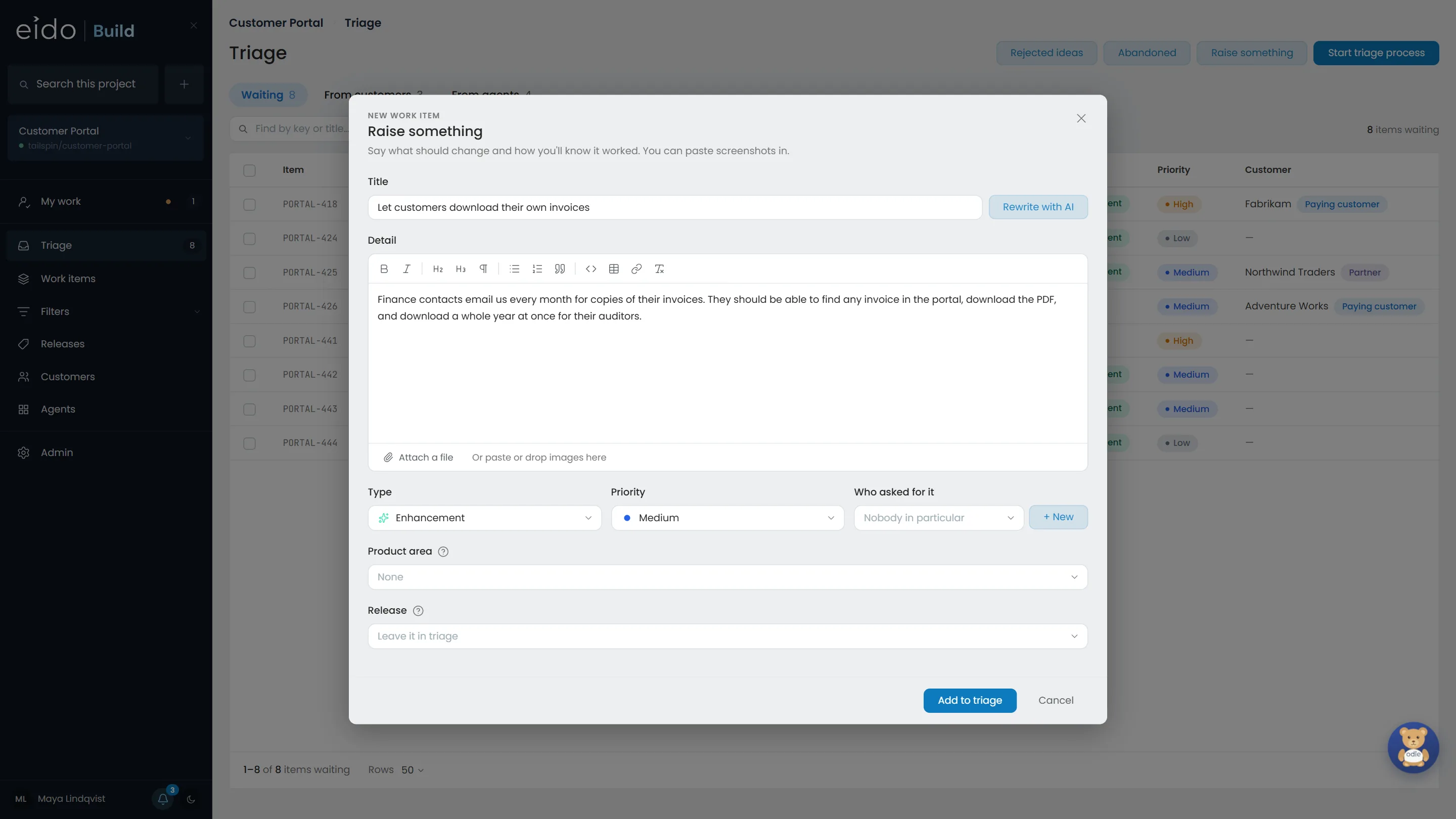
Step 1 of 12 It starts as a ticket
Priya, a product owner, writes what should change and how she will know it worked. Finance contacts email support for copies of their invoices every month, and two paying customers have asked for this.
Click Add to triage
-
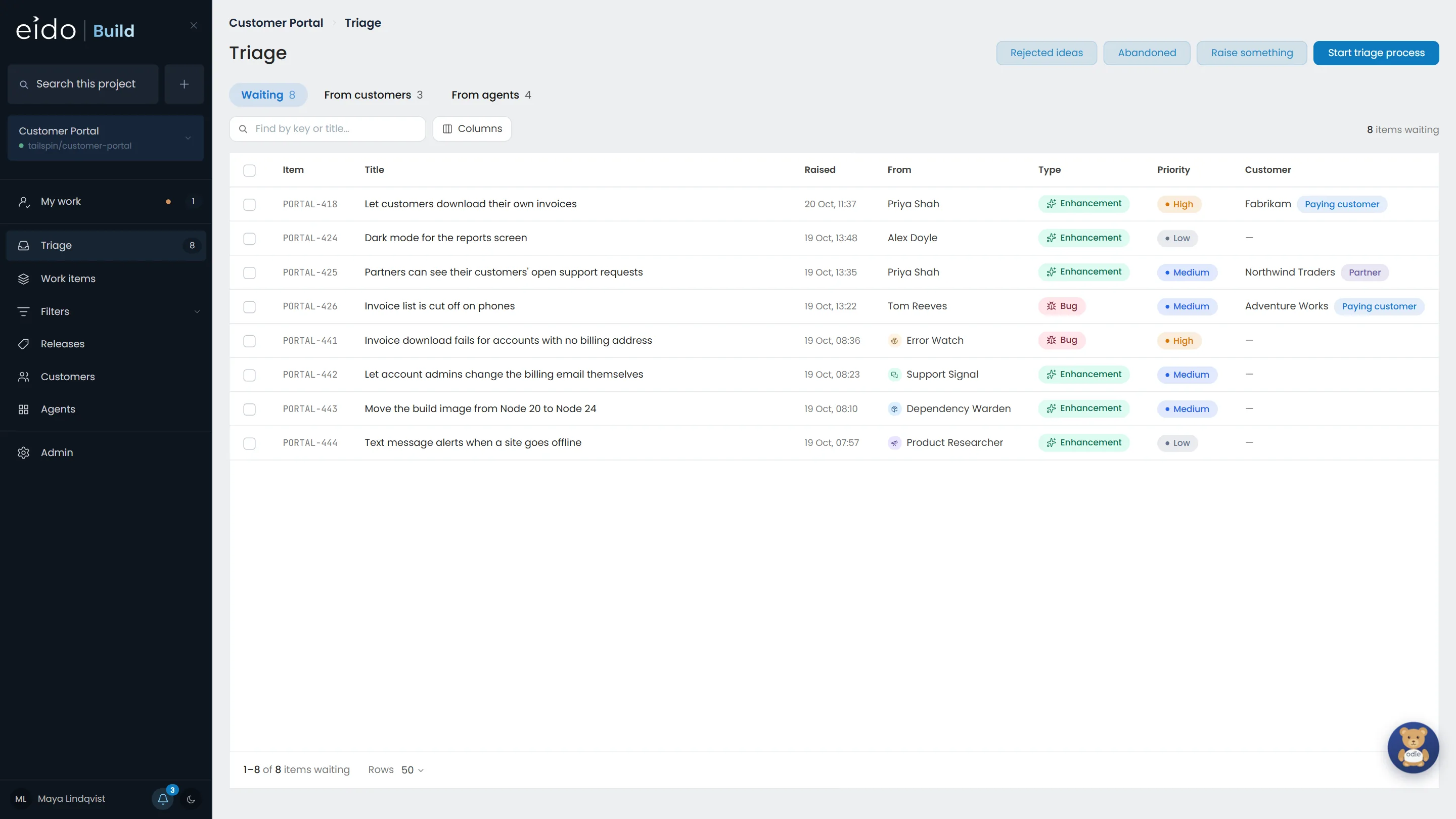
Step 2 of 12 Everything waits in triage first
New work from people, customers and agents lands here, and nothing starts until somebody agrees to it. The triage process takes the list one item at a time, the way a triage meeting would.
Click Start triage process
-
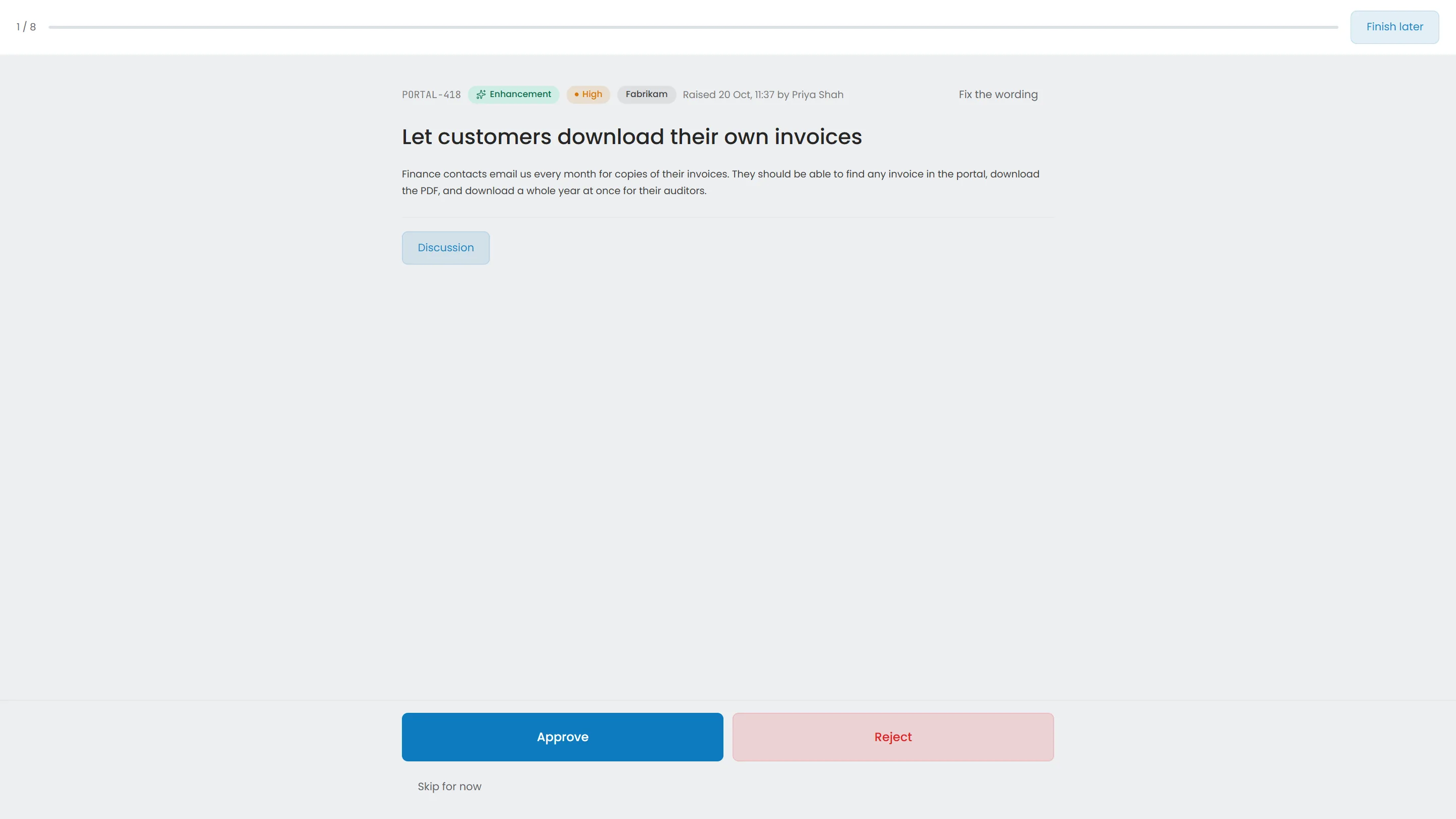
Step 3 of 12 One item at a time
Each item on its own, with who raised it and for which customer. Approve it, reject it with a reason, or skip it for now.
Click Approve
-
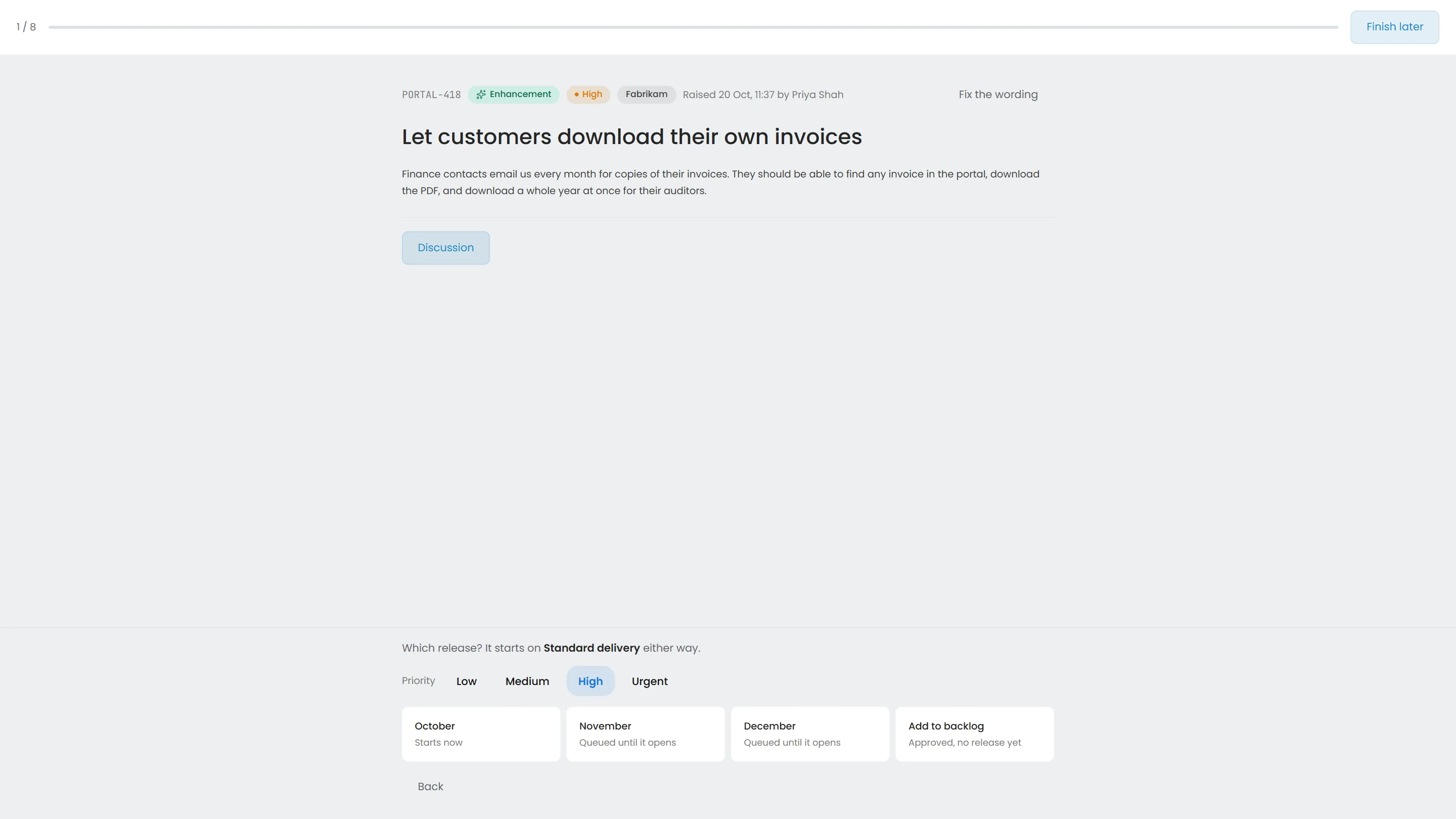
Step 4 of 12 Pick the release, and it starts
Approving into the release being built starts the work at once, on the workflow for its type. A feature takes Standard delivery. Its branch is cut the moment it is approved.
Click October
-
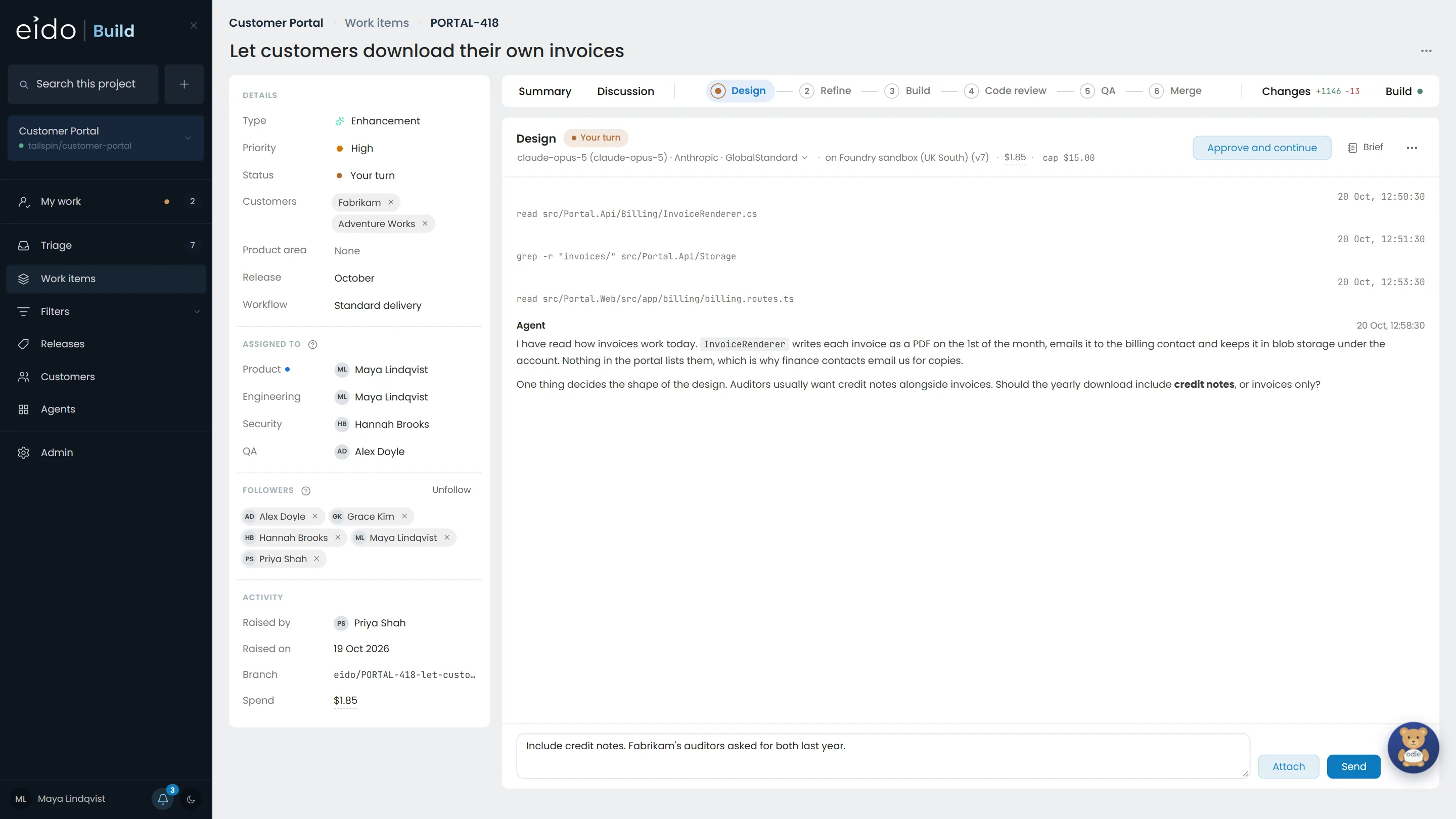
Step 5 of 12 The agent asks before it guesses
The Design agent has read the billing code and found that invoices are already stored as PDFs. One answer changes the shape of the design, so it asks rather than assumes.
Click Send
-
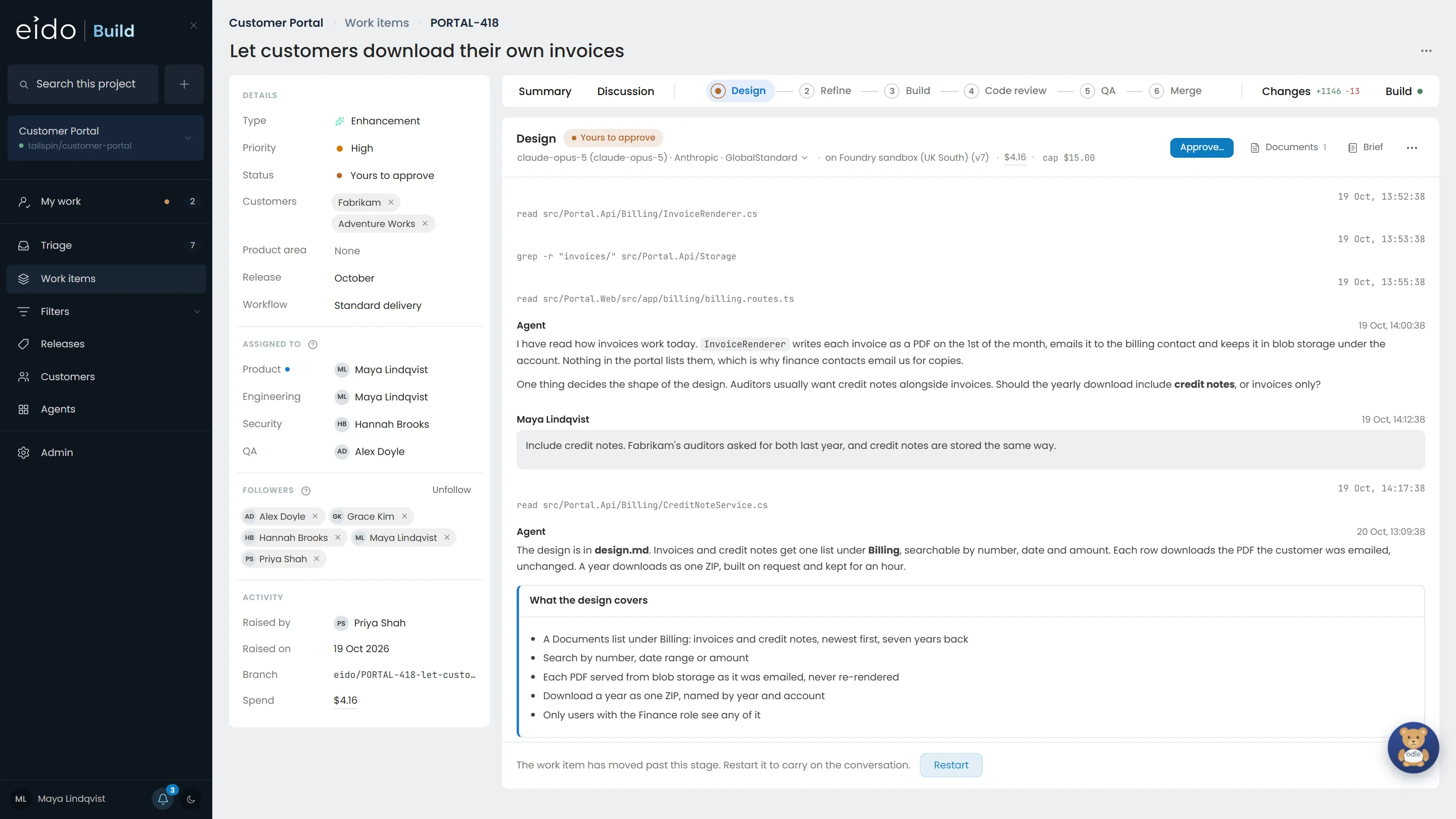
Step 6 of 12 A design, waiting for you
It wrote the design, added an acceptance criterion for the credit notes, and stopped at the gate. Nothing is built until it is approved.
Click Approve…
-
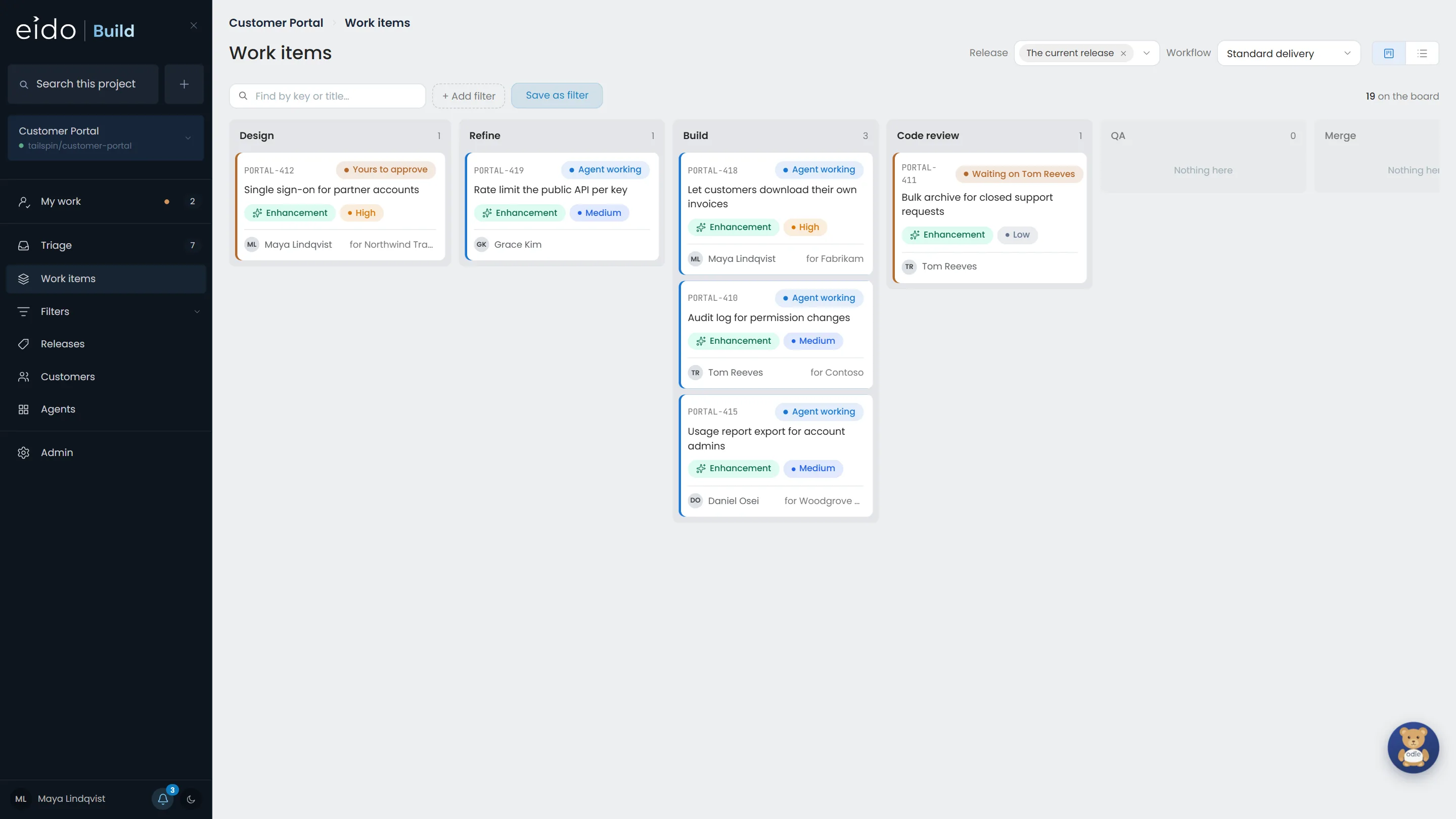
Step 7 of 12 Agents carry the work between your gates
After the plan was approved too, the work moved into Build. The board shows every item's stage and whether an agent or a person has it.
Click PORTAL-418
-
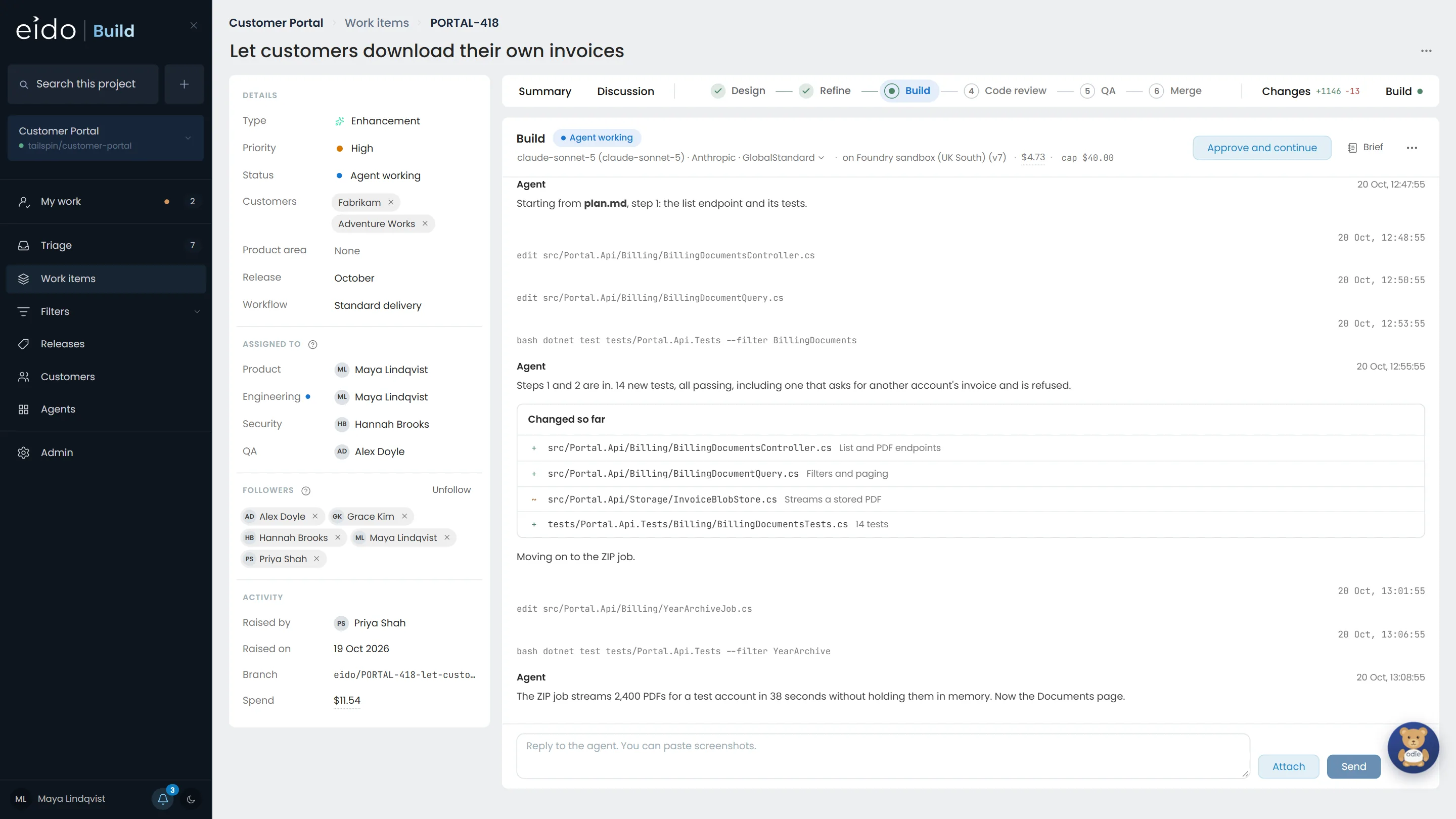
Step 8 of 12 Writing the code, with tests
The Build agent works through the approved plan a step at a time on the work item's branch, in a sandbox in your Azure subscription. You can see what it did as well as what it said.
Click Changes
-
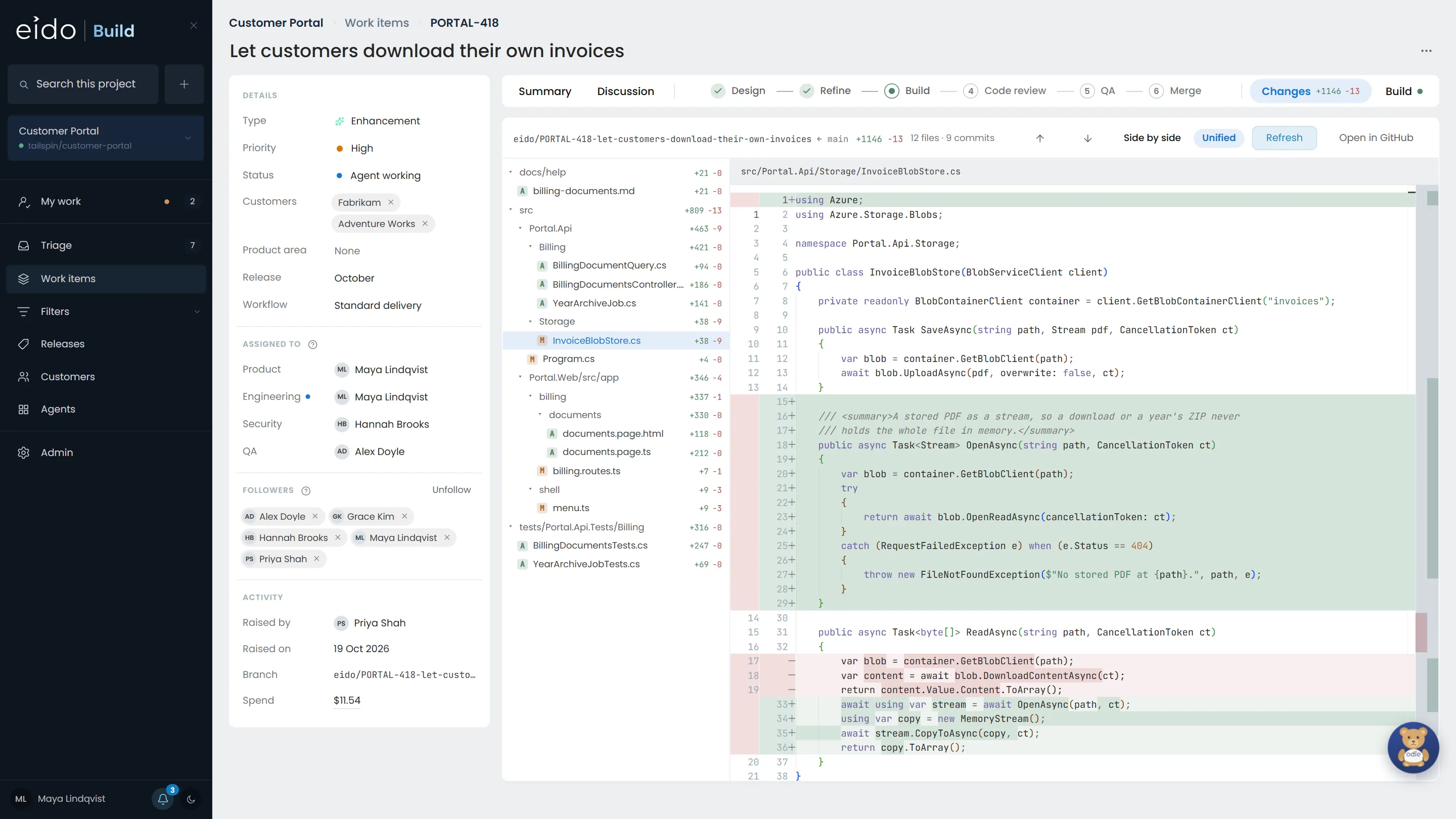
Step 9 of 12 Read the change, line by line
Every file on the branch against main, as a tree, with the whole file in the diff viewer. Twelve files, 1,146 lines added.
Click Build
-
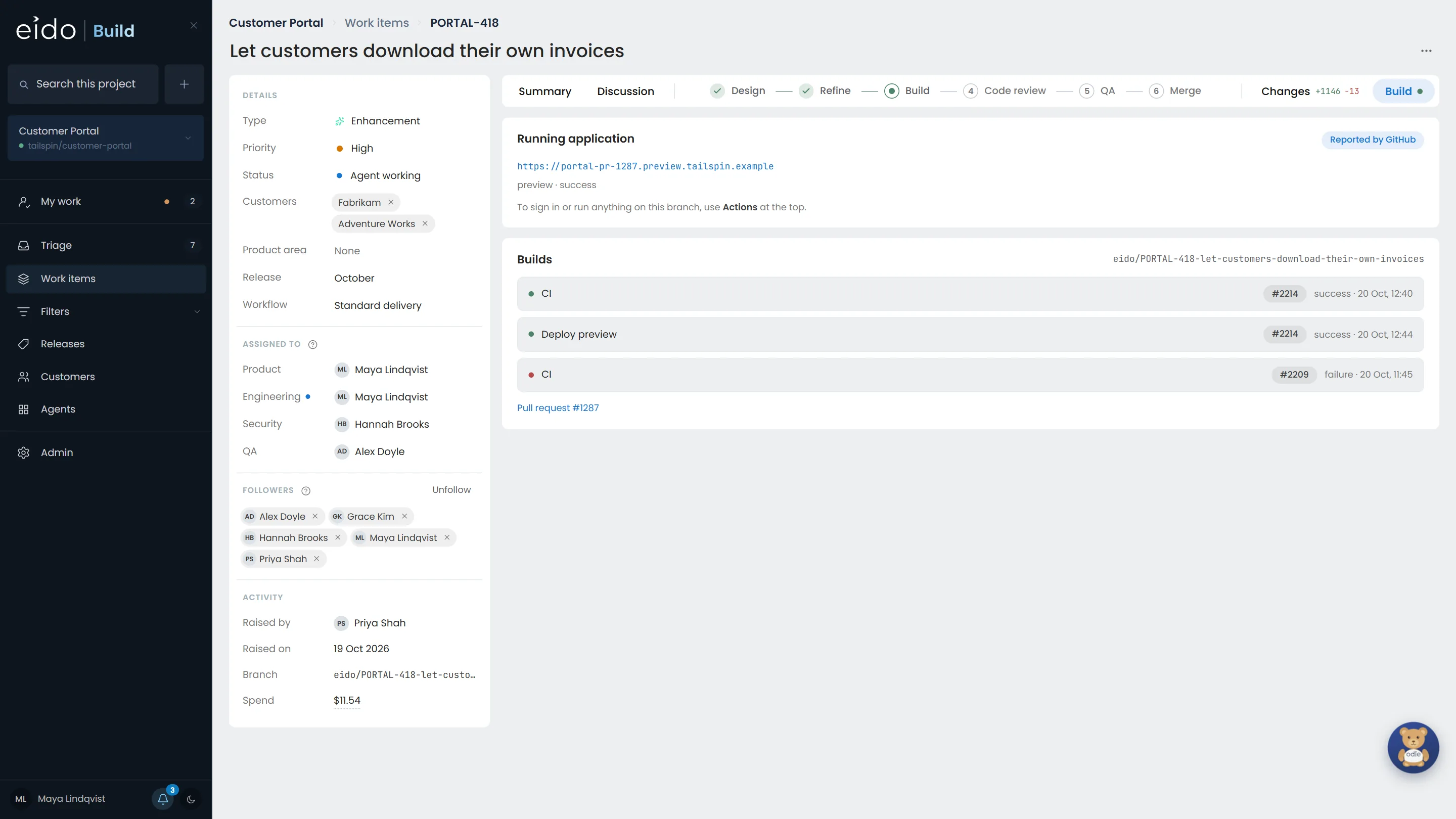
Step 10 of 12 The build, read live from GitHub
The Actions runs for the branch and the preview it deployed to, read straight from GitHub rather than copied. An earlier run on the branch failed; the latest passed.
-
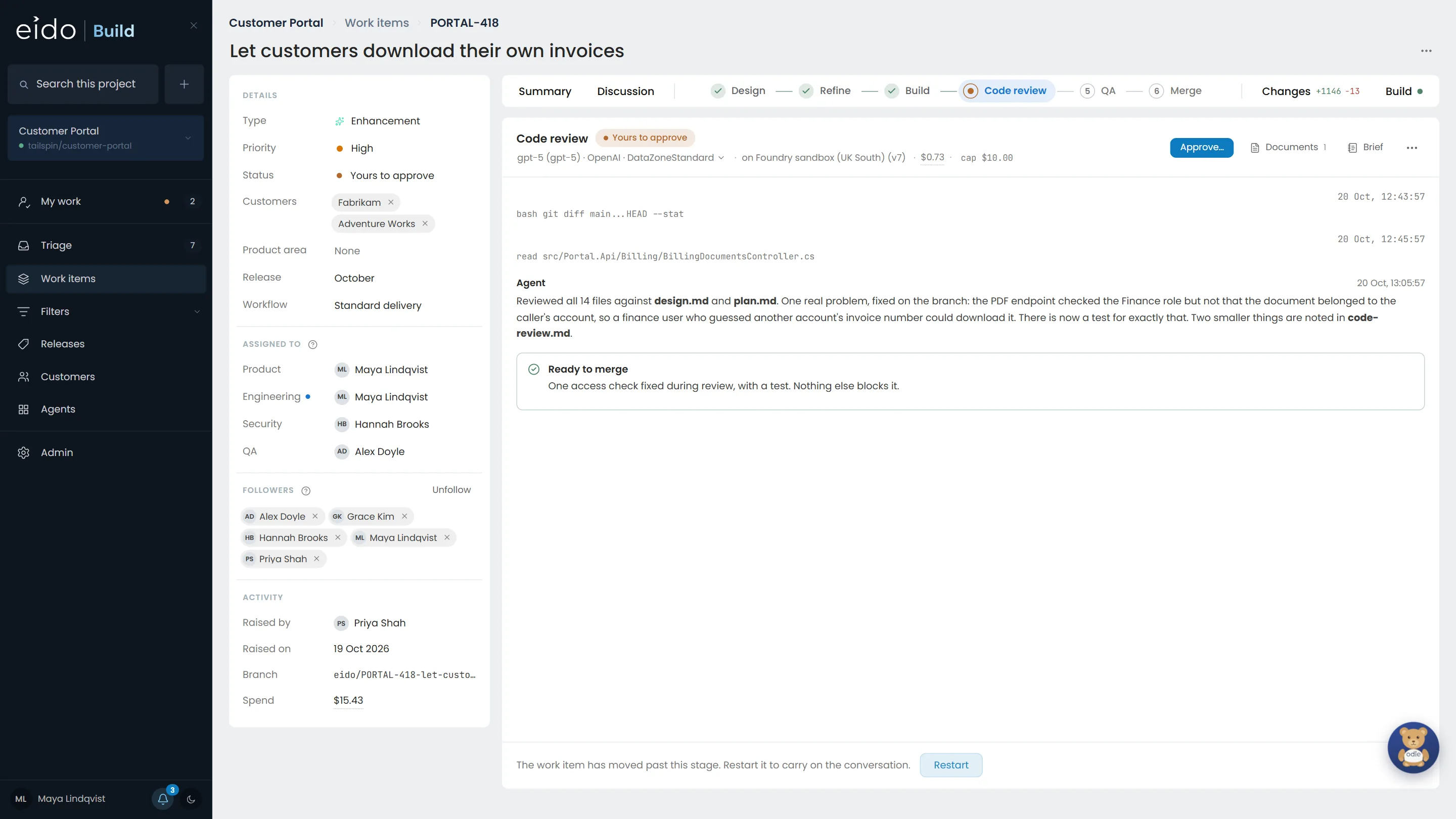
Step 11 of 12 Reviewed by a different model
Code review runs on GPT-5, not the Claude model that wrote the code. It found a real problem, a document from another account could be downloaded by guessing its number, fixed it with a test, and wrote it up.
Click Approve…
-
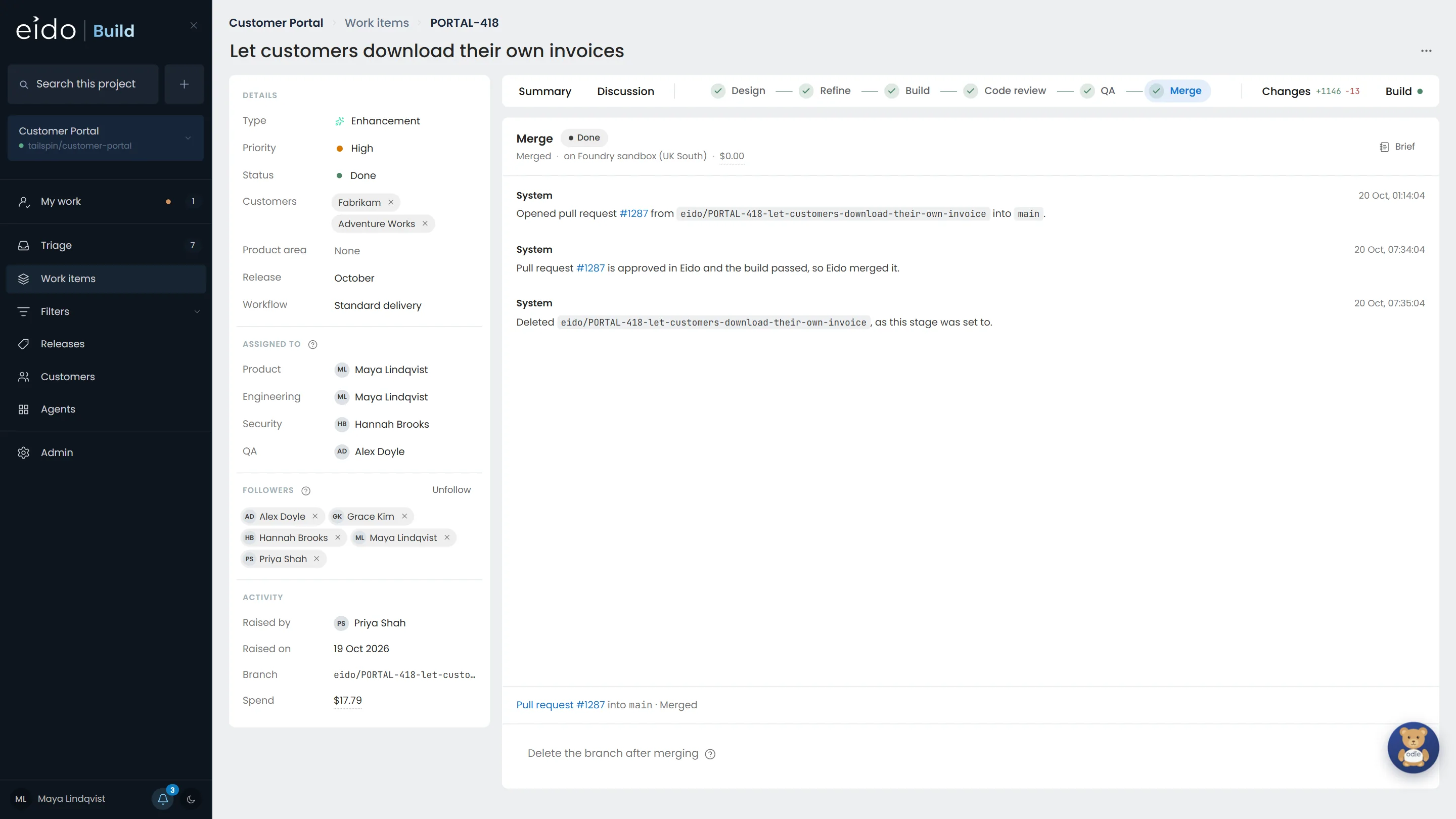
Step 12 of 12 Merged, and the branch tidied away
After QA, Eido Build opened the pull request, waited for the build, merged it once it was approved, and deleted the branch. The work item is done.
One ticket in. Reviewed, tested, merged code out.
This is how Eido, our Microsoft Intune product, is built now. Its last release cycle took one week instead of four and shipped four times the tickets and bugfixes, which is 16 times the throughput. Install Eido Build and put your own backlog through it, or talk to us first.
More chapters
The whole tour-
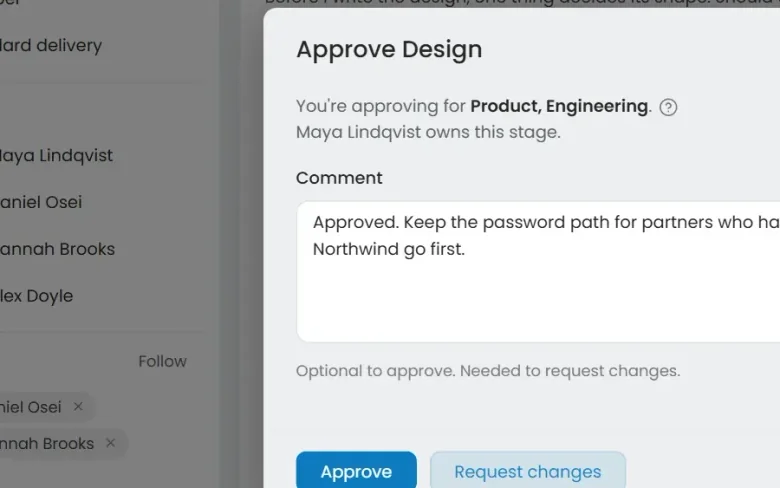 01 Governance Seen Every change goes through your gates Who decided this could ship?
-
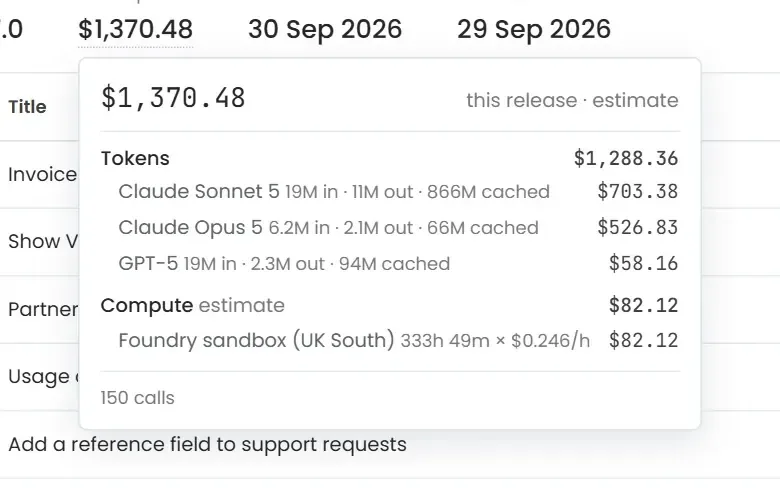 02 Cost control Seen Know what every release cost Where did the AI budget go?
-
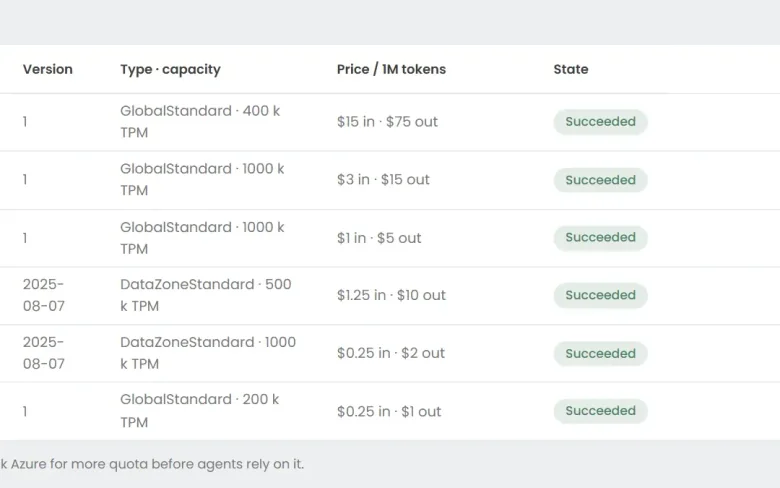 03 Foundry Seen Your models, in your Azure Can we use the models we have already approved?
-
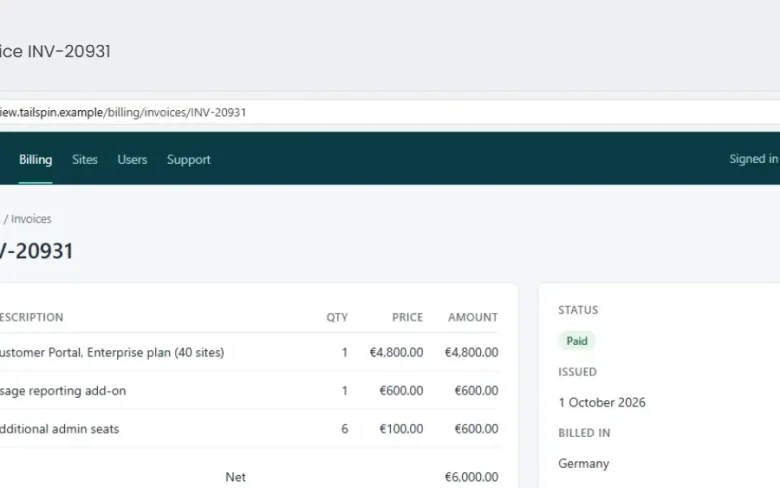 05 QA with evidence Seen Tested, with the evidence attached How do we know it actually works?
-
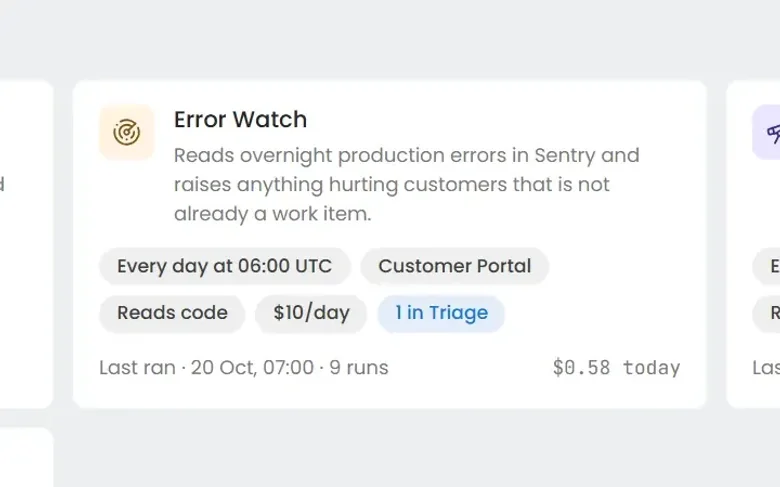 06 Always-on agents Seen Work nobody filed a ticket for What about the problems nobody has reported yet?
-
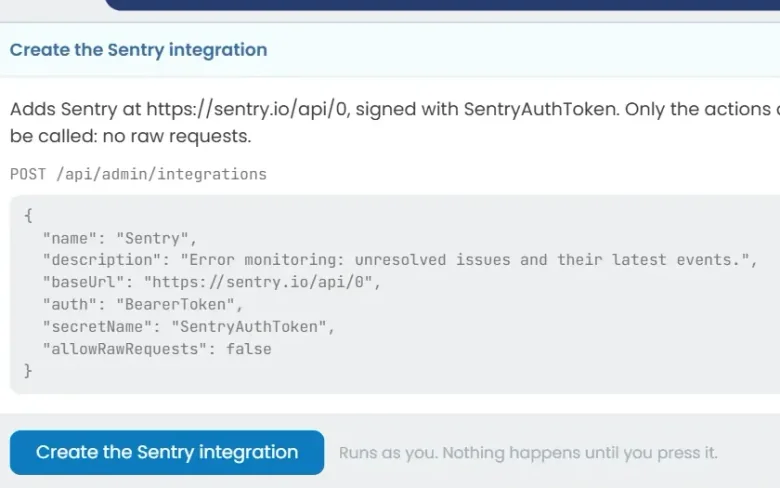 07 Build an agent Seen Build an agent in plain English Can we build our own?
See it on your own work
Install Eido Build from Azure Marketplace into your own Azure subscription, or talk to us about your teams, your repositories and your process.