
Know what every release cost
The question Where did the AI budget go?
The cost of every release, work item, stage and model, from one ledger. Caps on every stage, a budget for the month, and caps on always-on agents. Walk through it in Eido Build.
 Start the walkthrough
In this chapter
Every step, in order. Pick one to start the walkthrough there.
-
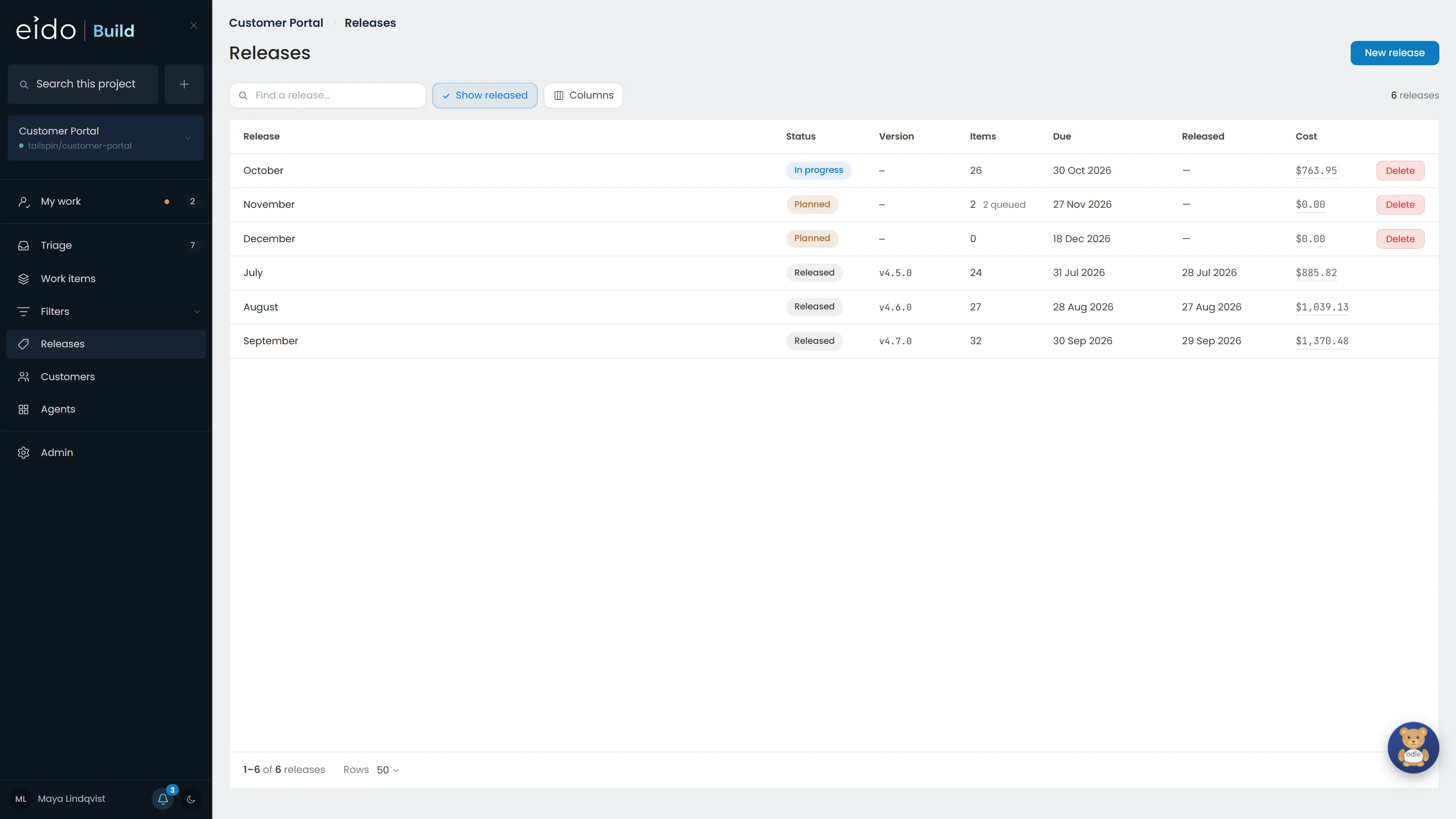
Step 1 of 10 Every release has a price
Beside each release, how many work items it shipped and what it cost. September shipped 32 items for $1,370.48. The figures add up from below, never from an estimate typed in.
Click September
-
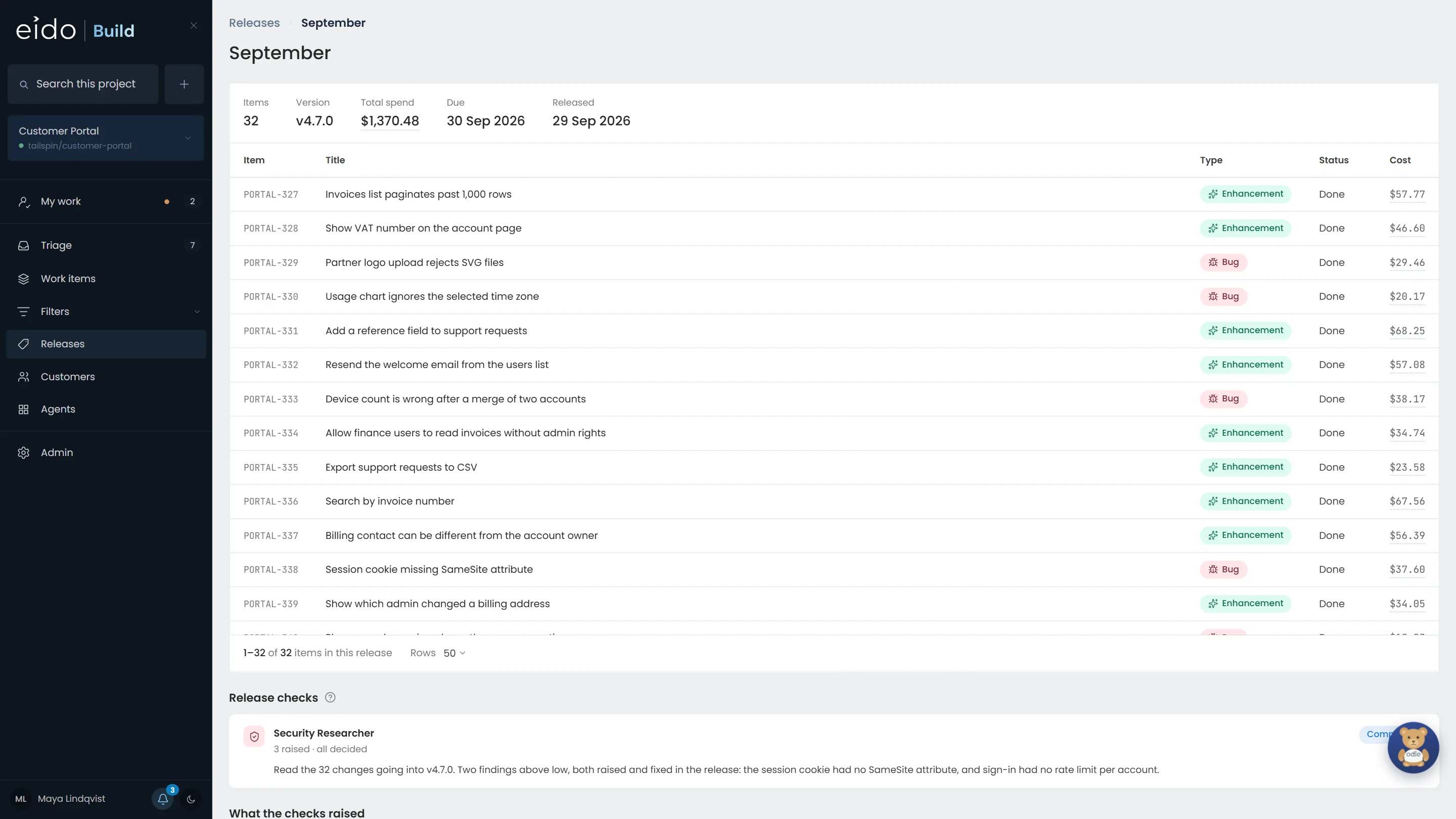
Step 2 of 10 And every work item in it
The release's total spend, and the cost of each item in it, from $20 for a small bug to $68 for a new feature.
Click the total, $1,370.48
-
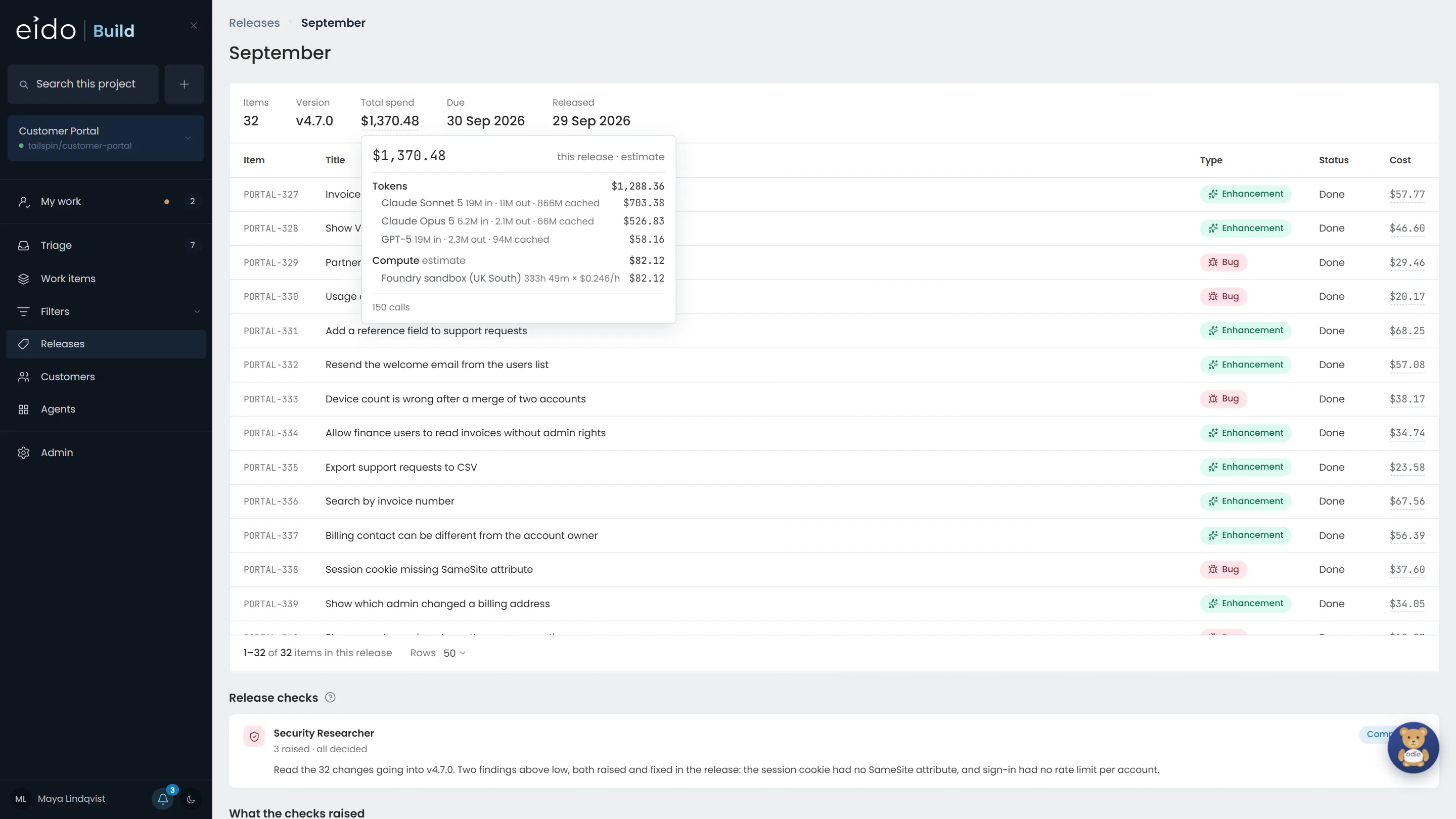
Step 3 of 10 Down to the model and the hour
Any cost on any screen opens into what it is made of. Tokens by model, at the price your Foundry deployment charges, and the hours of sandbox they ran in. A model nobody has priced is counted and shown as unpriced, never as free.
-
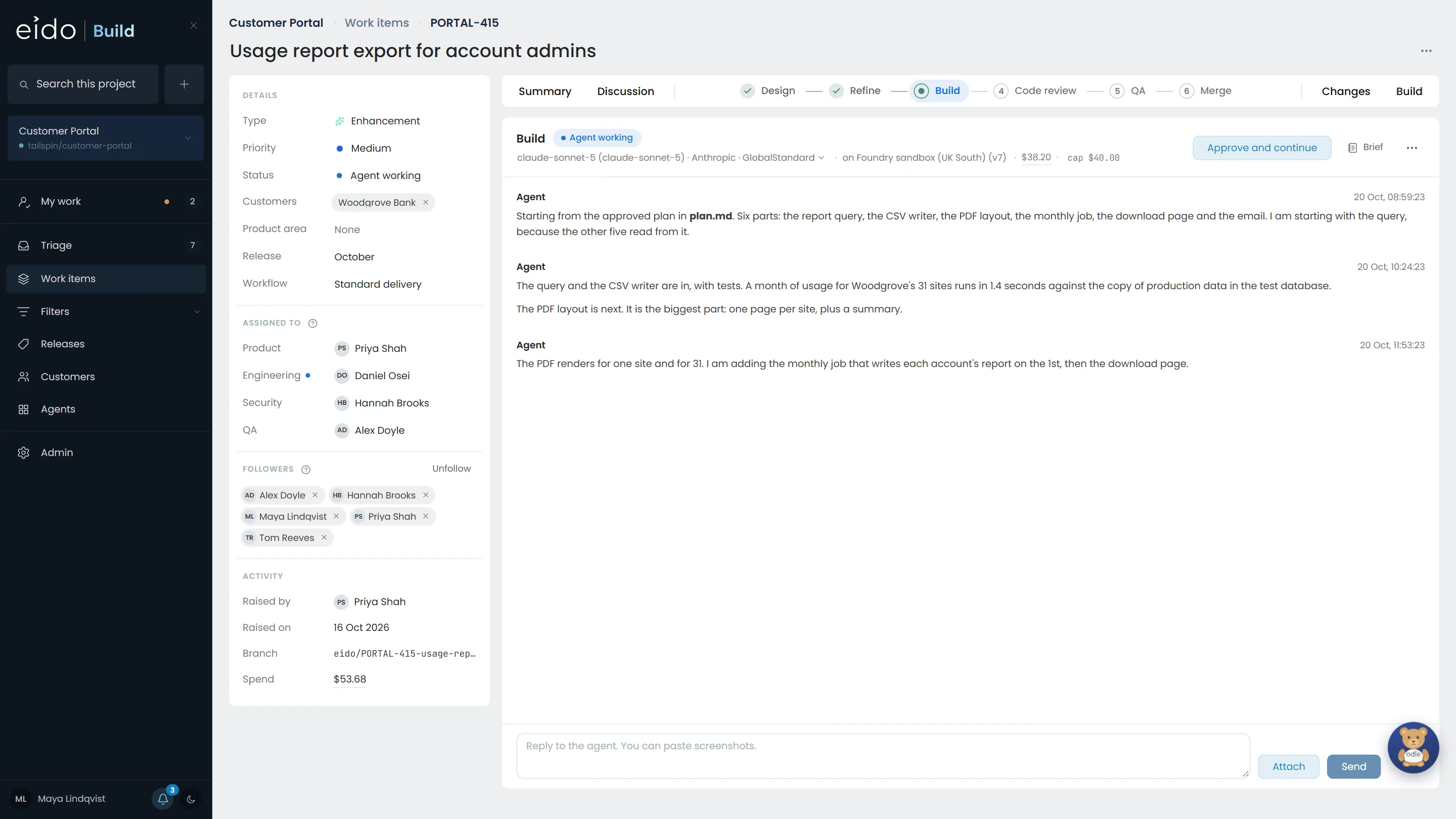
Step 4 of 10 Every stage has a cap
This Build has spent $38.20 of its $40 cap. On Foundry the cap is enforced before each model call, trimming or refusing the call that would cross it, so the line is never crossed rather than noticed afterwards.
Click cap $40.00
-
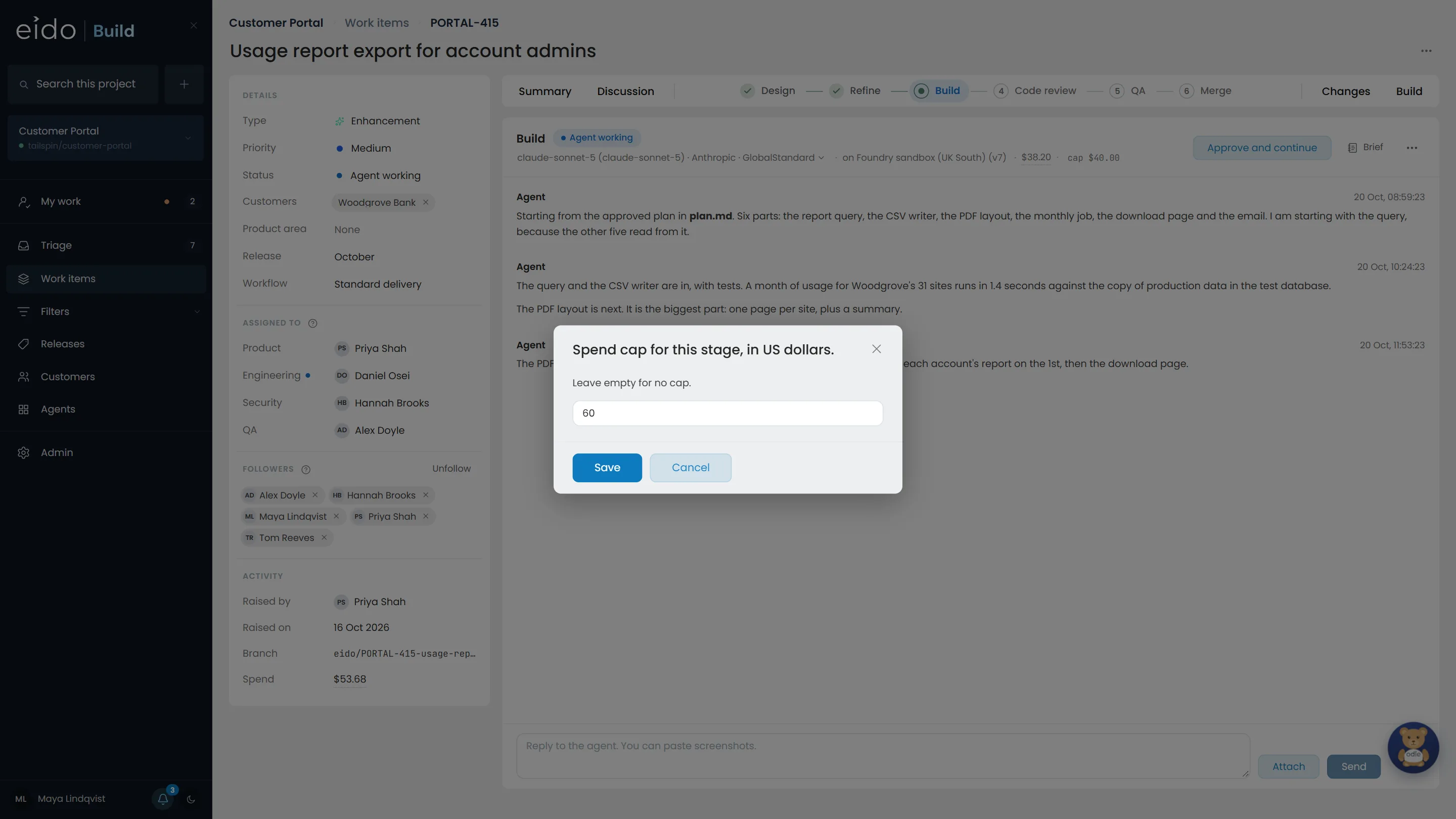
Step 5 of 10 Give one work item more room
Usage reports are a bigger job than most. A project admin can raise the cap on this one work item without touching the workflow's default for everything else.
Click Save
-
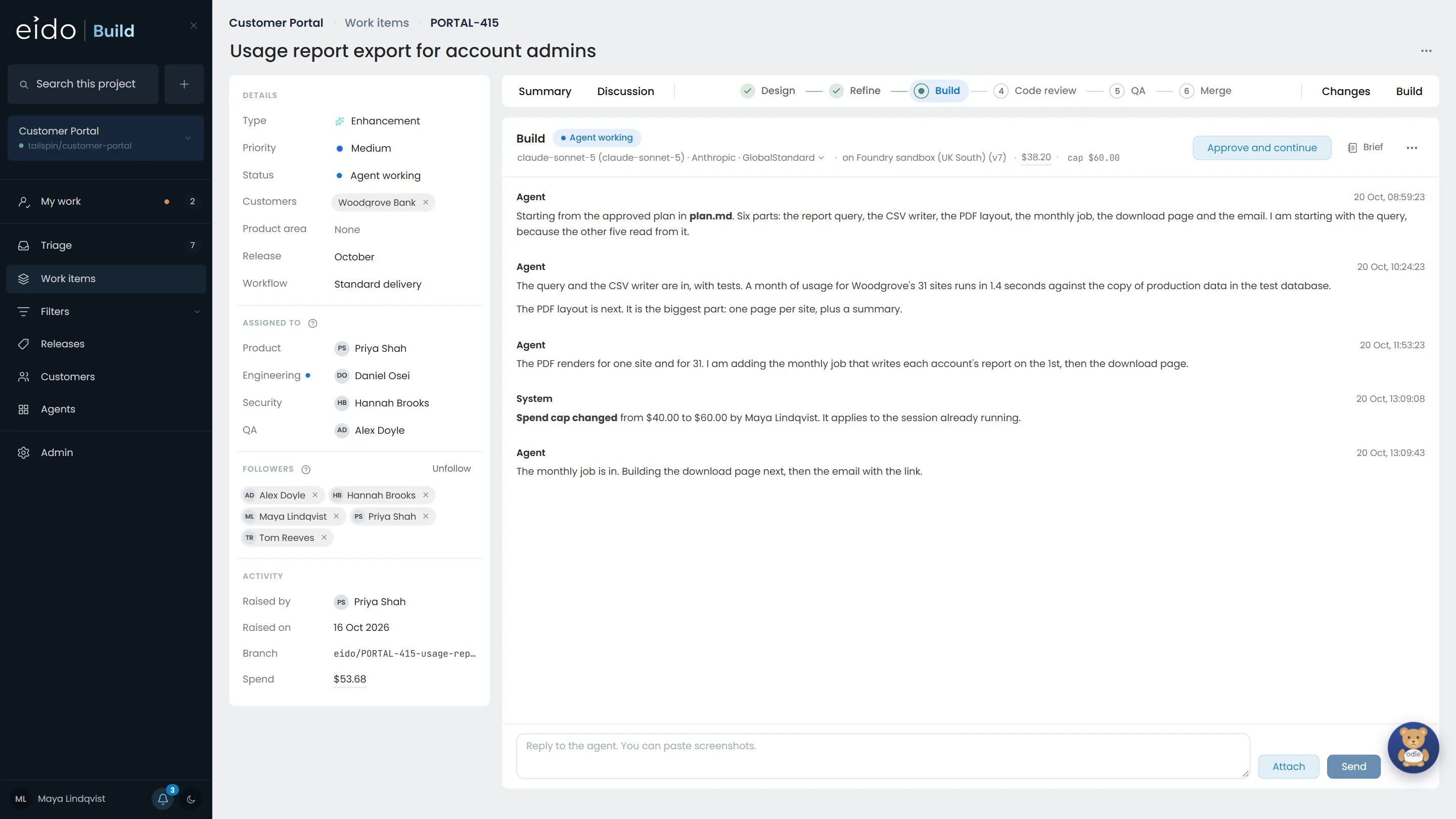
Step 6 of 10 On the record, and live
The change is written into the stage's conversation with who made it, and it reaches the session that is already running. The agent carries on from where it was, rather than starting again.
-
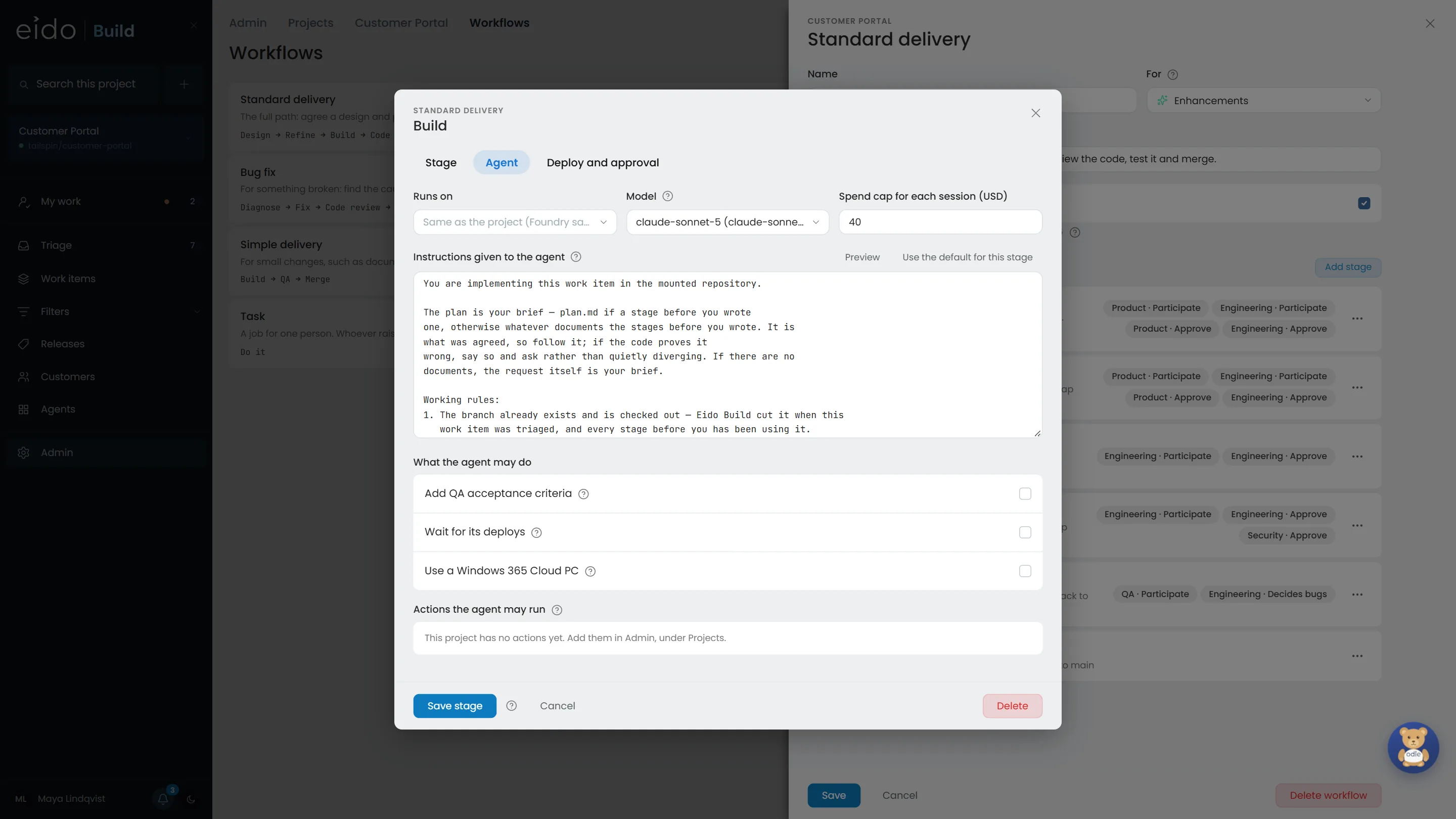
Step 7 of 10 Caps are part of the workflow
Each stage of each workflow sets its model and the most one session may spend. Build gets $40 on Claude Sonnet 5; Code review gets $10 on GPT-5. A work item takes these when it starts.
-
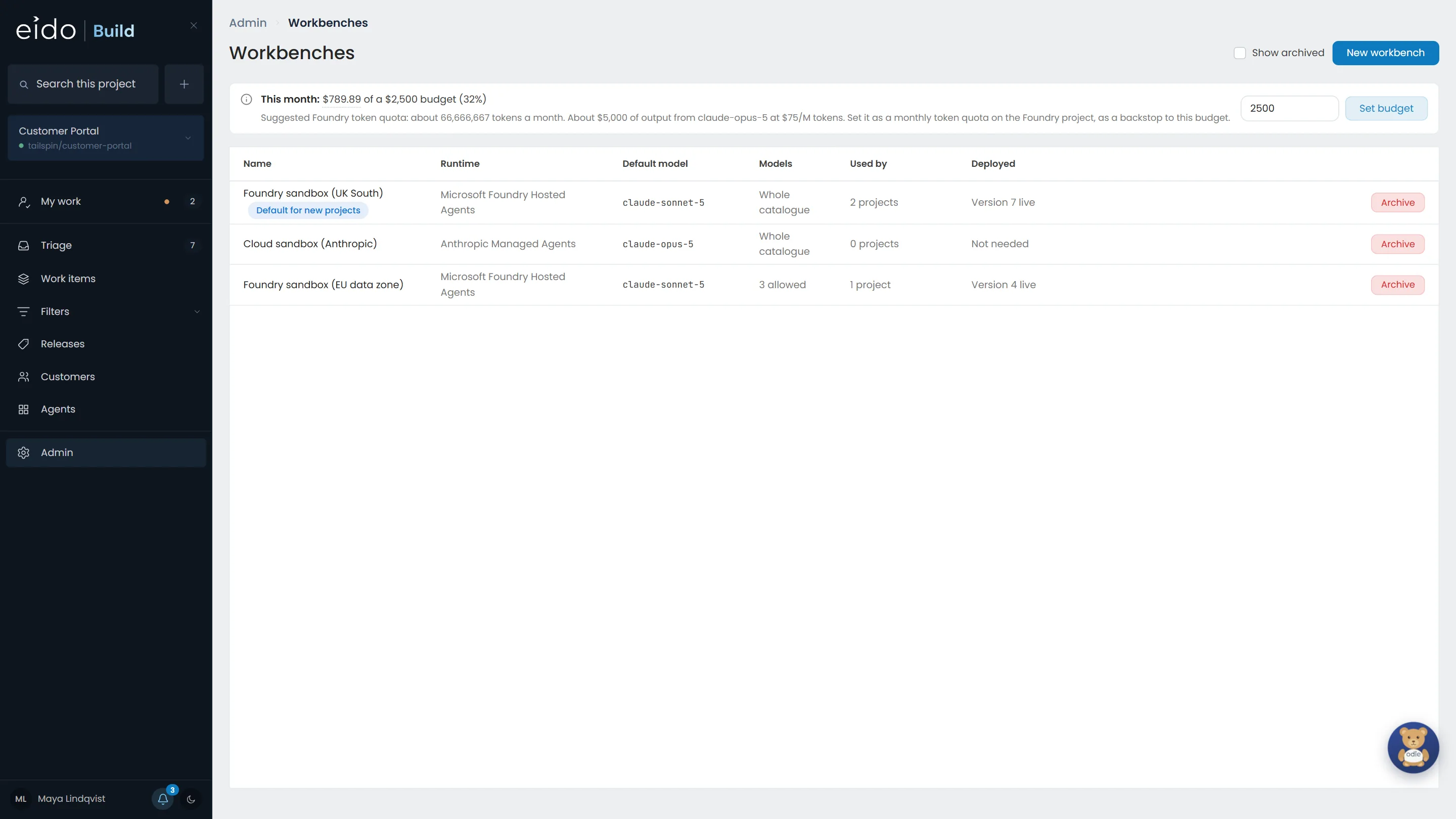
Step 8 of 10 One budget for the month
Set a monthly budget across every project. You are warned at 80%, again at 95%, and once it is spent no new agent stage starts.
-
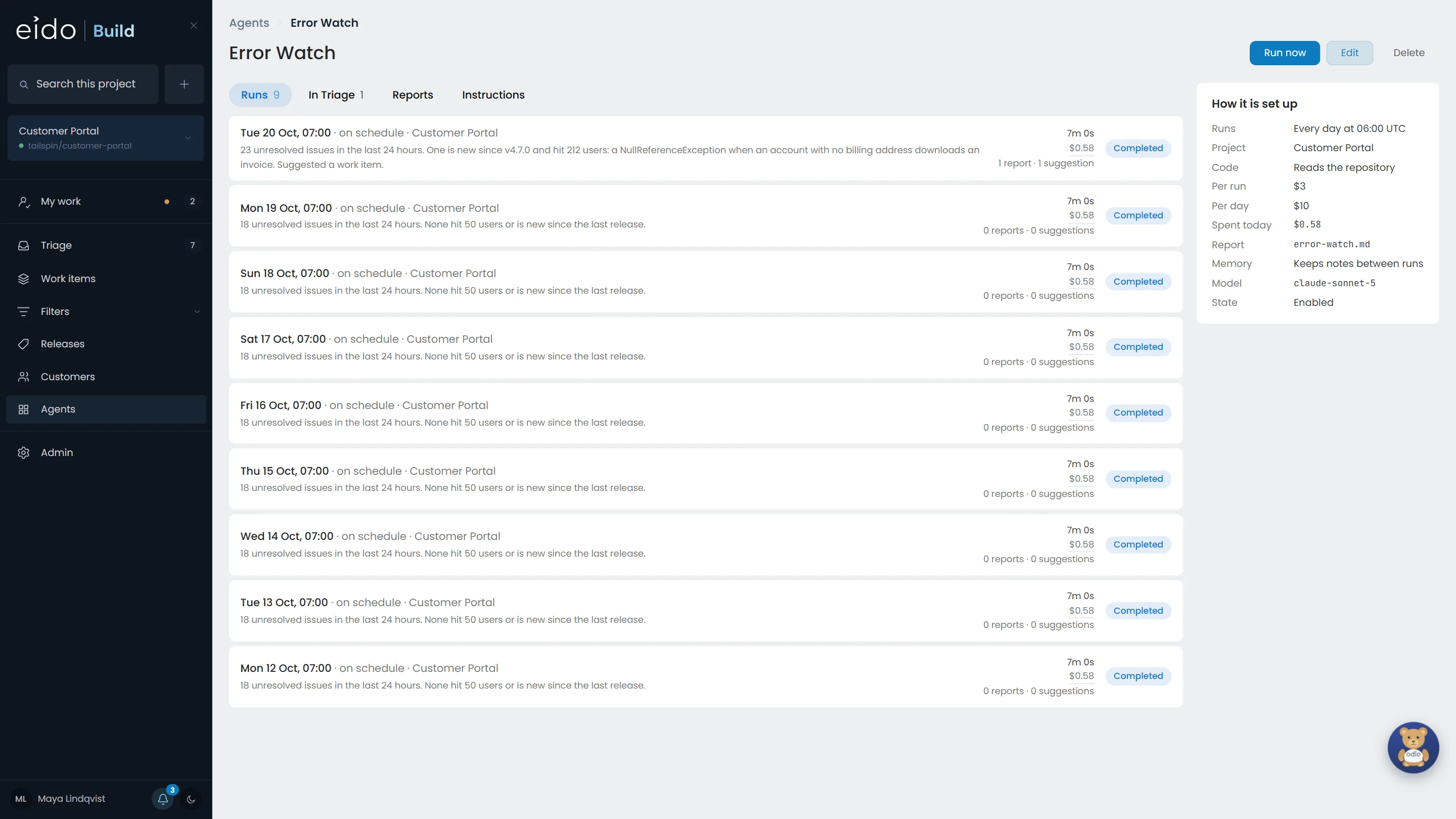
Step 9 of 10 Always-on agents have budgets too
Error Watch may spend $3 a run and $10 a day. A run that would take the day over its cap is not started, and is recorded as skipped with the reason, so nobody has to wonder why it did not run.
-
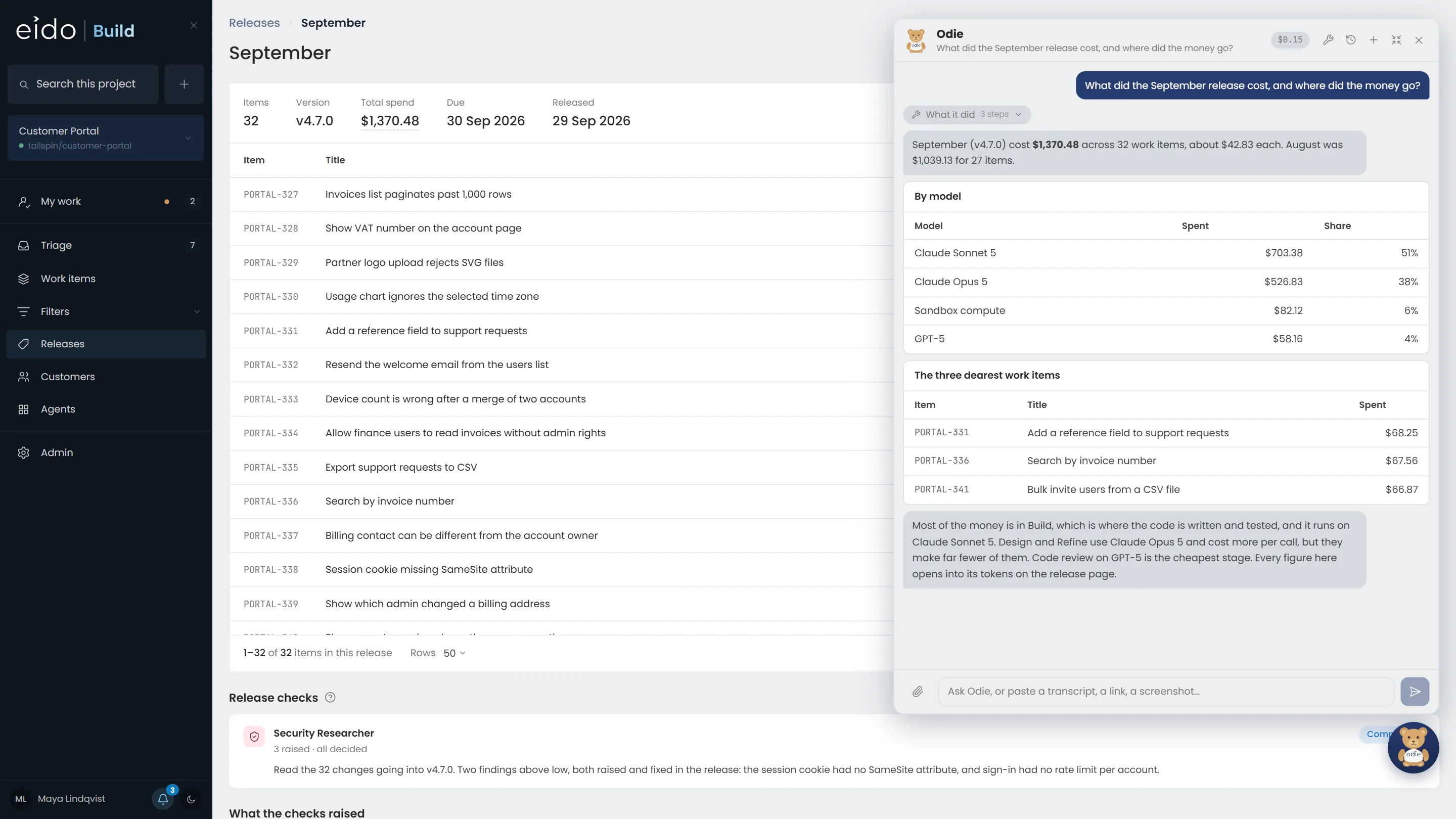
Step 10 of 10 Or ask
Odie, the assistant in every page, reads the same ledger. Ask what a release cost and where the money went, and the answer matches the release page to the cent.
Cost it per release, not per engineer.
Every model call and every sandbox hour is written to one ledger, priced as it happens, and capped before it can run away. Install Eido Build and see what your own work costs, or talk to us about your budget.
More chapters
The whole tour-
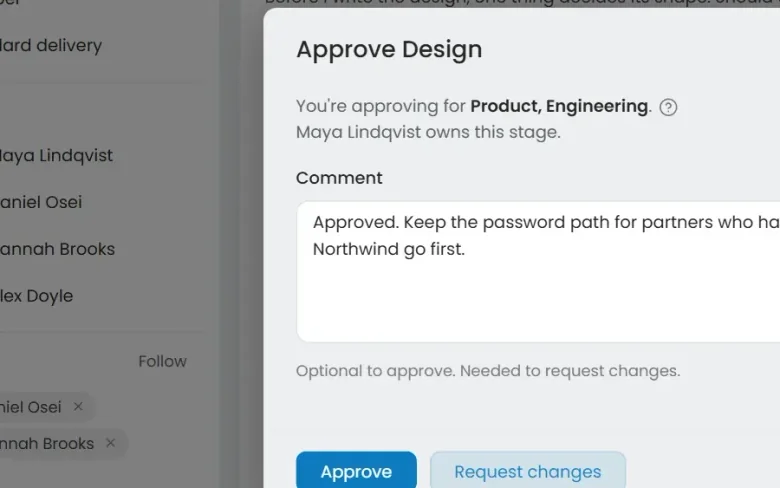 01 Governance Seen Every change goes through your gates Who decided this could ship?
-
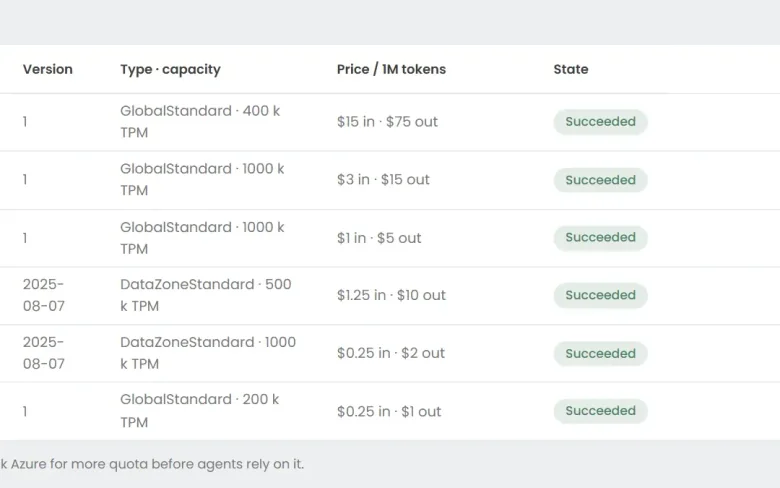 03 Foundry Seen Your models, in your Azure Can we use the models we have already approved?
-
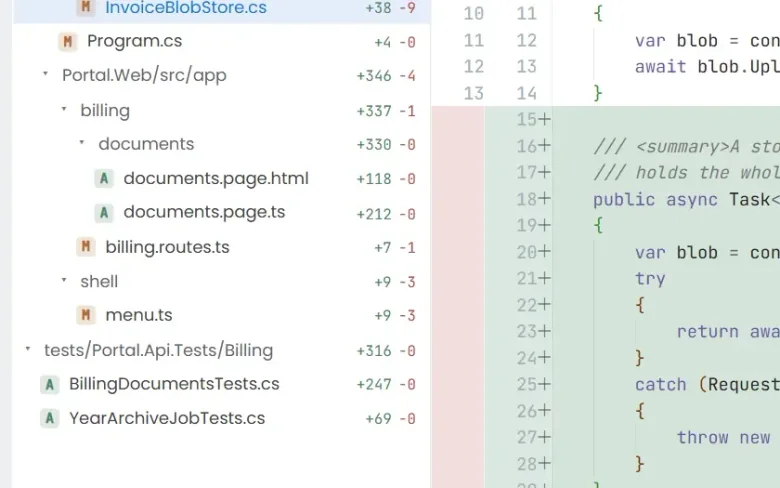 04 Ticket to merge Seen From a ticket to a merged pull request What does the work actually look like?
-
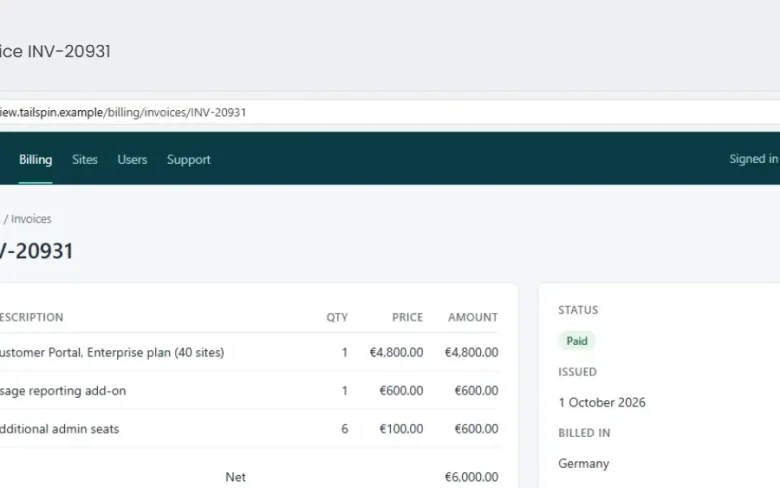 05 QA with evidence Seen Tested, with the evidence attached How do we know it actually works?
-
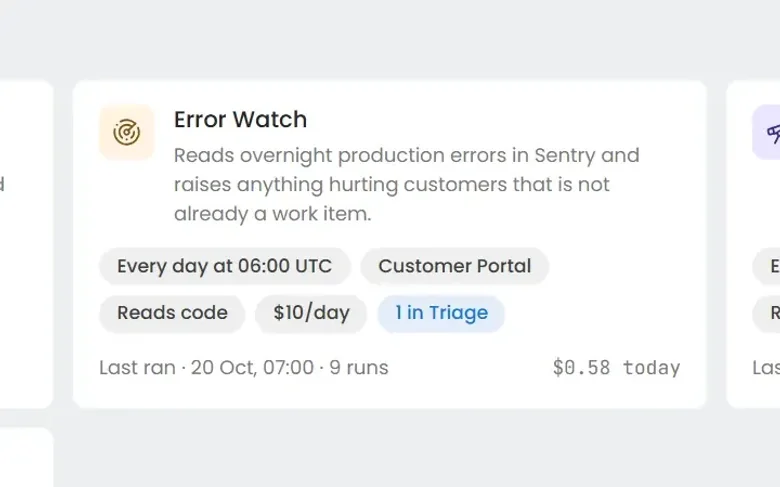 06 Always-on agents Seen Work nobody filed a ticket for What about the problems nobody has reported yet?
-
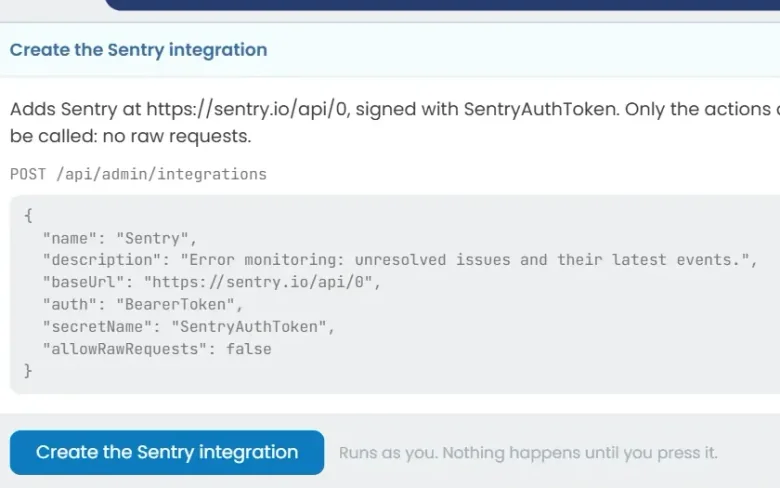 07 Build an agent Seen Build an agent in plain English Can we build our own?
See it on your own work
Install Eido Build from Azure Marketplace into your own Azure subscription, or talk to us about your teams, your repositories and your process.