
Work nobody filed a ticket for
The question What about the problems nobody has reported yet?
Always-on agents run on a schedule, read your errors, tickets, dependencies and code, write a report and raise suggestions into Triage, within a budget, with only the access you grant them.
 Start the walkthrough
In this chapter
Every step, in order. Pick one to start the walkthrough there.
-
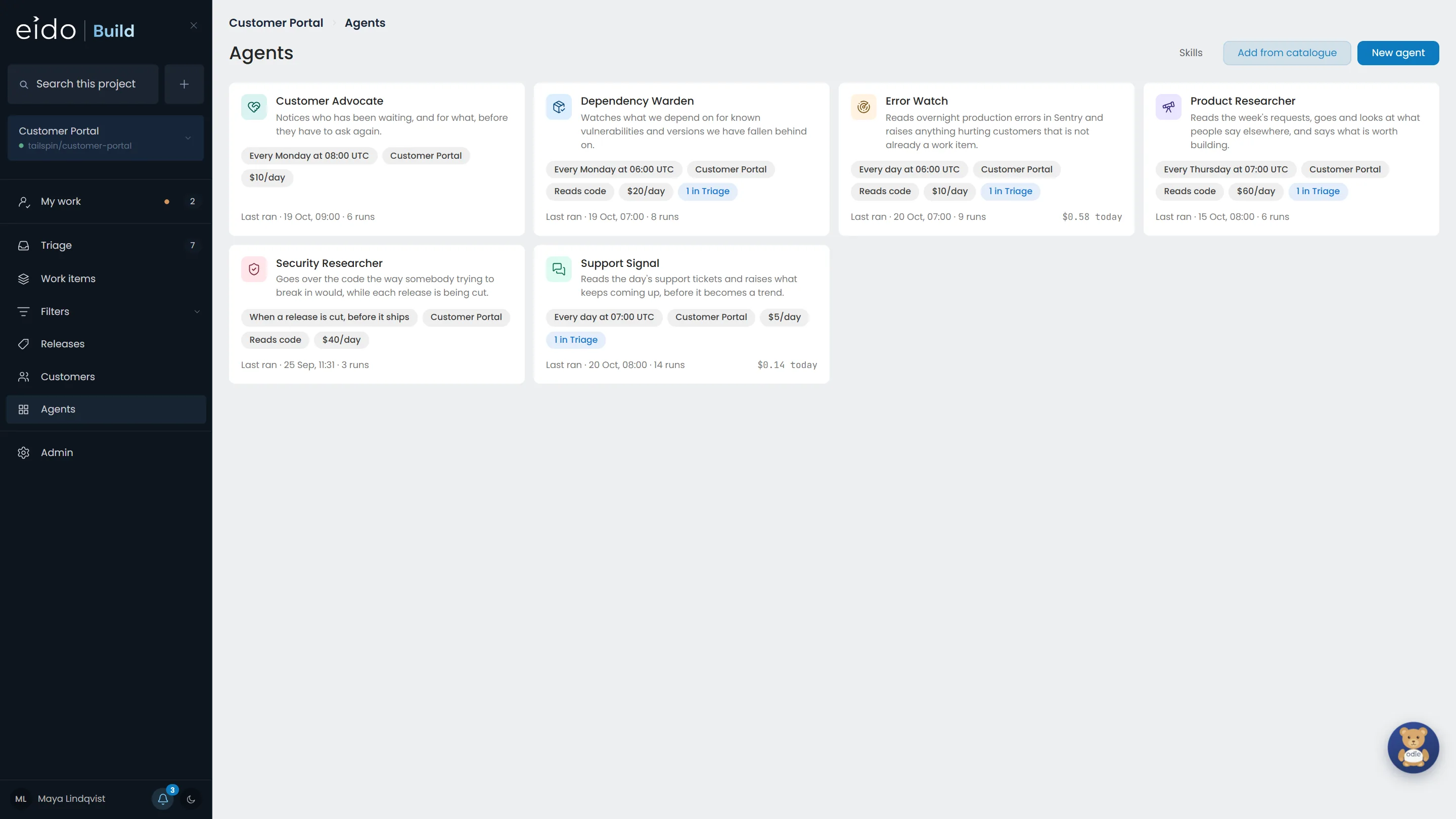
Step 1 of 7 Agents that run on a clock
Six always-on agents for the Customer Portal. A security researcher that reads every release while it is being cut, a dependency warden and a customer advocate on Mondays, a product researcher on Thursdays, and two that run every morning. Each has a schedule, a budget and only the access it was given.
Click Error Watch
-
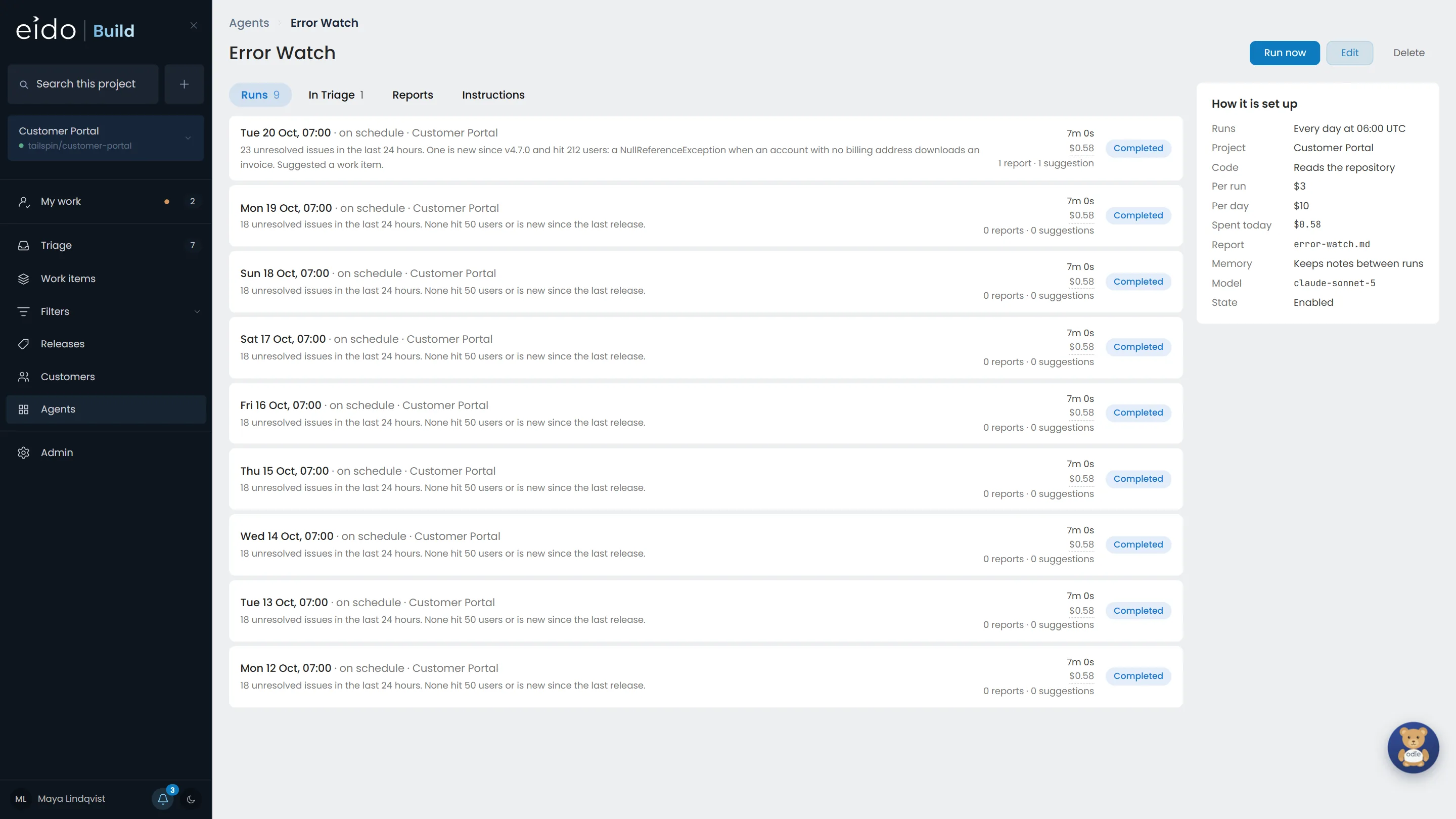
Step 2 of 7 Every run, with what it found and what it cost
Error Watch reads last night's production errors in Sentry every morning. This morning one issue was new since the last release and hit 212 users.
Click this morning's run
-
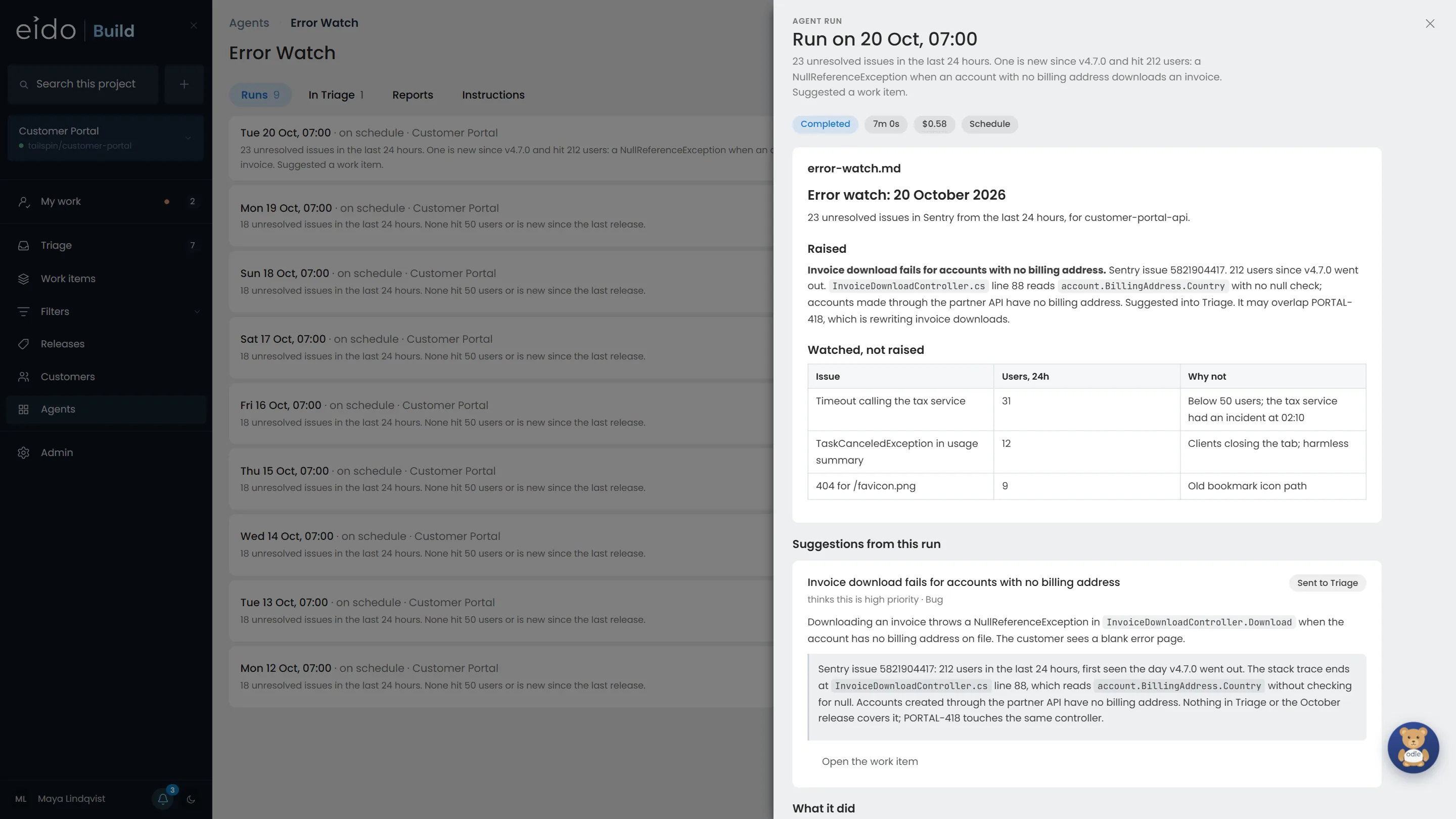
Step 3 of 7 A report, and a suggestion
It traced the error to one line of code, checked Triage and the current release for a work item that already covers it, found none, and suggested one. It also wrote down what it watched and chose not to raise, and why.
-
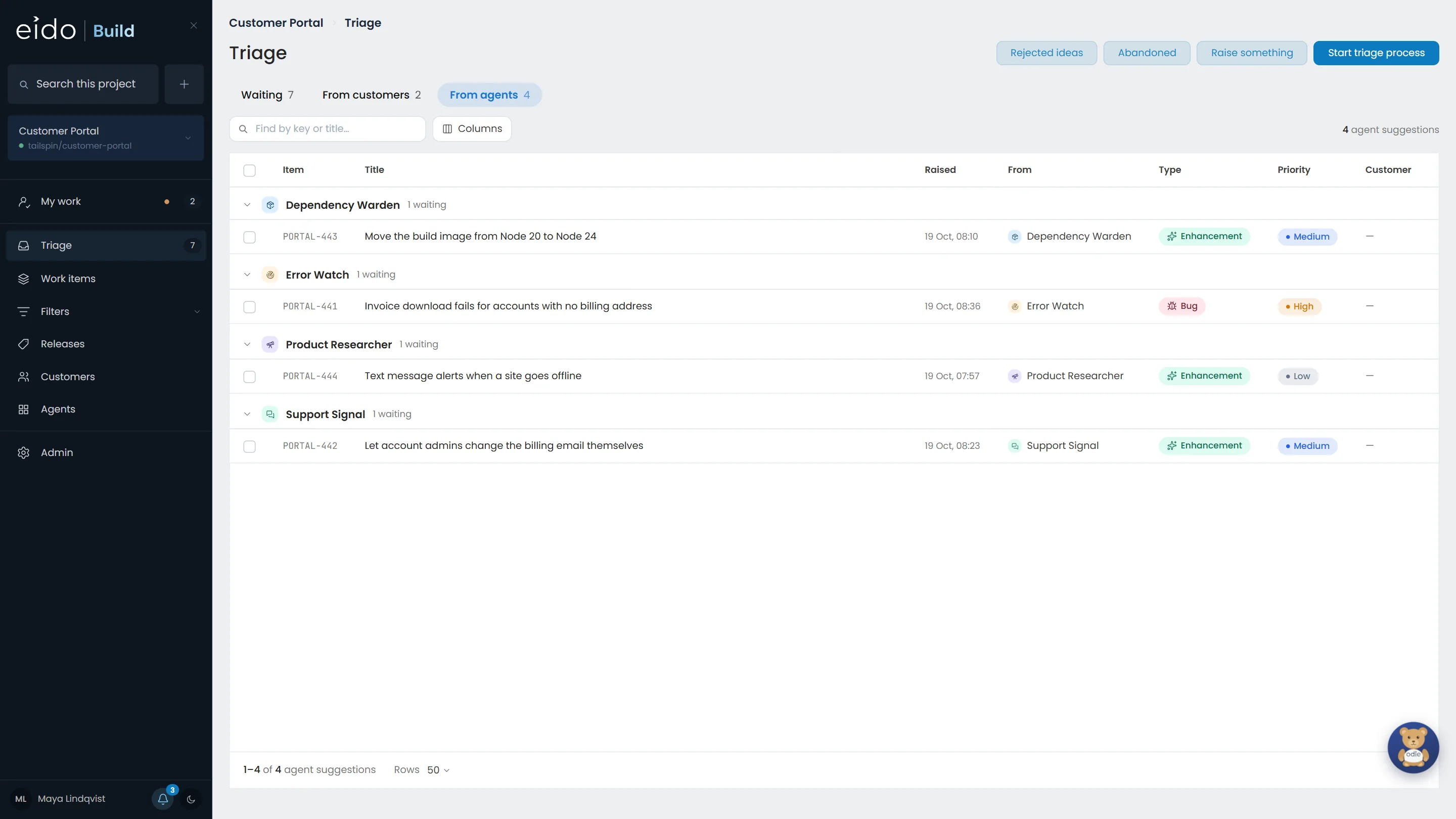
Step 4 of 7 Suggestions land in Triage, like everything else
Four agents have suggestions waiting. Each arrives with the agent named as who raised it, and waits for a person, like any other work.
Click the suggestion from Error Watch
-
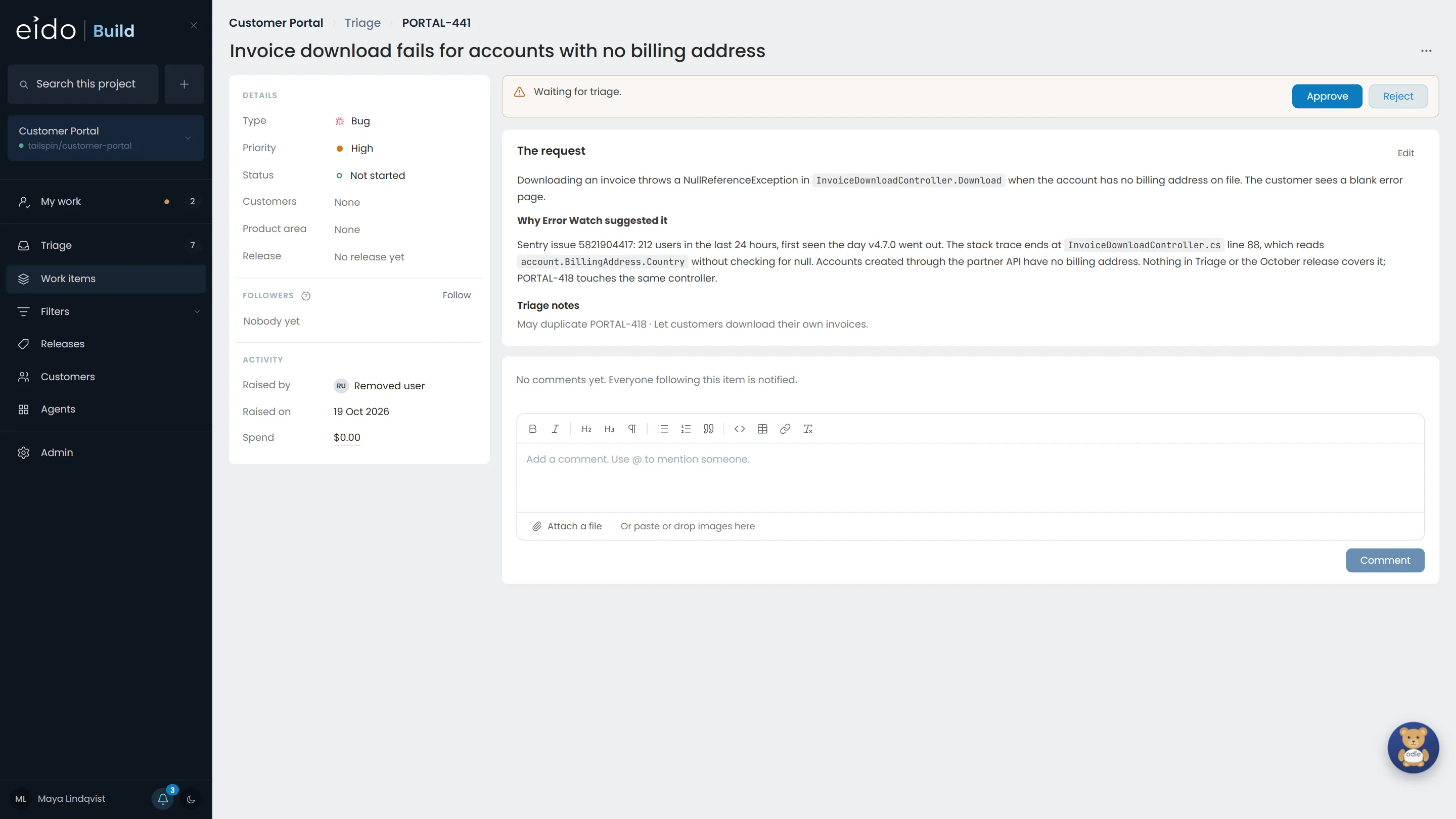
Step 5 of 7 You decide what becomes work
The description says why the agent suggested it, and the triage notes say it may overlap PORTAL-418, which is rewriting invoice downloads. Approve it into a release, or reject it with a reason.
Click Approve
-
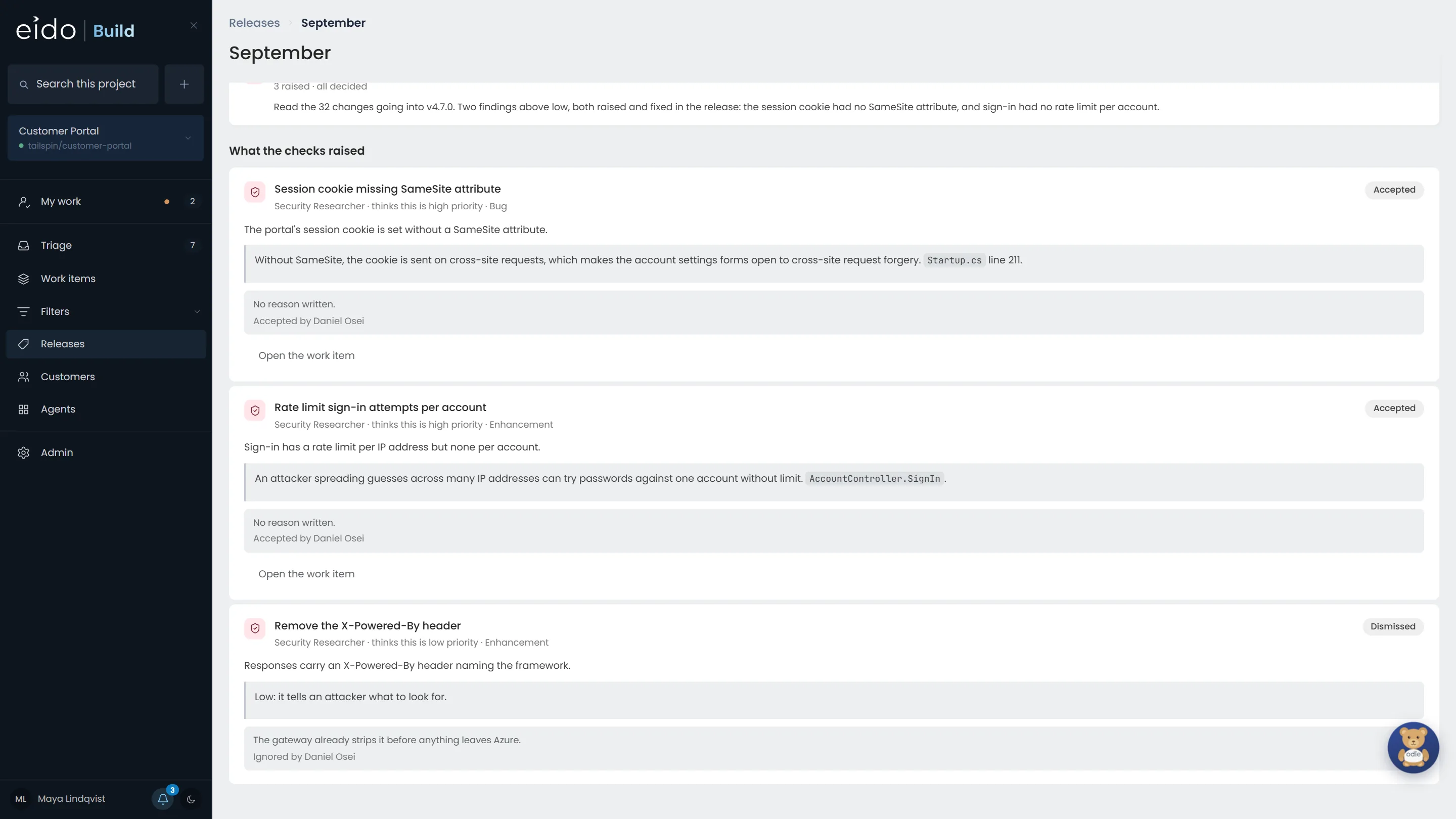
Step 6 of 7 Release assurance, while the release is cut
The Security Researcher reads every change going into a release while it is being cut, in time for what it finds to be fixed in that release. In September it raised three findings. Two were accepted and fixed; one was ignored, with the reason written down.
-
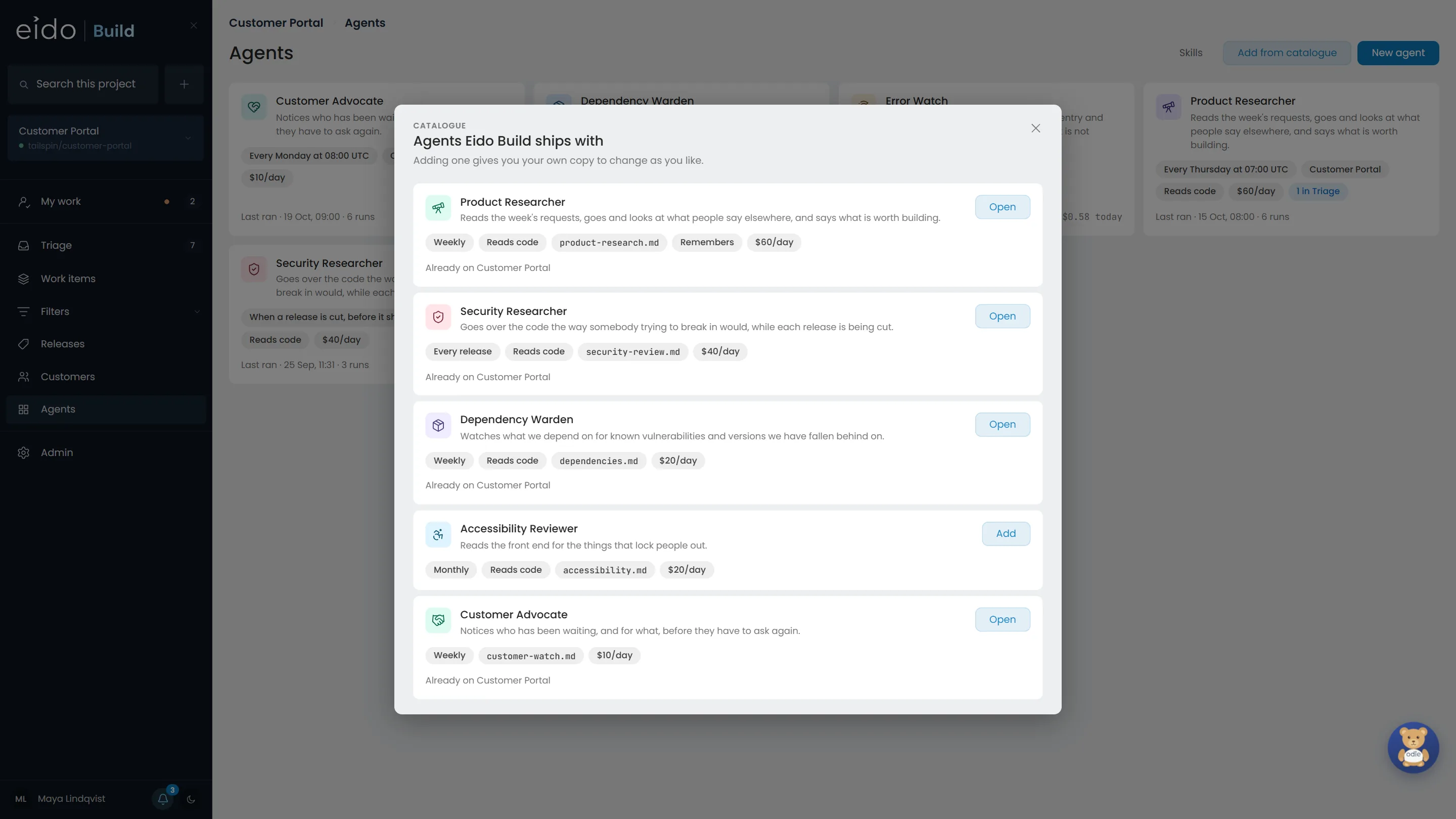
Step 7 of 7 Start from the catalogue
Five agents Eido Build ships with, each ready to add with a sensible schedule and budget. Or describe the one you want, and Odie builds it with you: the next chapter.
Running 24/7, finding bugs and finding ideas.
Always-on agents find the work that never starts as a ticket, and bring it to you to decide on. Install Eido Build and start from the catalogue, or talk to us about the systems you would want them to read.
More chapters
The whole tour-
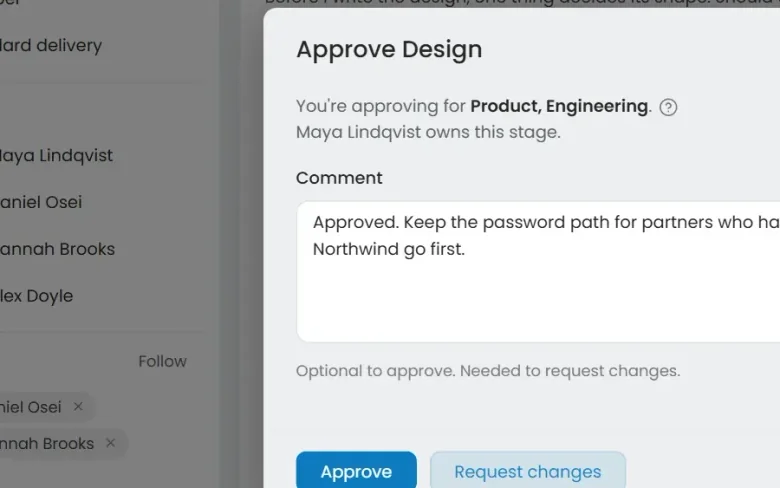 01 Governance Seen Every change goes through your gates Who decided this could ship?
-
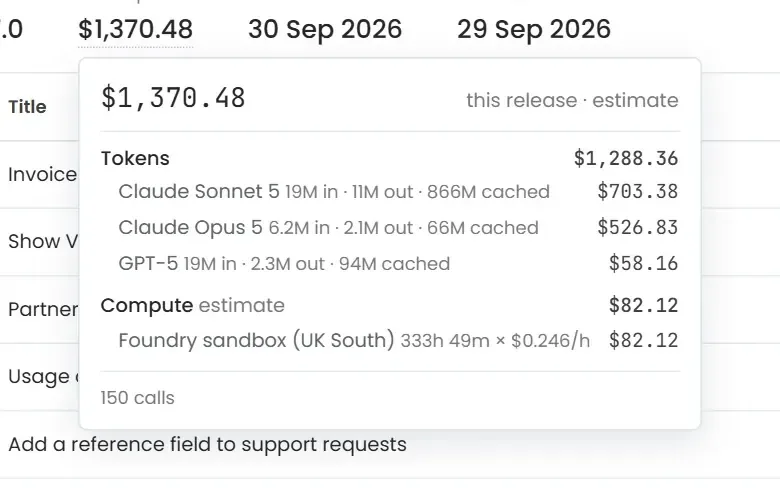 02 Cost control Seen Know what every release cost Where did the AI budget go?
-
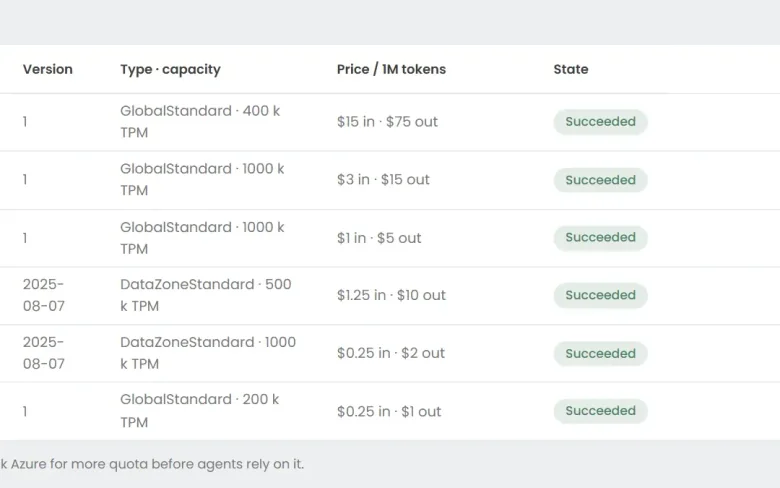 03 Foundry Seen Your models, in your Azure Can we use the models we have already approved?
-
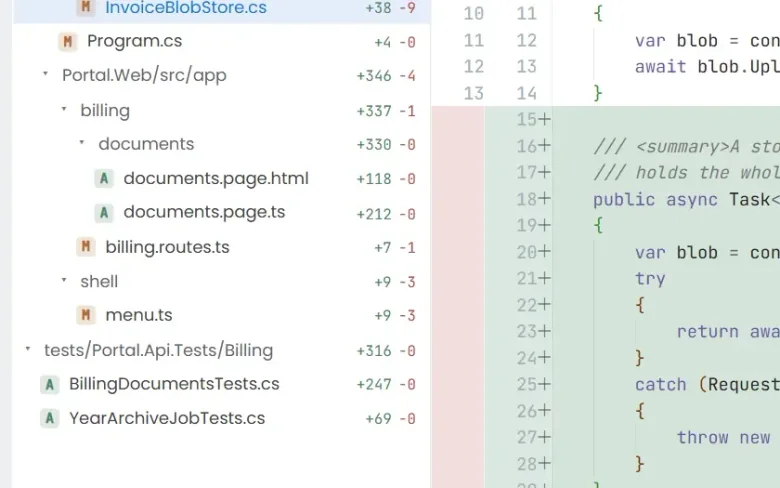 04 Ticket to merge Seen From a ticket to a merged pull request What does the work actually look like?
-
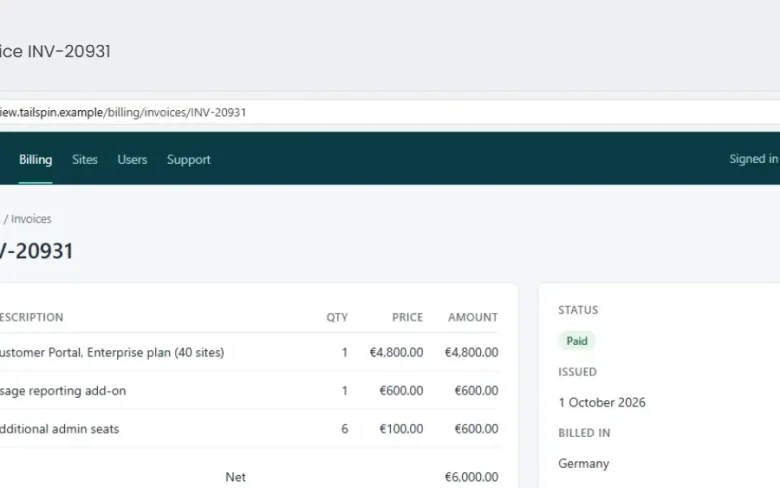 05 QA with evidence Seen Tested, with the evidence attached How do we know it actually works?
-
 07 Build an agent Seen Build an agent in plain English Can we build our own?
See it on your own work
Install Eido Build from Azure Marketplace into your own Azure subscription, or talk to us about your teams, your repositories and your process.