
Tested, with the evidence attached
The question How do we know it actually works?
Acceptance criteria written before the work starts, tested by a QA agent in a browser and through the API, with screenshots and recorded API calls as evidence, and passed or failed by a person.
 Start the walkthrough
In this chapter
Every step, in order. Pick one to start the walkthrough there.
-
Step 1 of 8 Done is written down before it is argued about
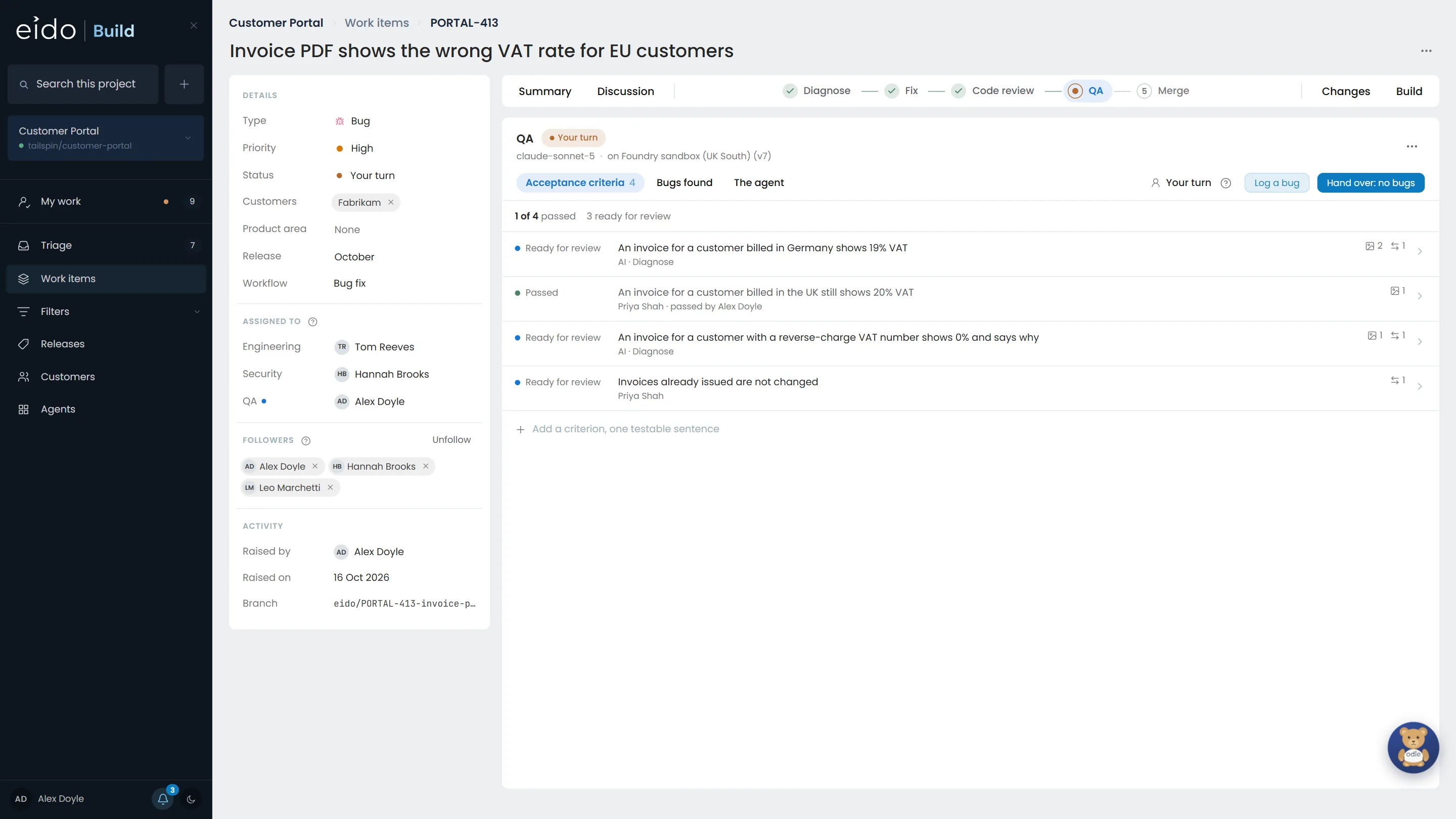
This bug fix has four acceptance criteria. Two were written by the Diagnose agent, marked AI · Diagnose; two by Priya. The QA agent has tested all four against the branch's preview and left three ready for review. You are Alex, on the QA team.
Click the first criterion
-
Step 2 of 8 What the agent saw, and how
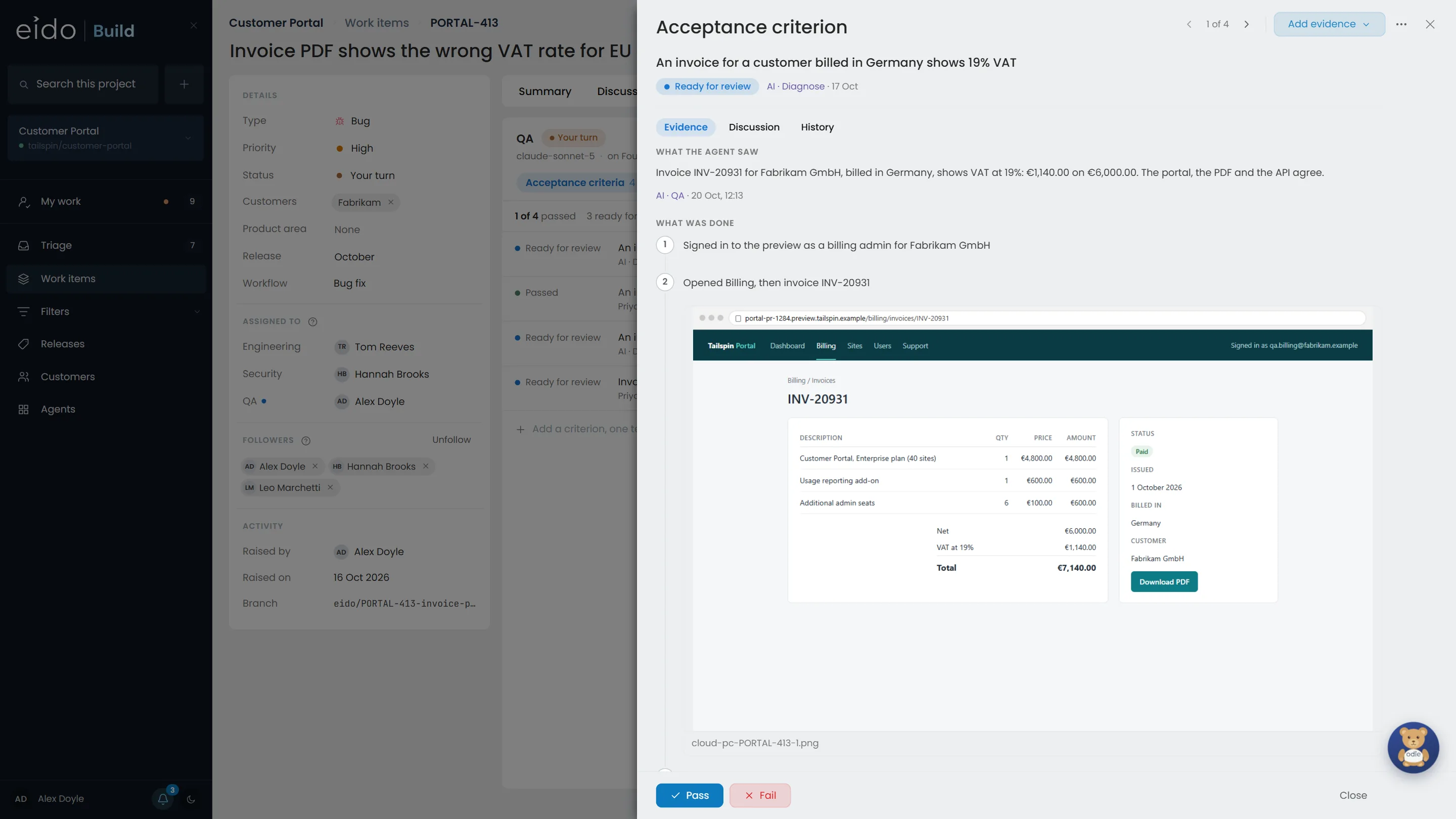
The agent's summary, then the steps it took, each with what it captured. It tested in Edge on a Cloud PC and through the API. It reports; it never passes or fails anything itself.
Click the screenshot
-
Step 3 of 8 The screen, as the agent saw it
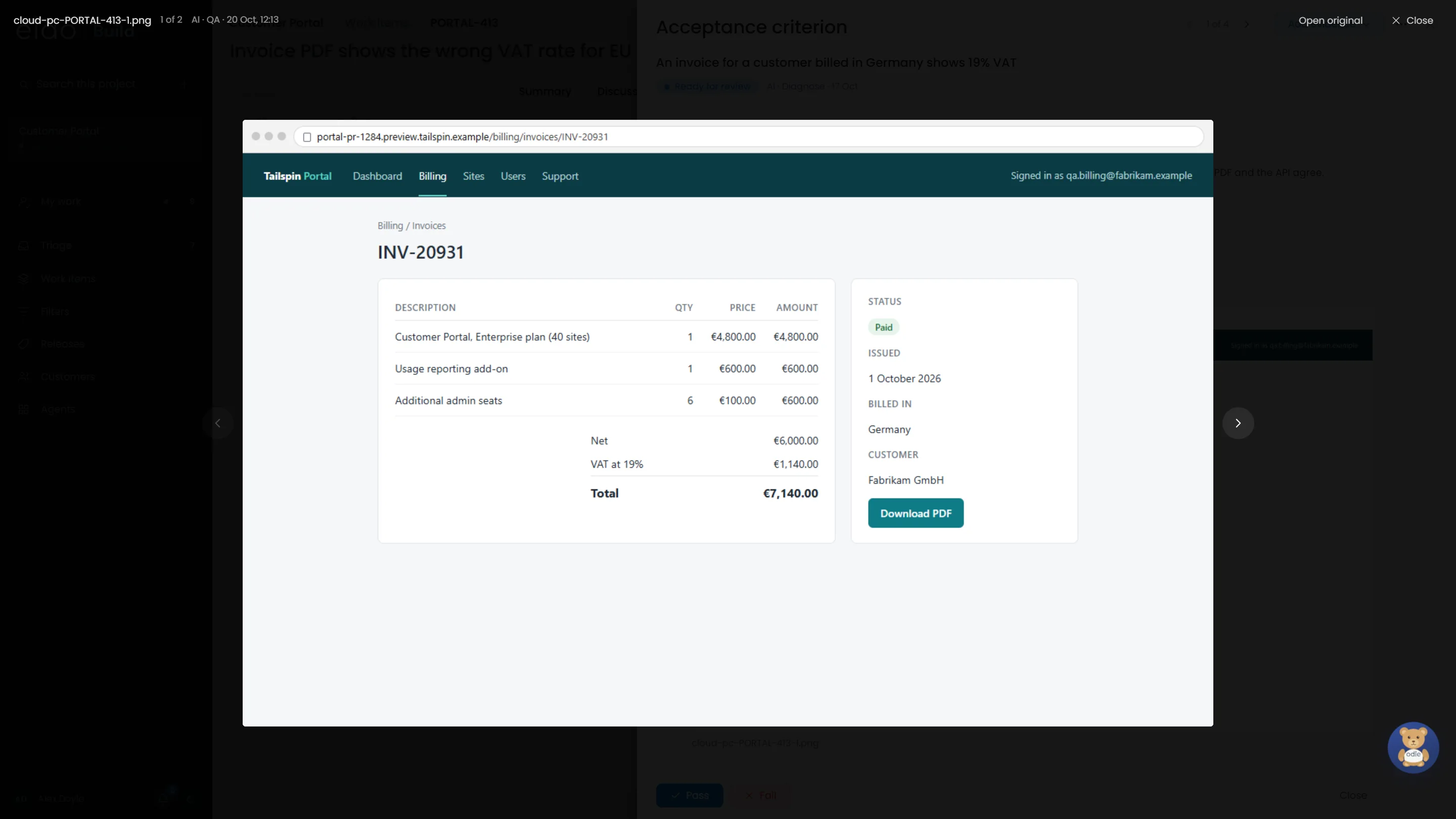
The portal's invoice page for a customer billed in Germany. VAT at 19%, which is what the criterion asks for.
-
Step 4 of 8 And the API call, recorded exactly
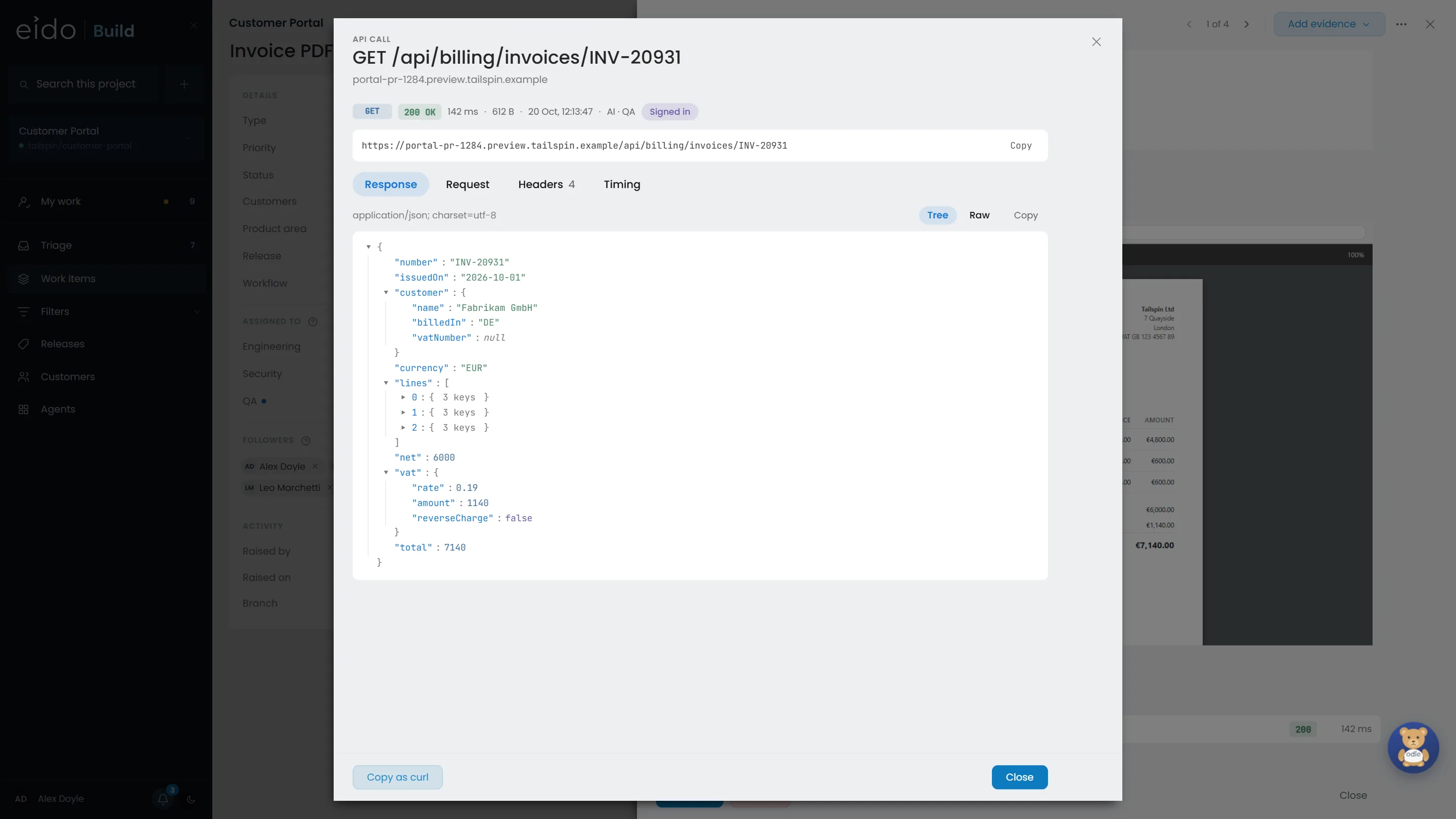
Eido Build made the call for the agent and kept it whole, with secrets masked. The response, the request, the headers and the timing are all here, and it can be copied as curl to run again.
-
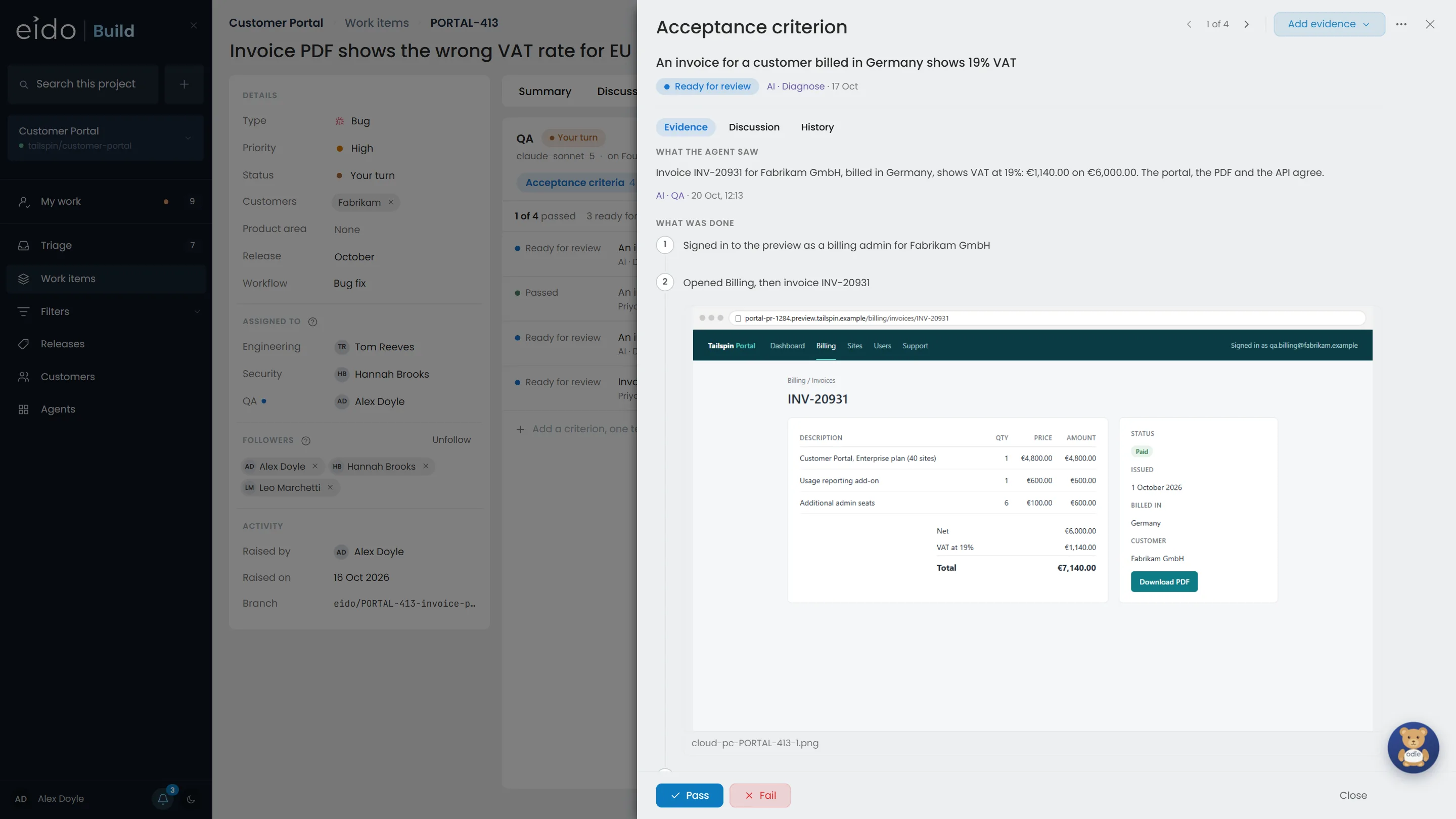
Step 5 of 8 You decide
Testers pass and fail criteria; the agent only gets them ready. A pass records who passed it, when, and the evidence it was passed on.
Click Pass
-
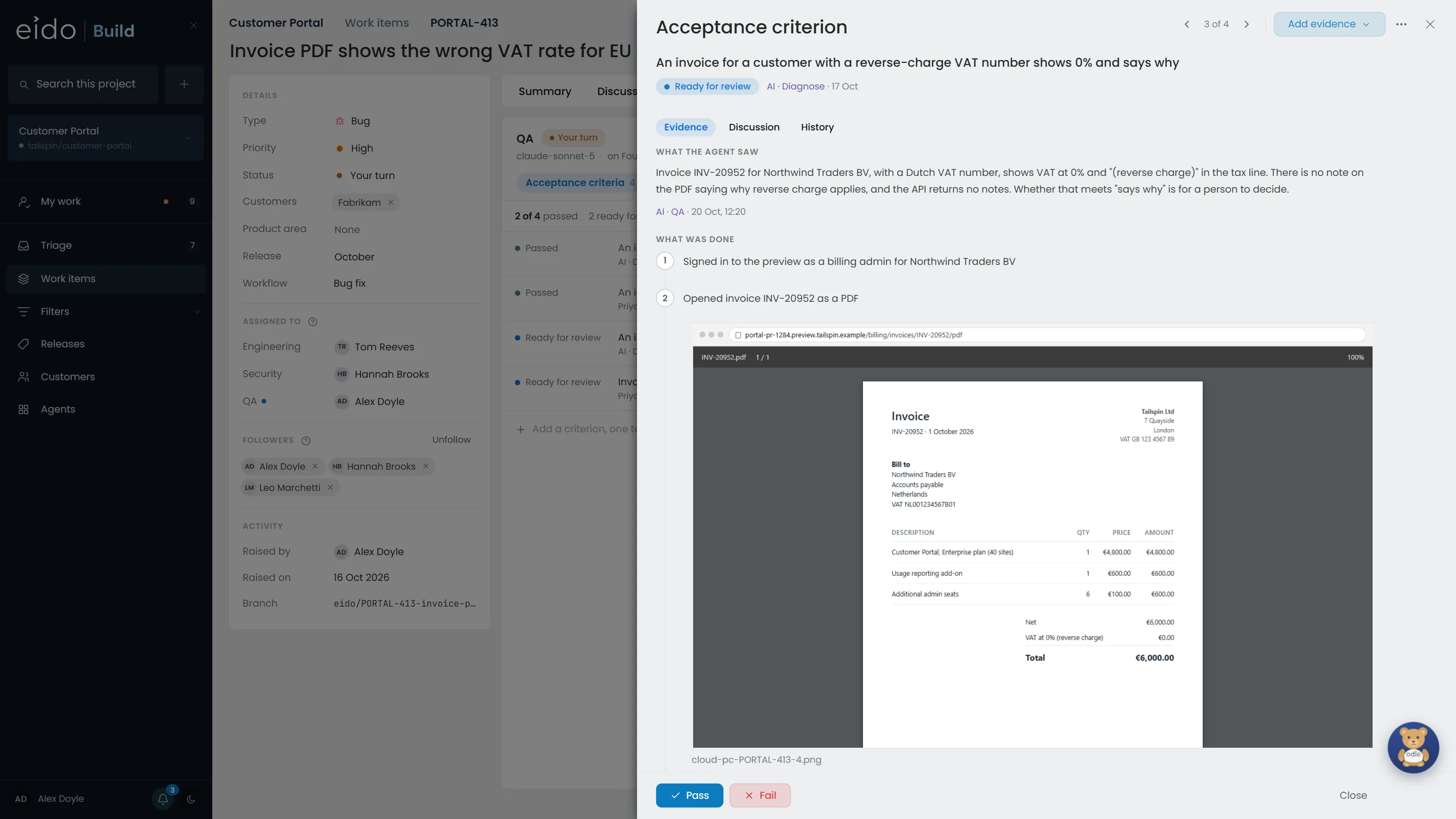
Step 6 of 8 When the agent is not sure, it says so
The reverse-charge invoice shows 0%, but no note saying why reverse charge applies. The agent describes exactly what is there and leaves the verdict to a person.
Click Fail
-
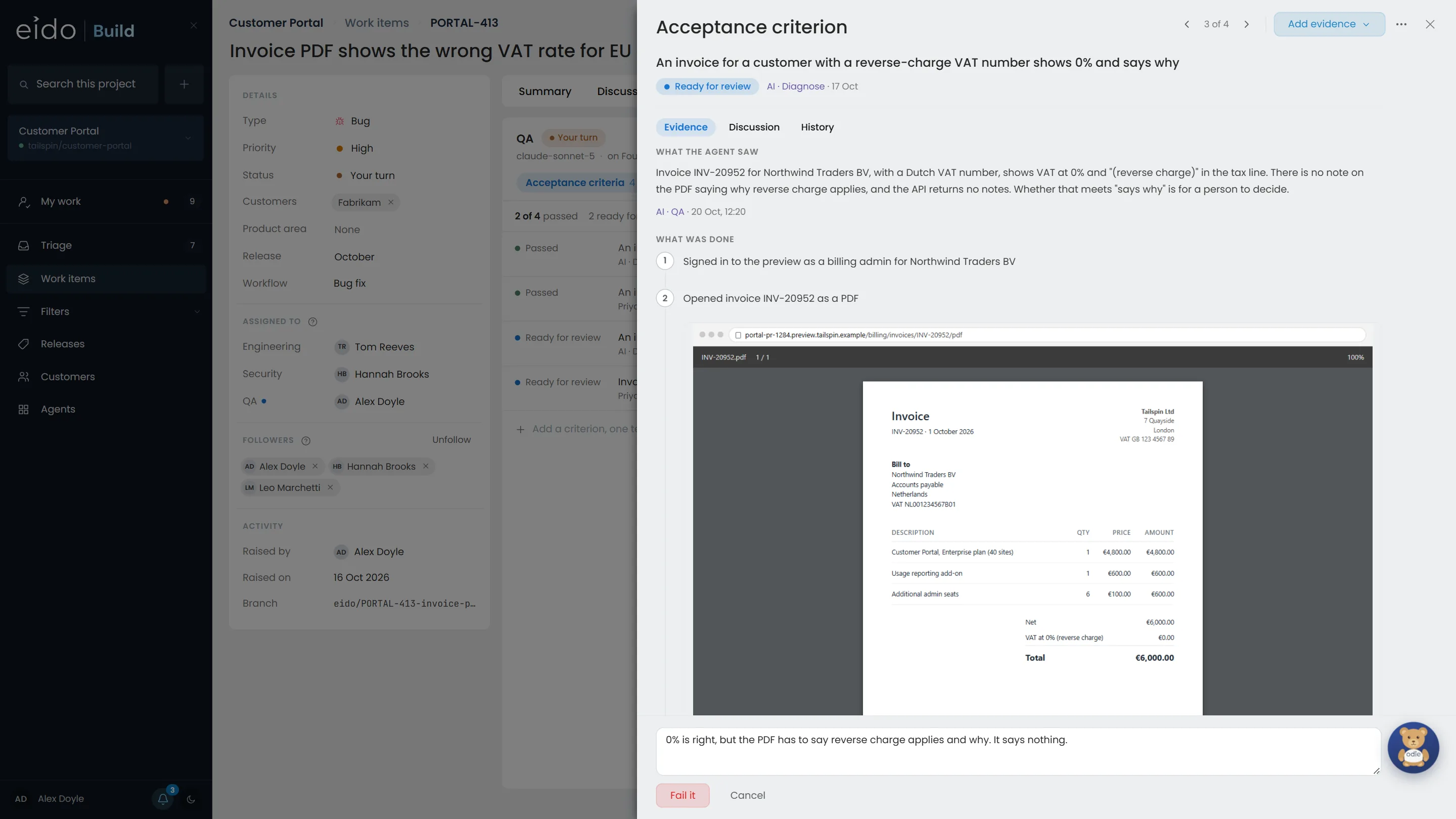
Step 7 of 8 A failure needs a reason
The reason goes with the verdict, and the failed criterion becomes a bug, with the evidence copied onto it.
Click Fail it
-
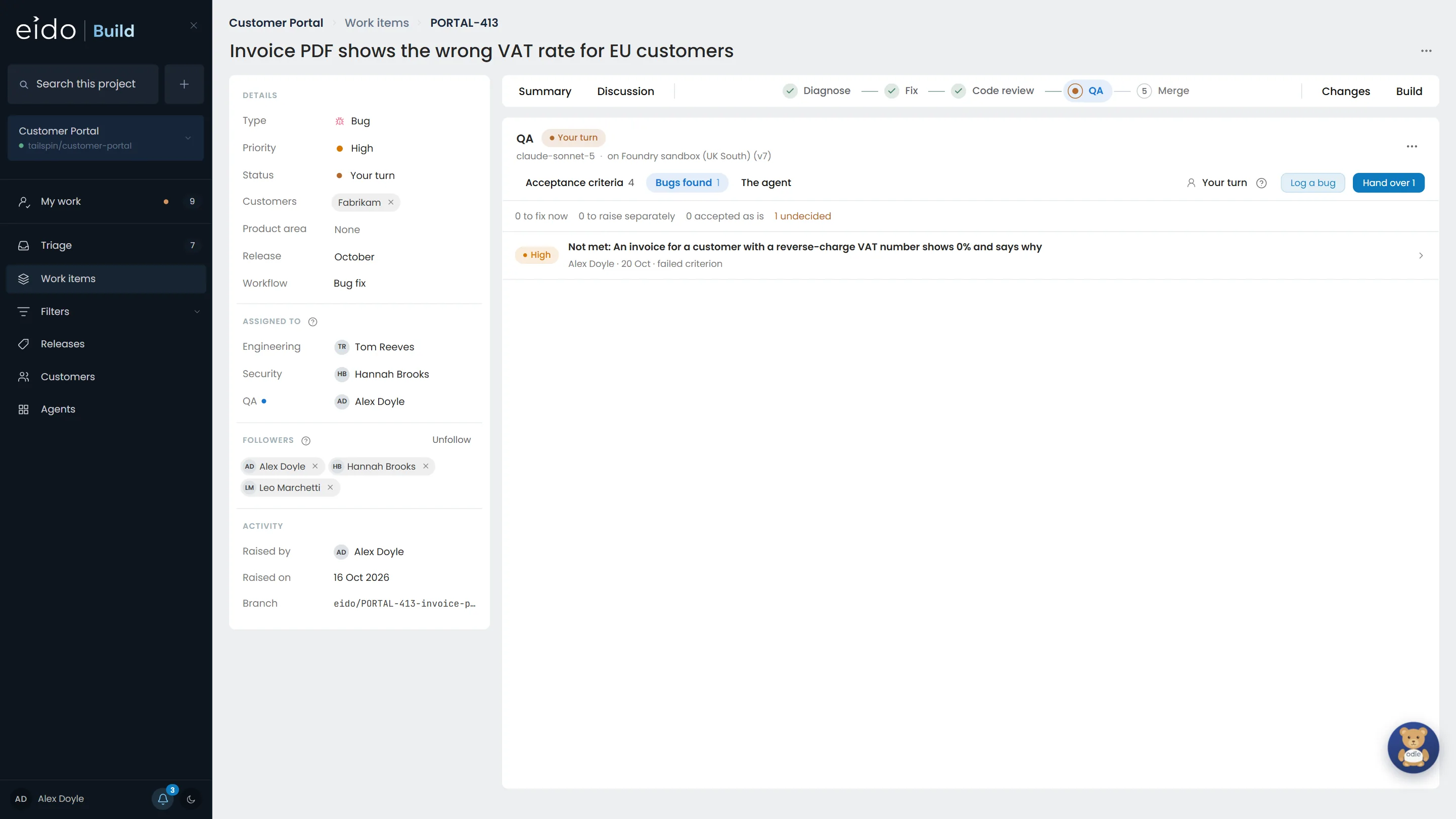
Step 8 of 8 Engineering decides what to do about it
The bug is proposed to fix now. Engineering decides: fix it now, raise it separately, or accept it as it is. Fix now sends the work back to the Fix stage, then through Code review and QA again, and QA tests everything again.
The agent tests. A person signs it off.
Every criterion carries the evidence it was judged on, and every verdict says who gave it and when. Install Eido Build, or talk to us about how your QA works today.
More chapters
The whole tour-
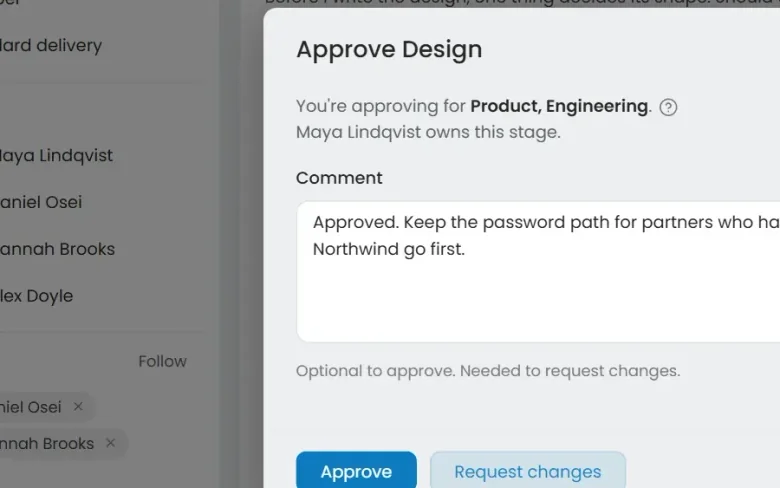 01 Governance Seen Every change goes through your gates Who decided this could ship?
-
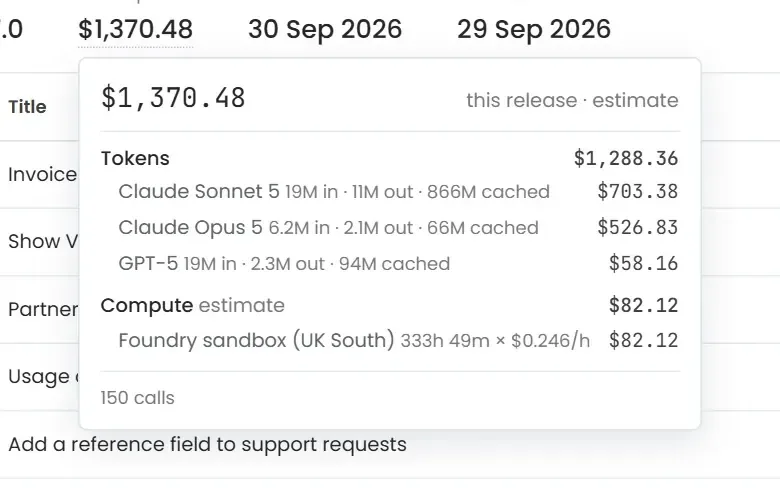 02 Cost control Seen Know what every release cost Where did the AI budget go?
-
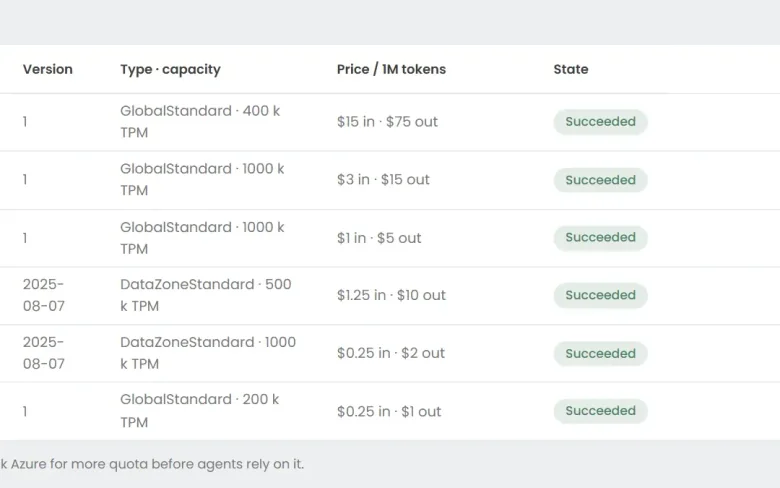 03 Foundry Seen Your models, in your Azure Can we use the models we have already approved?
-
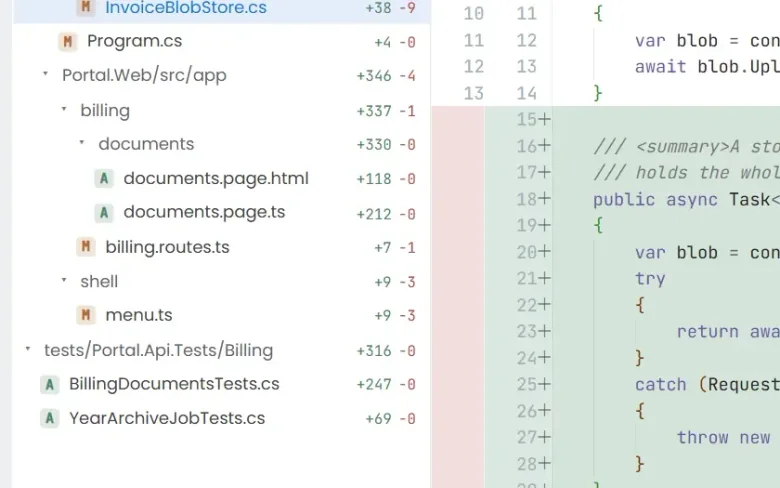 04 Ticket to merge Seen From a ticket to a merged pull request What does the work actually look like?
-
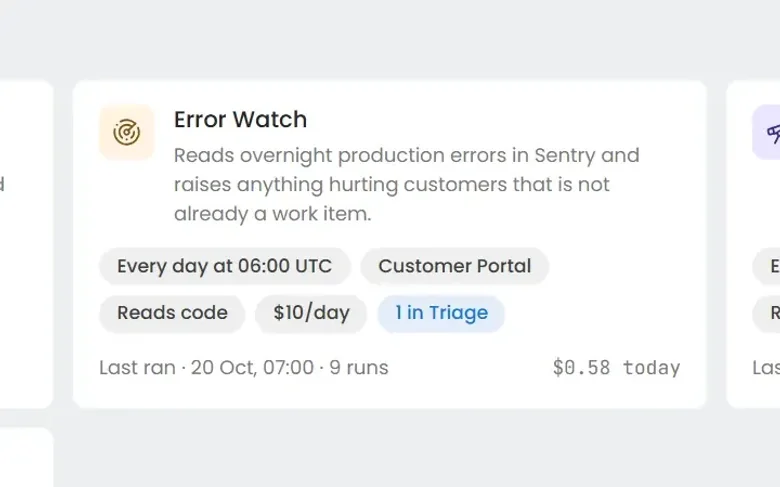 06 Always-on agents Seen Work nobody filed a ticket for What about the problems nobody has reported yet?
-
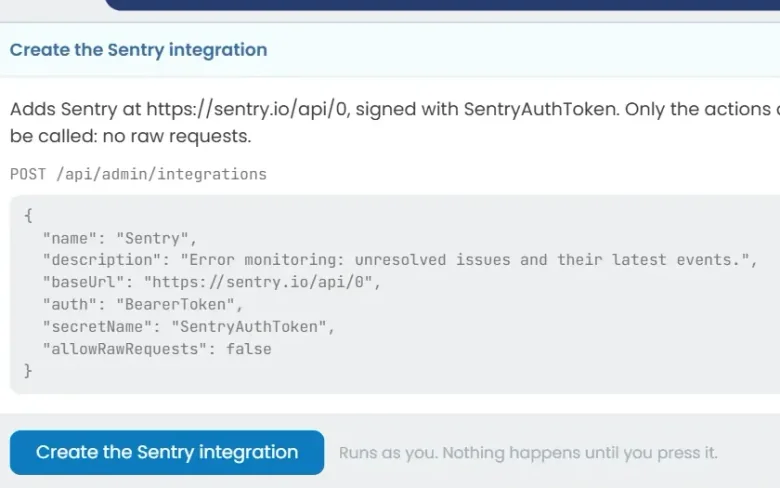 07 Build an agent Seen Build an agent in plain English Can we build our own?
See it on your own work
Install Eido Build from Azure Marketplace into your own Azure subscription, or talk to us about your teams, your repositories and your process.