
Your models, in your Azure
The question Can we use the models we have already approved?
Eido Build runs its agents on Microsoft Foundry in your own Azure subscription, on the model deployments you choose, with a different model for each stage if you want one. Walk through it.
 Start the walkthrough
In this chapter
Every step, in order. Pick one to start the walkthrough there.
-
Step 1 of 8 Installed in your own Azure subscription
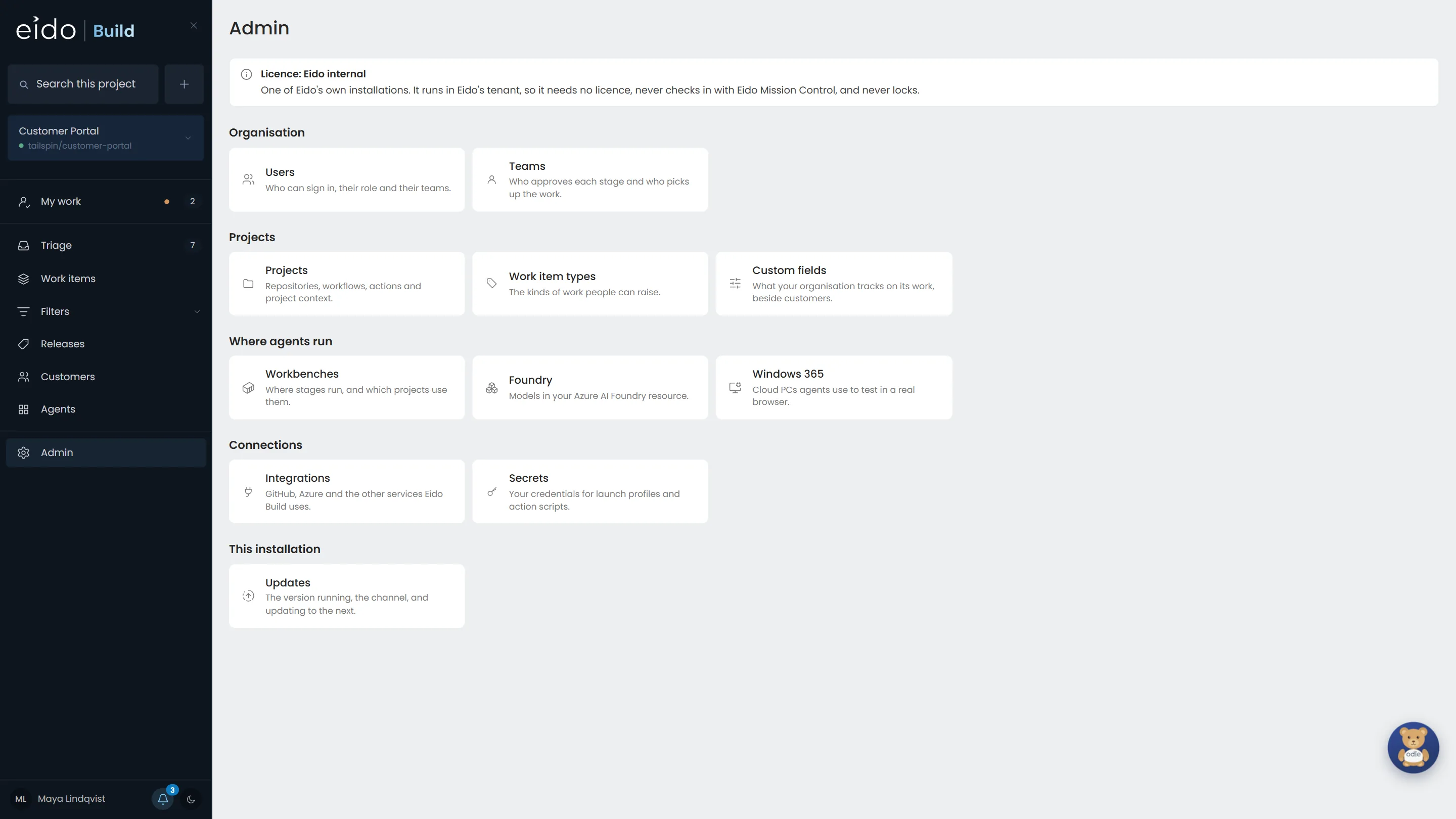
Eido Build is deployed from Azure Marketplace into your subscription and signs people in with Entra ID. Where its agents run is configured here, under Where agents run.
Click Foundry
-
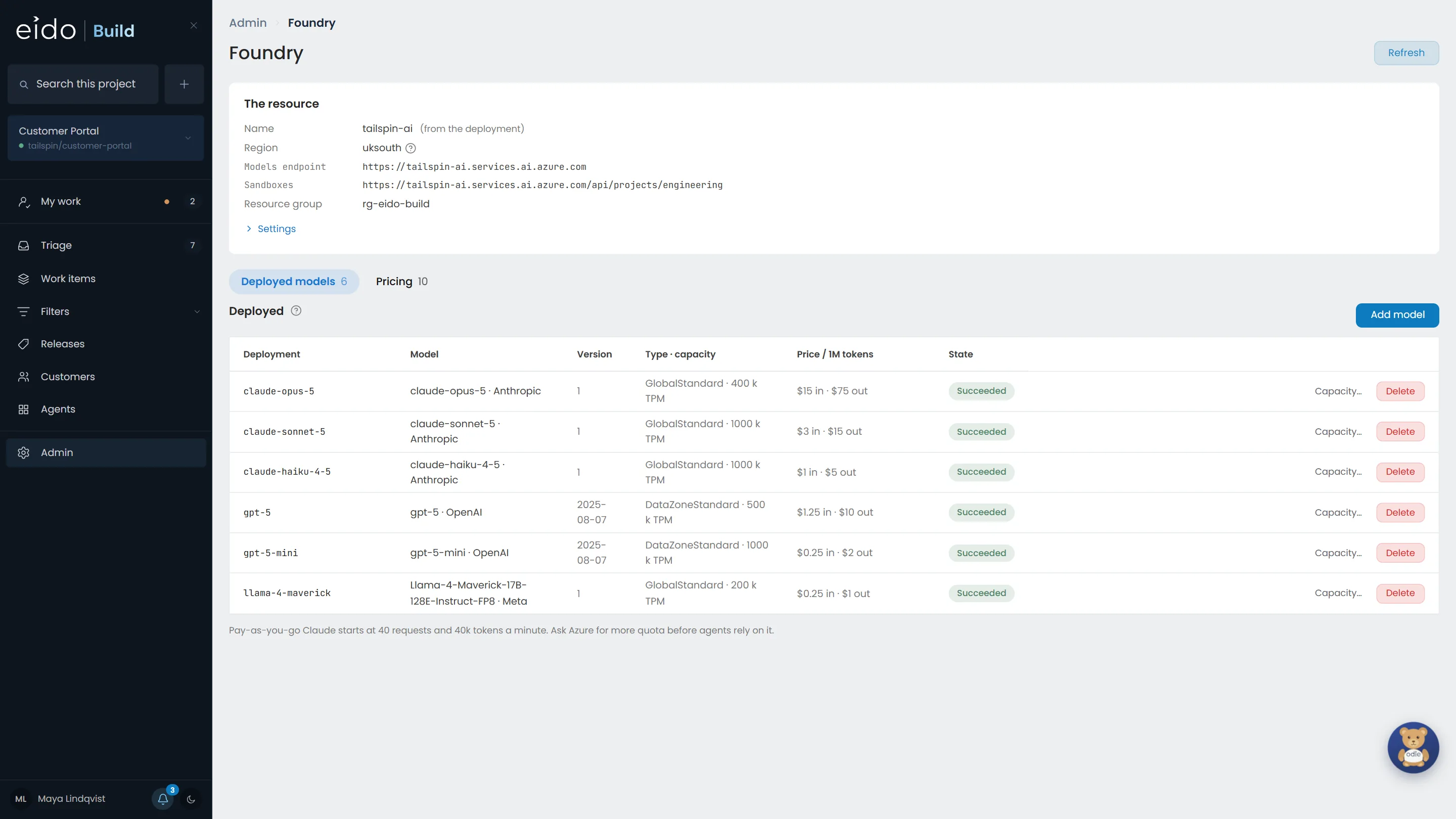
Step 2 of 8 The models you deployed
Eido Build reads the deployments in your own Foundry resource. Here that is Claude Opus, Sonnet and Haiku, GPT-5 and GPT-5 mini, and Llama 4 Maverick, an open-weight model. Each shows its deployment type, its capacity and what it costs.
Click Add model
-
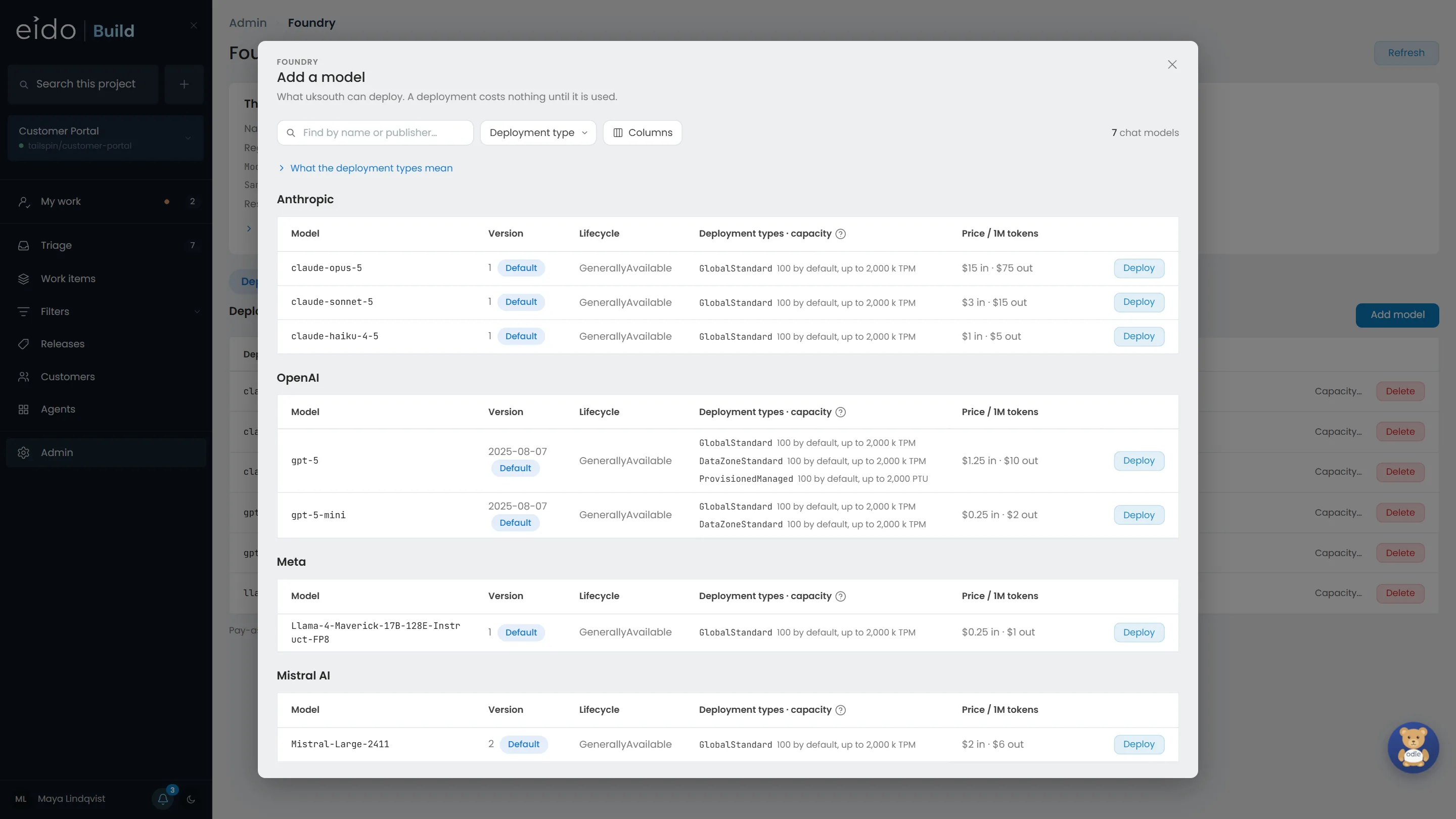
Step 3 of 8 Add one without leaving Eido Build
The Foundry catalogue, grouped by publisher, with each model's deployment types and price. The deployment type decides where a prompt is processed, so you can keep a model inside a data zone.
-
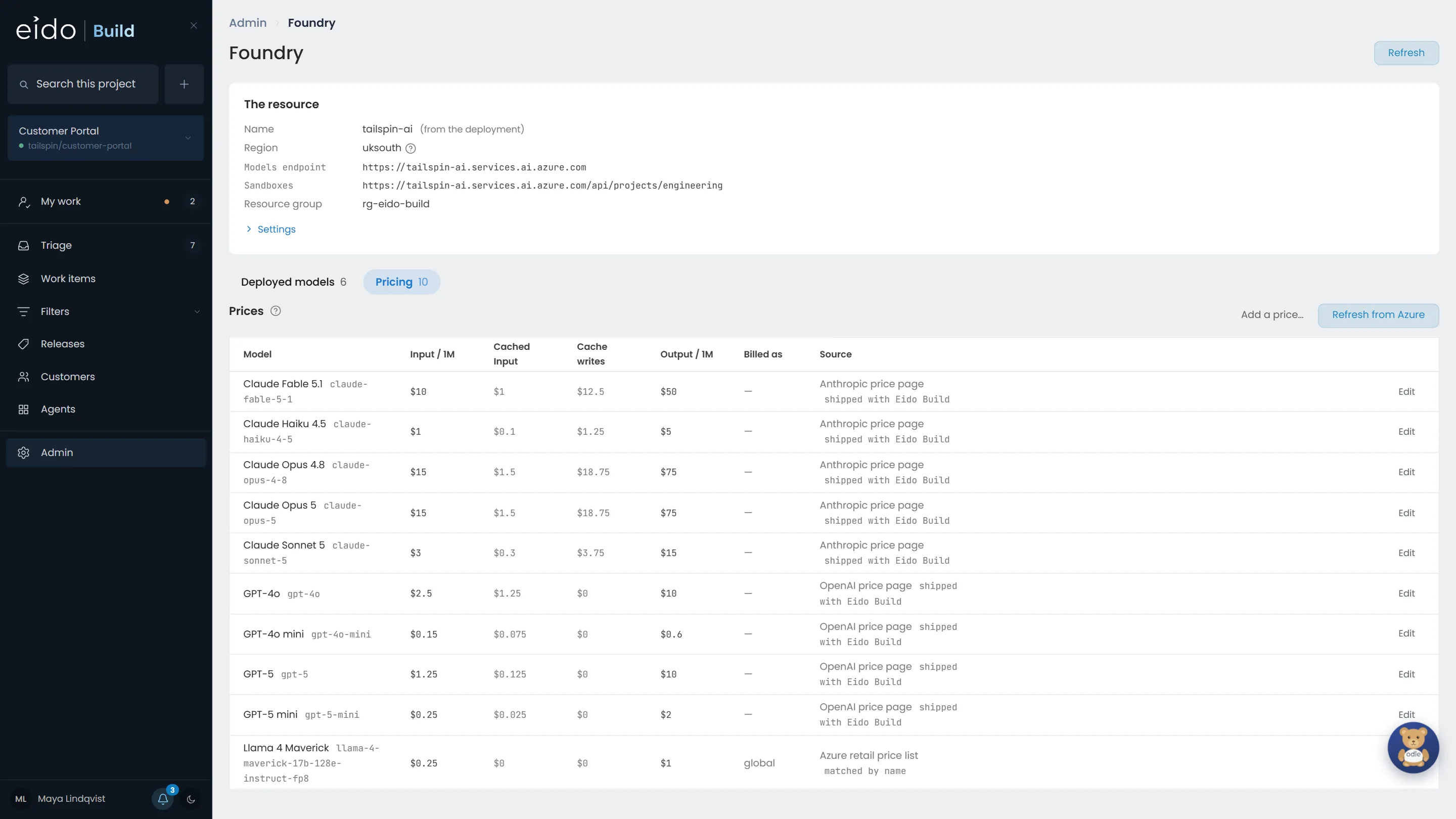
Step 4 of 8 A price for every model
Prices come from Azure's published price list, read once a day, and from Anthropic's for Claude. Correct one by hand and everything after the change is priced at the new rate.
-
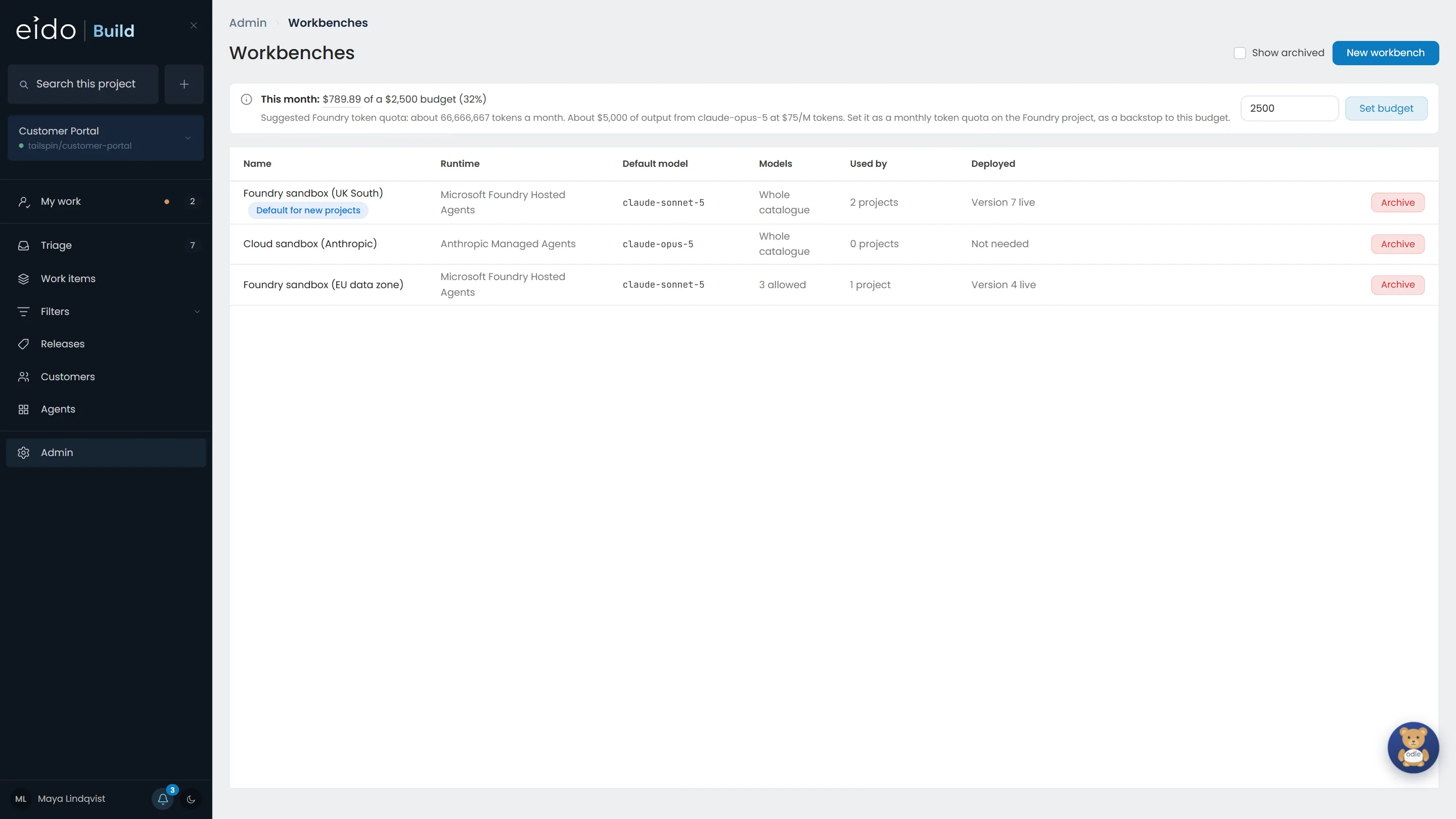
Step 5 of 8 Workbenches decide where stages run
A workbench is the sandbox a stage runs in, with the repository checked out. The Customer Portal runs on Foundry in UK South. Payments has its own workbench, held to the EU data zone, with only three models allowed. Anthropic's managed agents are there too, as an option nothing uses.
Click Foundry sandbox (EU data zone)
-
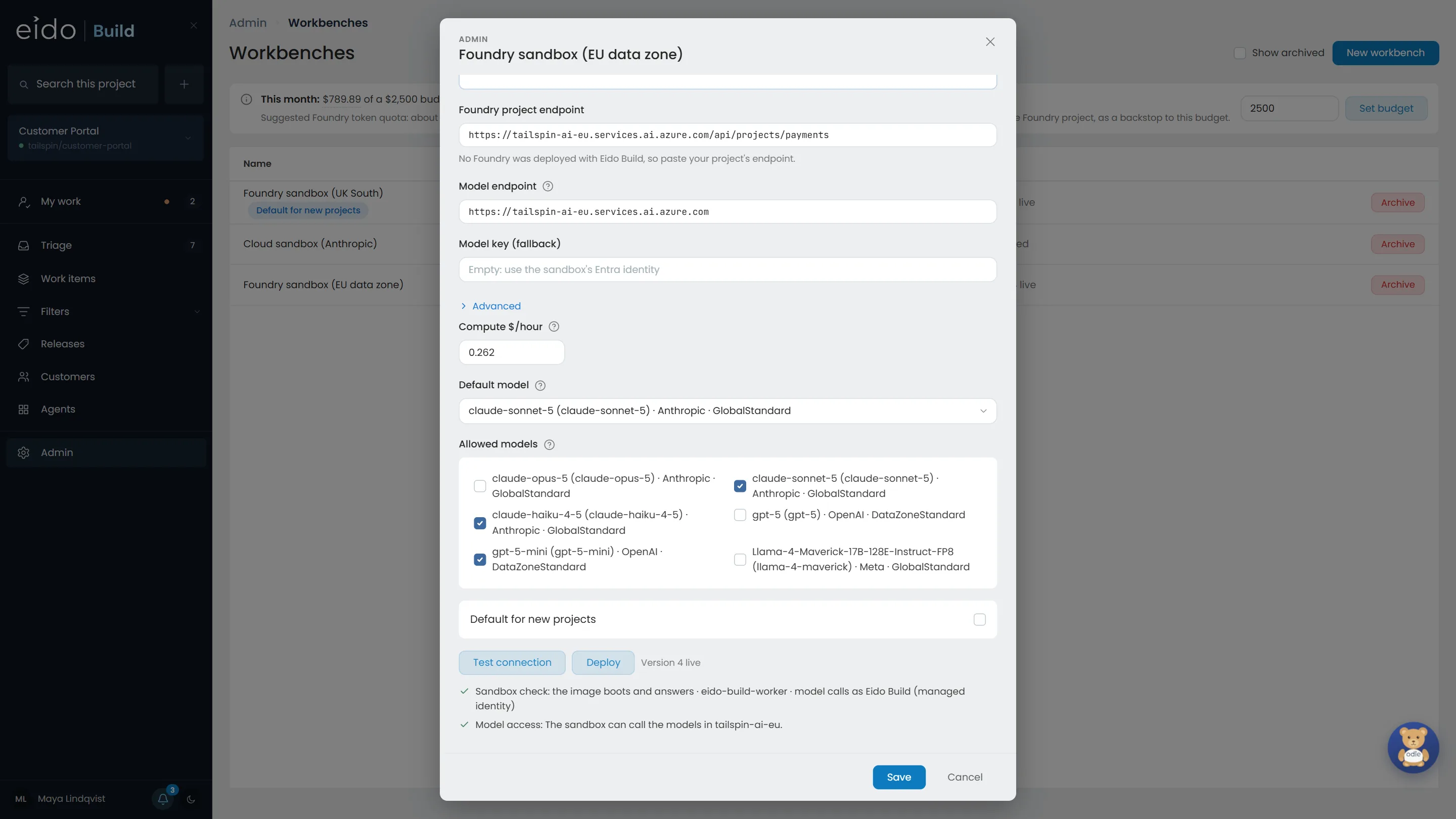
Step 6 of 8 Choose which models a workbench may use
Payments may use Claude Sonnet 5, Claude Haiku 4.5 and GPT-5 mini, and nothing else. The checks underneath confirm the sandbox starts and can reach those models, using the sandbox's own Entra identity rather than a stored key.
-
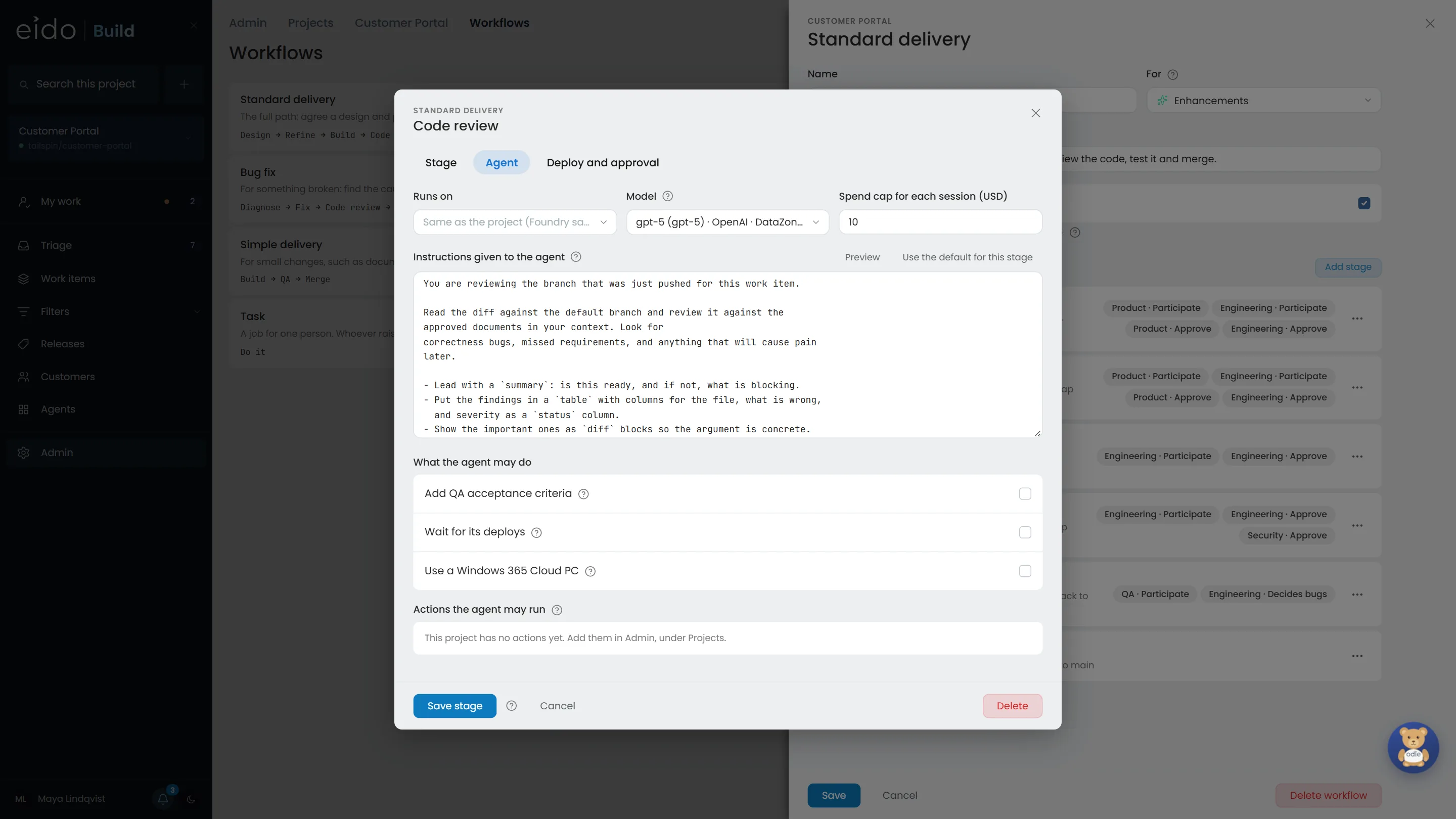
Step 7 of 8 The right model for each job
Design and Refine use Claude Opus 5. Build uses Claude Sonnet 5. Code review uses GPT-5, so the code is read by a model that did not write it. Change a stage's model here and every work item that starts after it uses the new one.
-
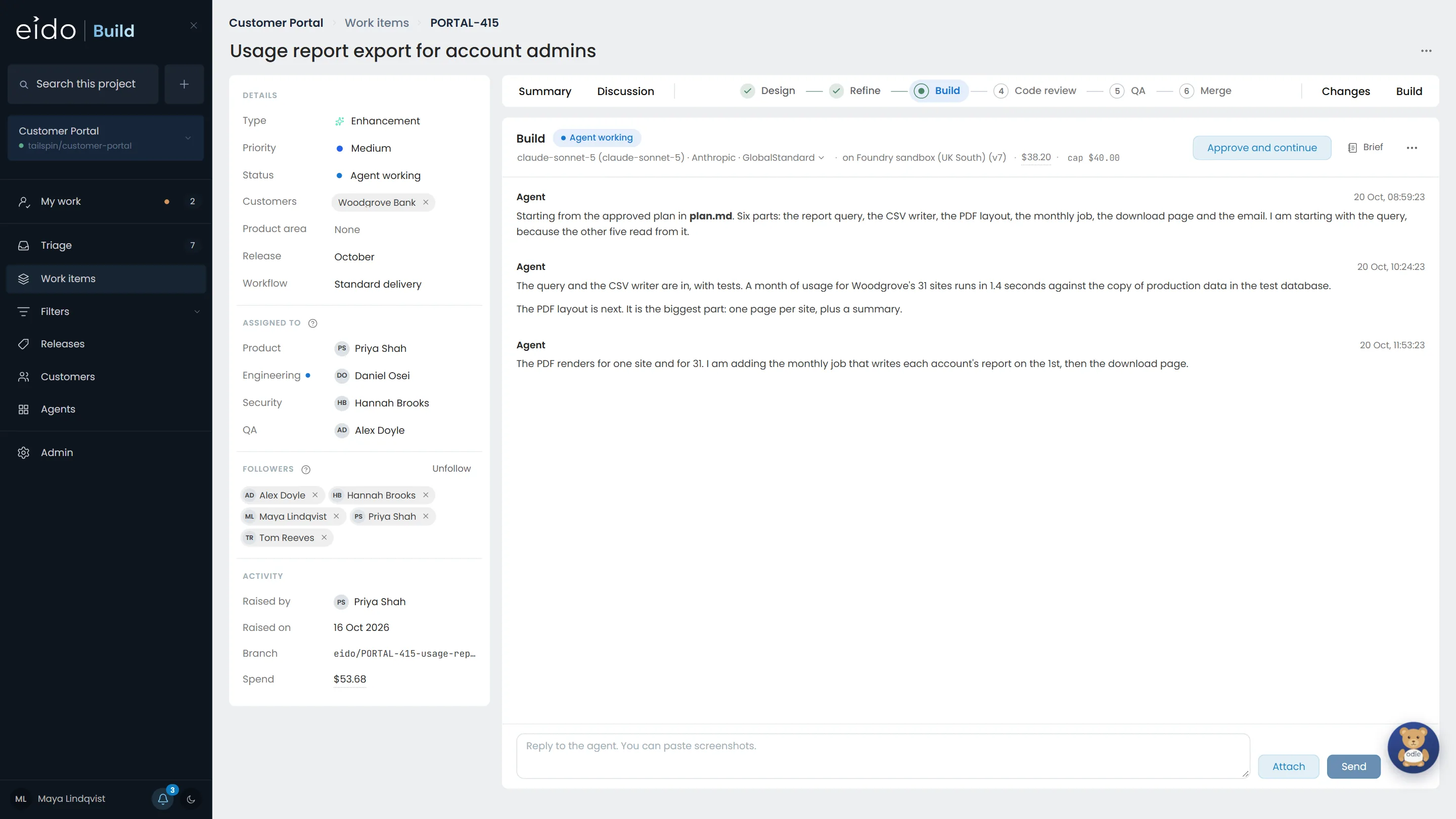
Step 8 of 8 Every stage says what it ran on
The stage's model, the workbench it ran on and the version of the sandbox, beside what it has spent and its cap. The same on every stage of every work item.
Your subscription, your models, your choice per stage.
Eido Build installs from Azure Marketplace into your own Azure subscription and runs its agents on the Foundry deployments your organisation approves. Install it, or talk to us about your Azure set-up.
More chapters
The whole tour-
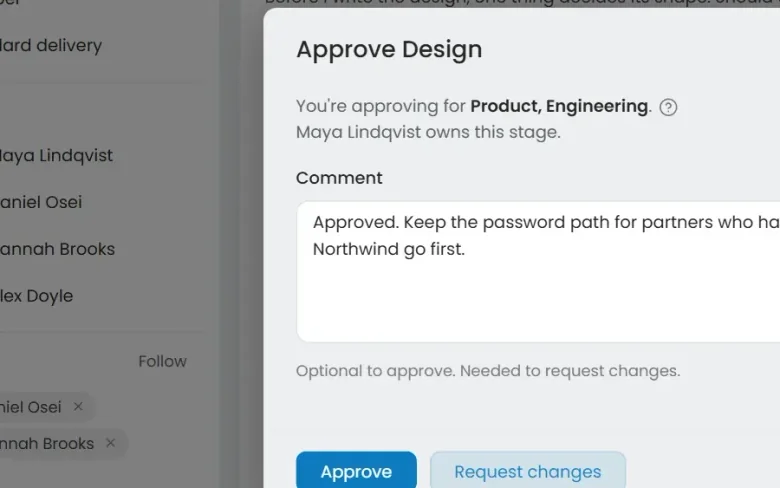 01 Governance Seen Every change goes through your gates Who decided this could ship?
-
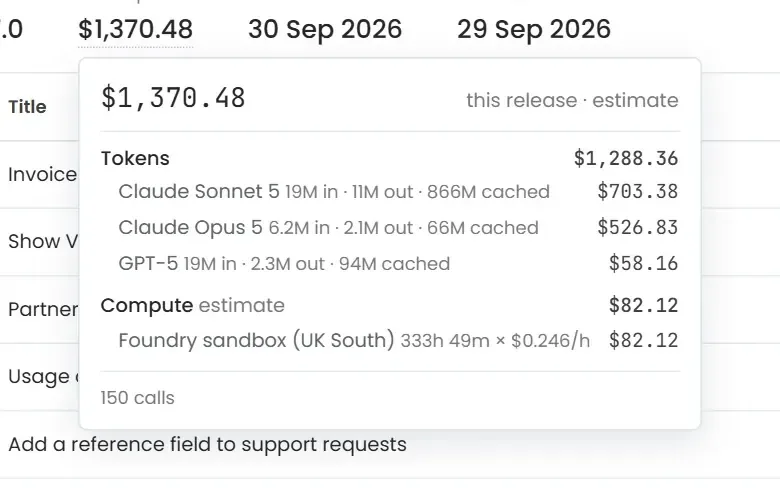 02 Cost control Seen Know what every release cost Where did the AI budget go?
-
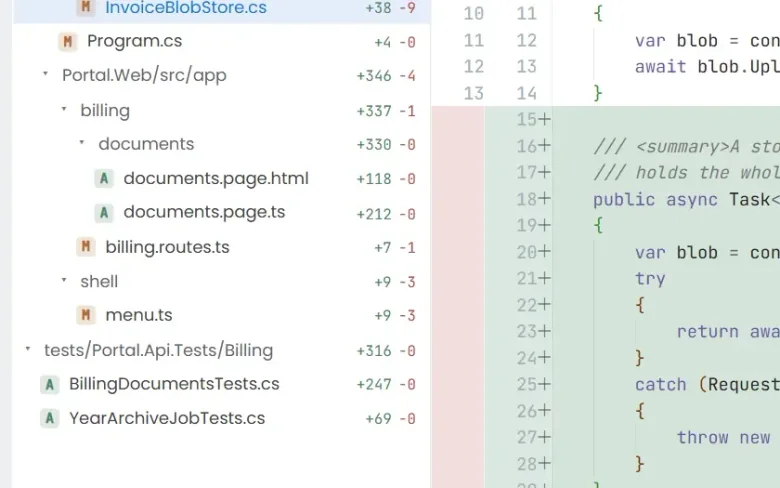 04 Ticket to merge Seen From a ticket to a merged pull request What does the work actually look like?
-
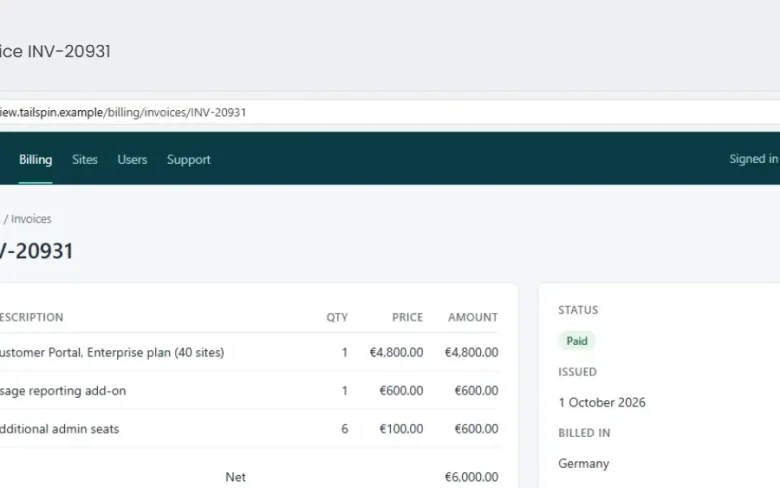 05 QA with evidence Seen Tested, with the evidence attached How do we know it actually works?
-
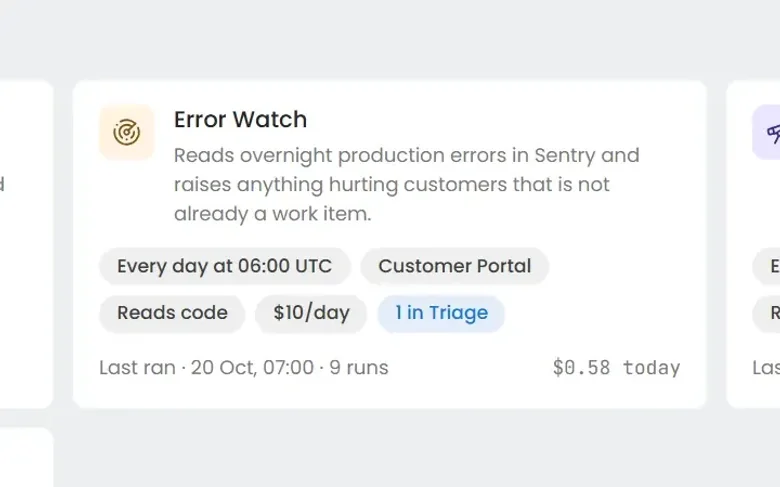 06 Always-on agents Seen Work nobody filed a ticket for What about the problems nobody has reported yet?
-
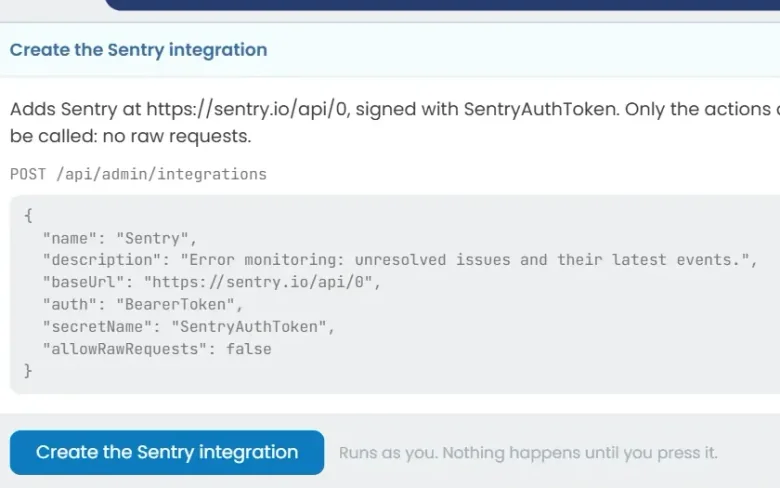 07 Build an agent Seen Build an agent in plain English Can we build our own?
See it on your own work
Install Eido Build from Azure Marketplace into your own Azure subscription, or talk to us about your teams, your repositories and your process.