
Build an agent in plain English
The question Can we build our own?
Describe the agent you want and Odie, Eido Build's assistant, builds it with you, including an integration for a system Eido Build has never heard of. Every change is a card only you can press.
 Start the walkthrough
In this chapter
Every step, in order. Pick one to start the walkthrough there.
-
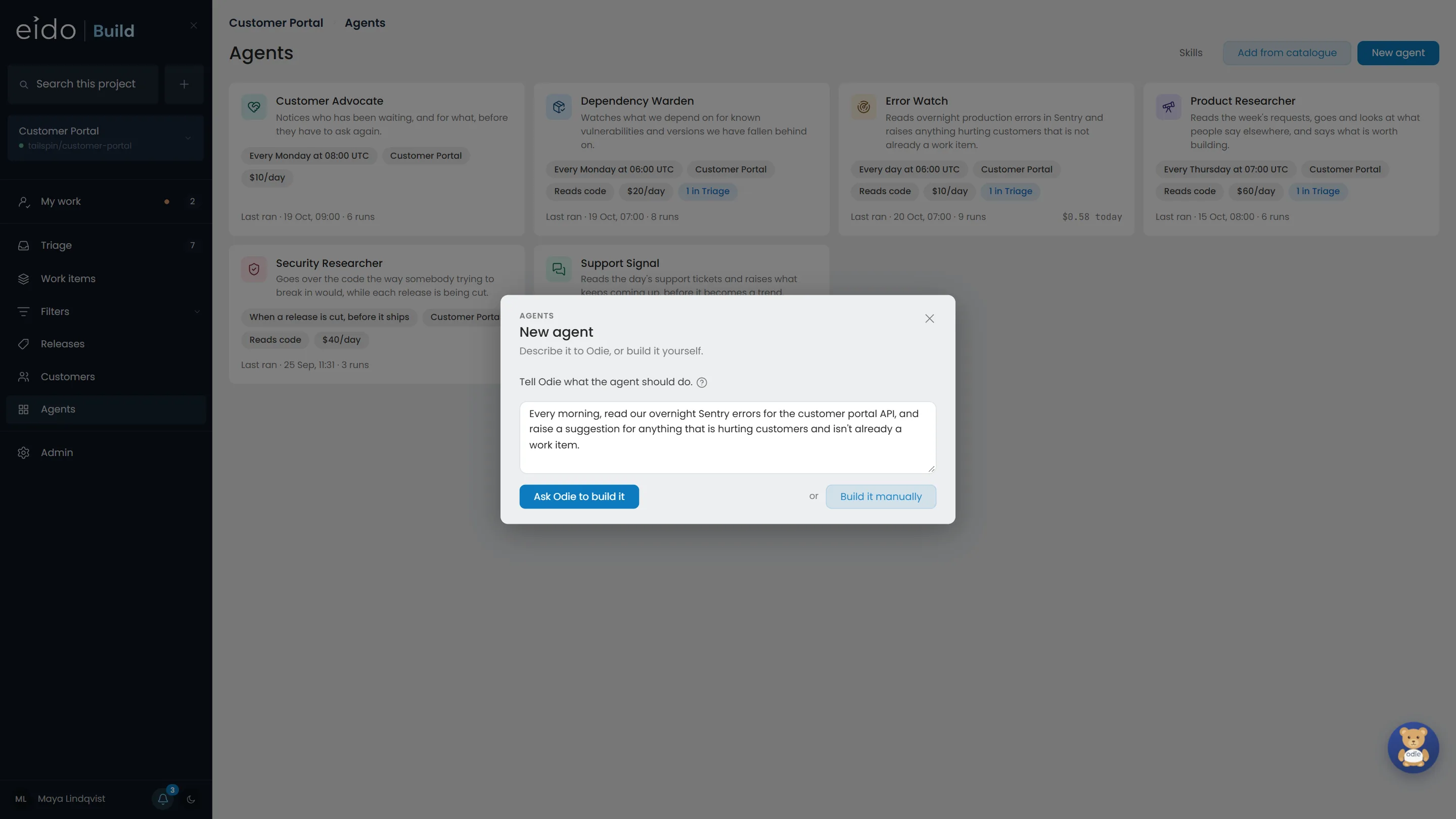
Step 1 of 9 Say what you want, in your own words
Every morning, read the overnight errors in Sentry and raise anything hurting customers that is not already a work item. Sentry is not one of the integrations Eido Build ships with.
Click Ask Odie to build it
-
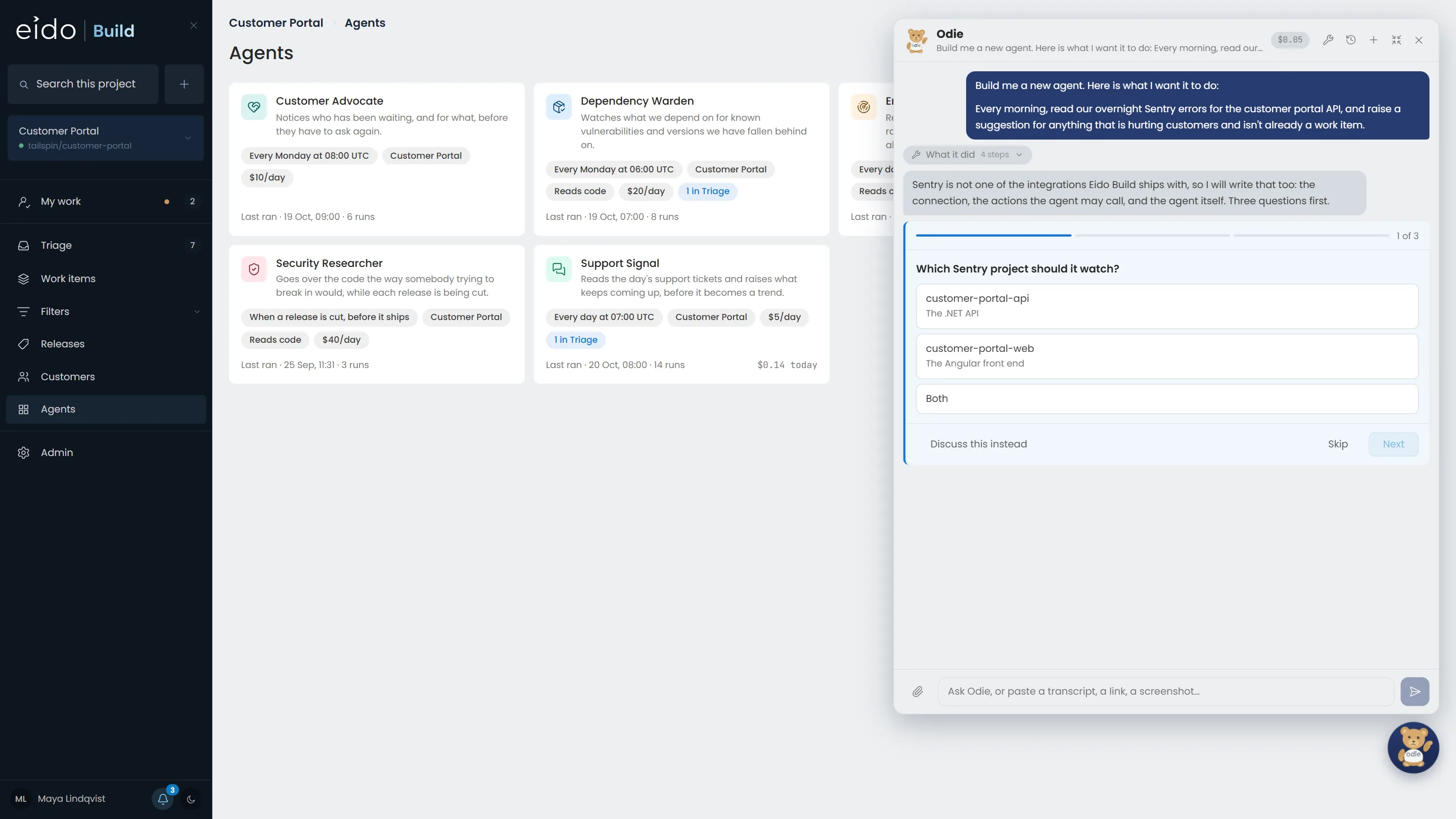
Step 2 of 9 Odie asks what it needs to know
It has already checked which integrations, secrets and projects exist. Three questions, answered with a click each, instead of a form to fill in.
-
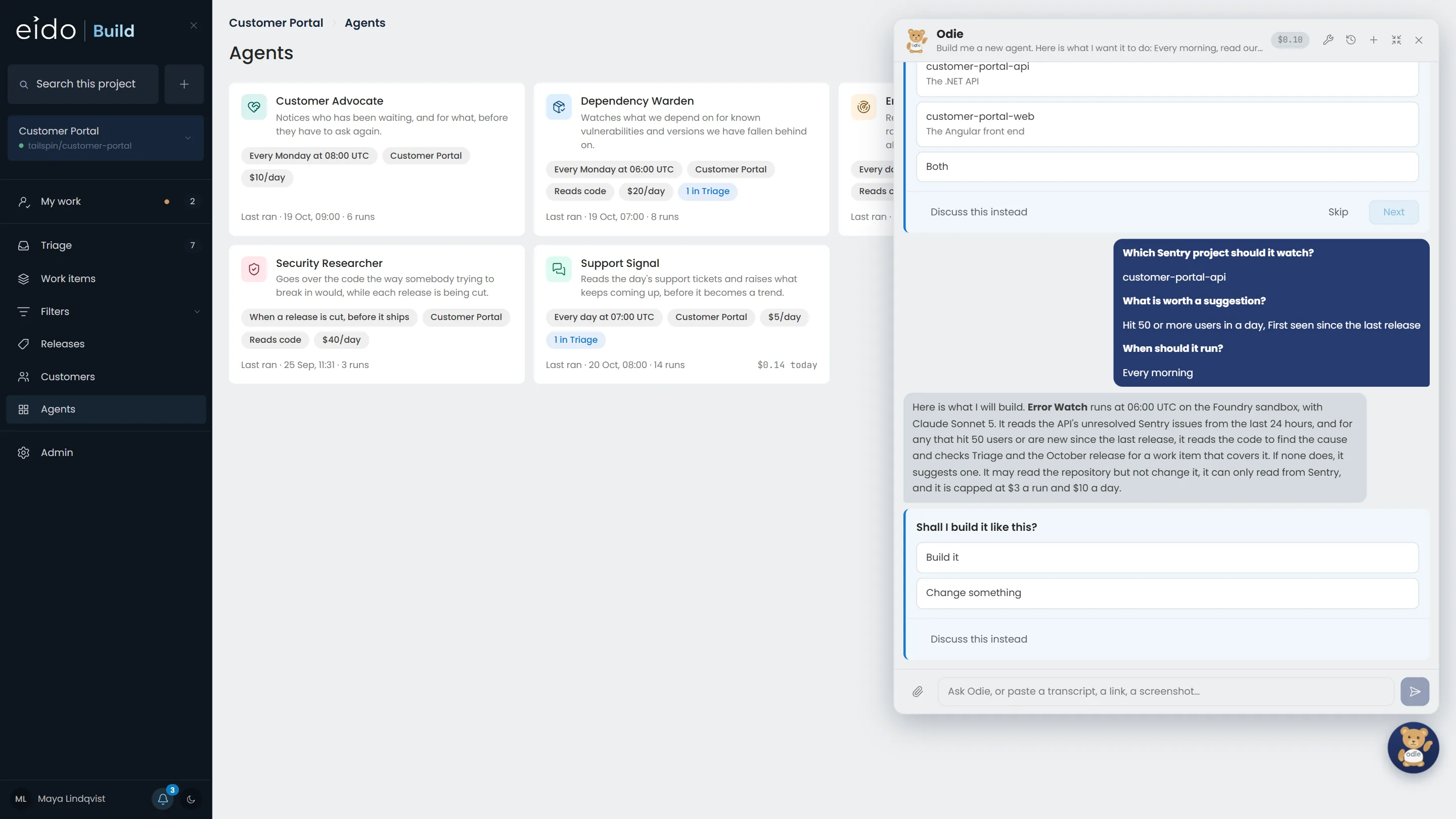
Step 3 of 9 Then says what it will build
A daily agent on the Foundry sandbox with Claude Sonnet 5, read-only access to the repository and to Sentry, $3 a run and $10 a day. Nothing is built until you agree.
Click Build it
-
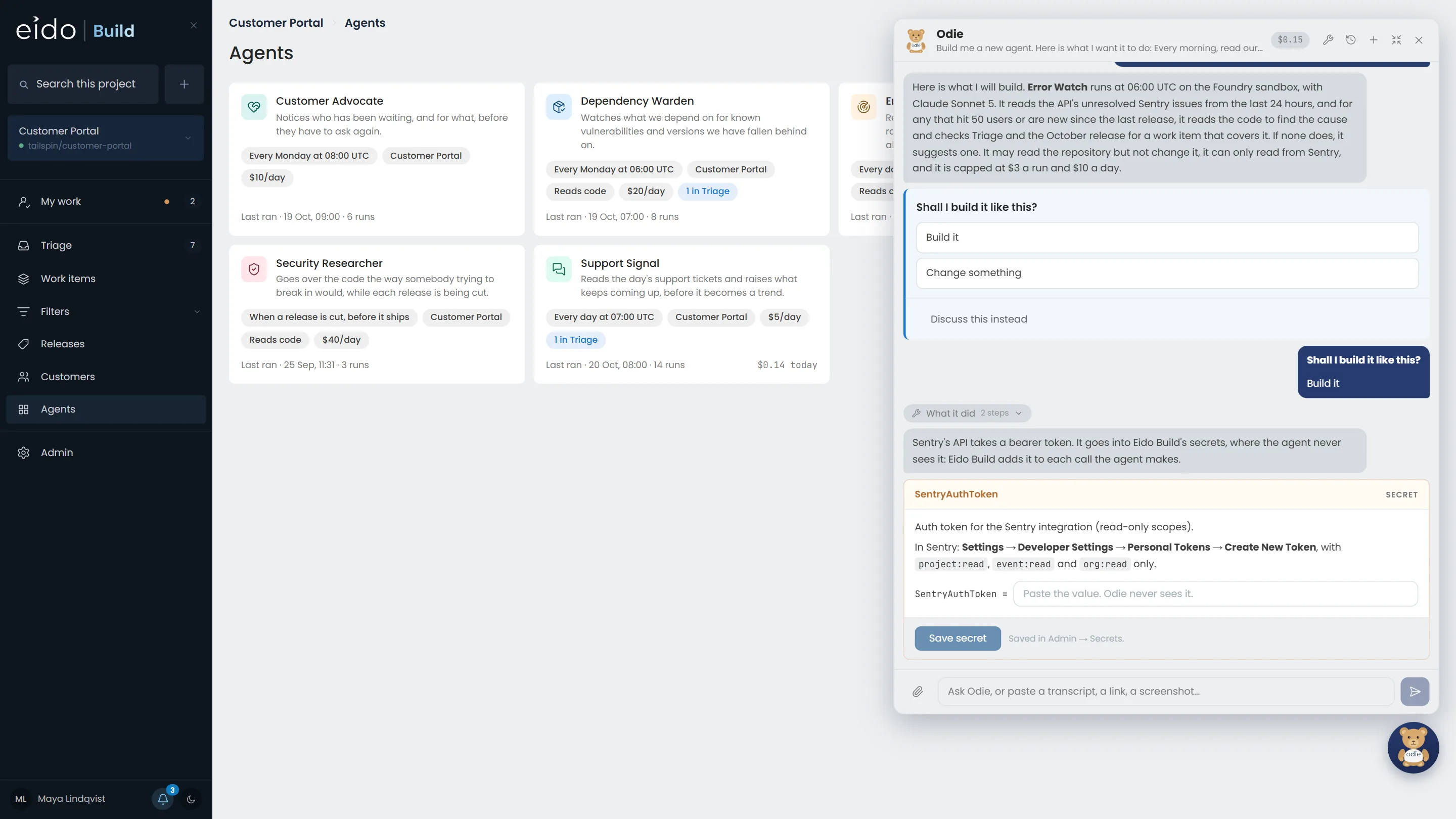
Step 4 of 9 The credential goes to Eido Build, not into the chat
Odie read Sentry's API documentation and asks for a token with read-only scopes. You paste it into a box that saves it straight to Eido Build's secrets. Odie never sees the value, and neither will the agent.
-
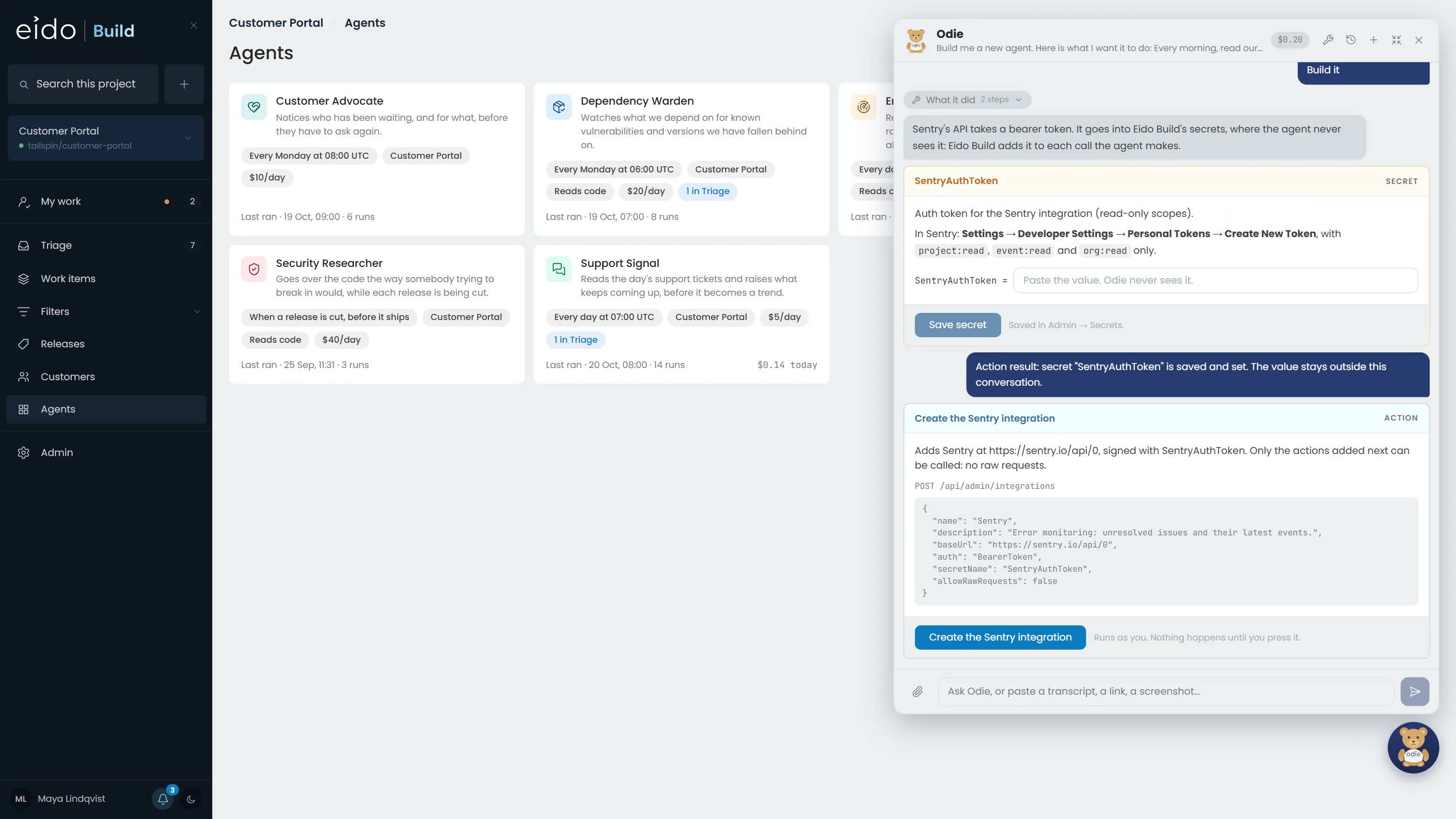
Step 5 of 9 Every change is a card only you can press
Odie reads everything you can read and changes nothing by itself. What it wants to do comes as a card, with the exact request it will make, and runs as you when you press it.
Click Create the Sentry integration
-
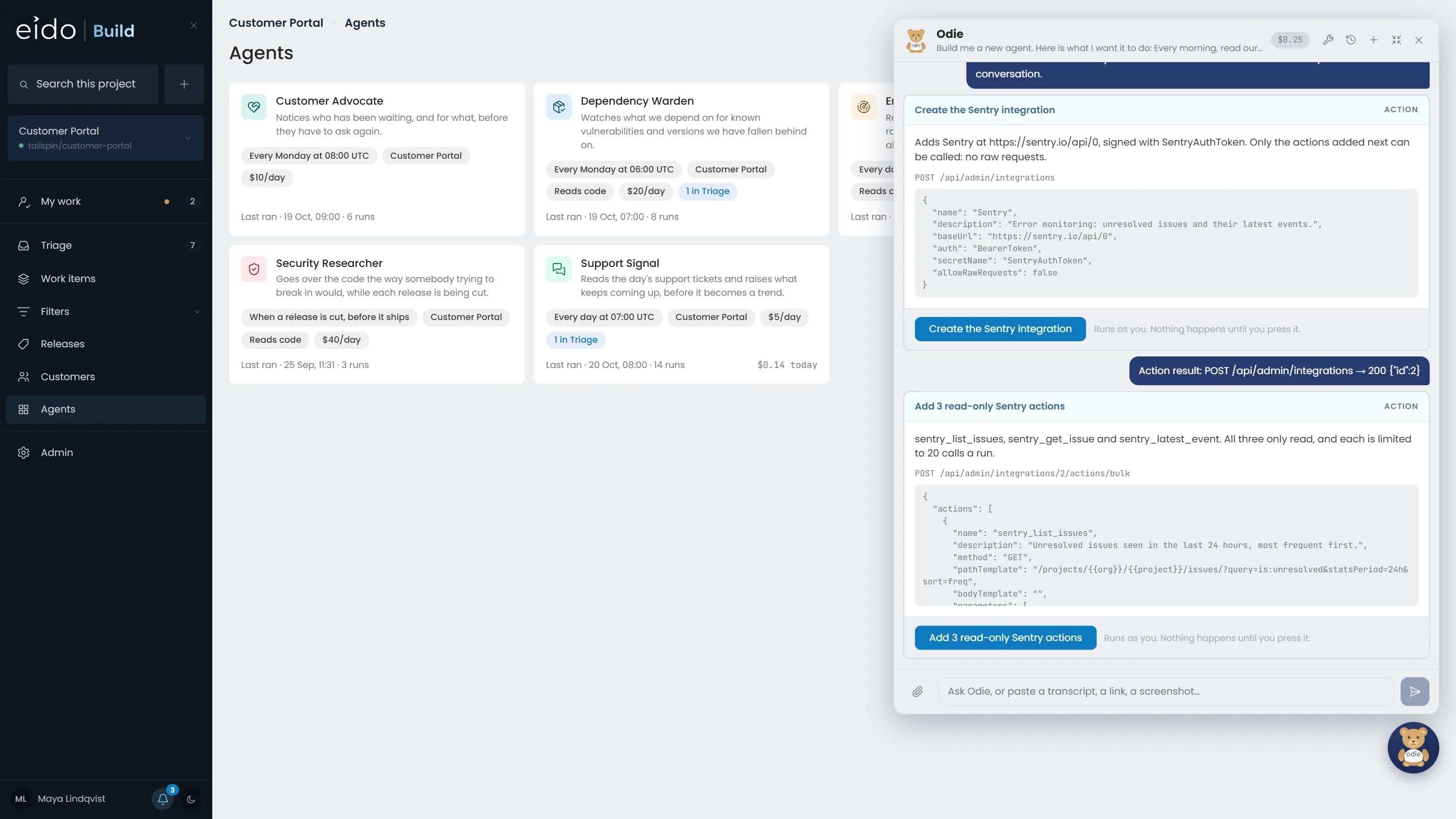
Step 6 of 9 The actions the agent may call
Three, and all three only read: list the issues, read one, read its latest event. Each is limited to so many calls a run.
Click Add 3 read-only Sentry actions
-
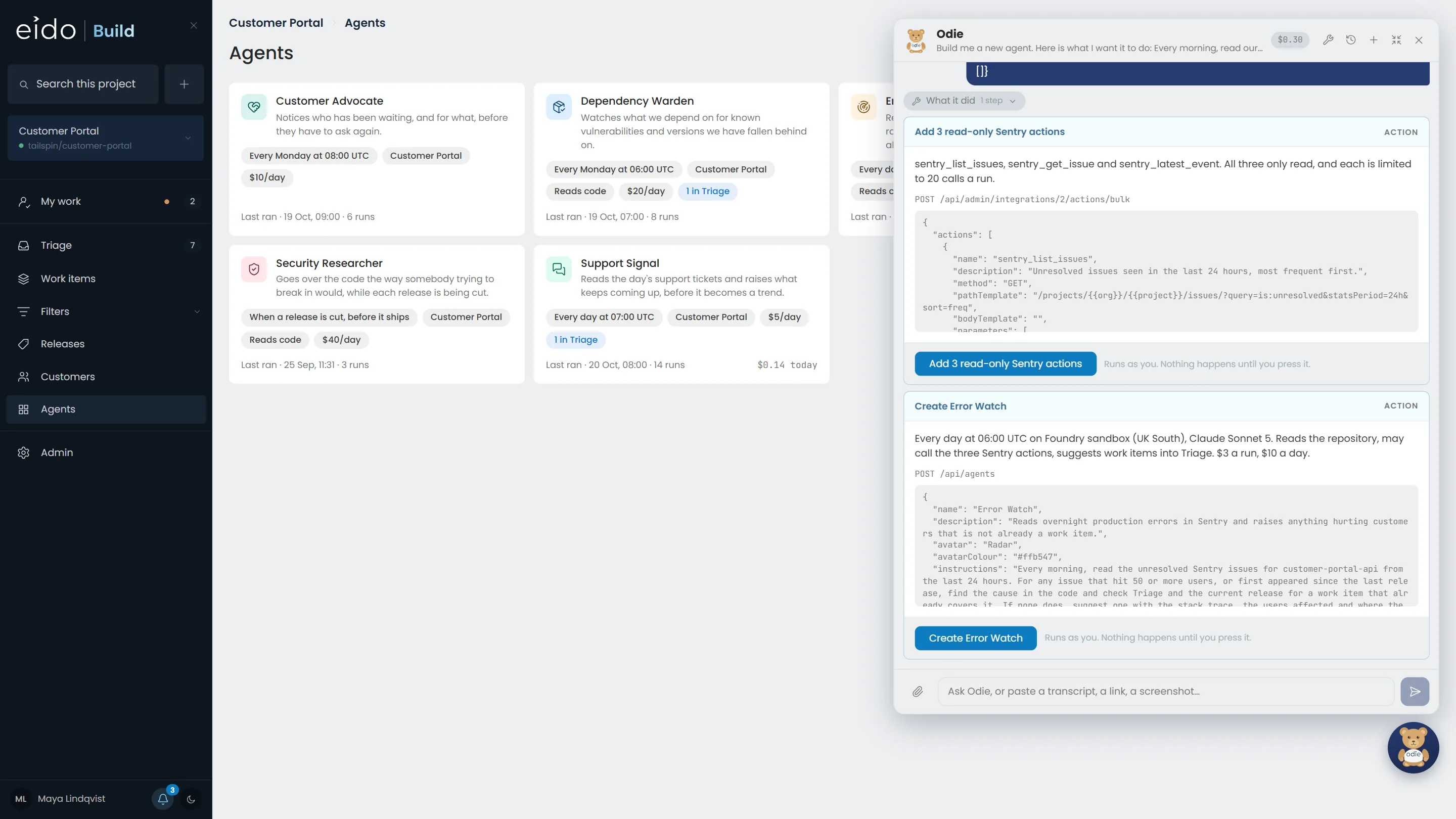
Step 7 of 9 And the agent itself
Its instructions, schedule, model, budgets and the three Sentry actions it is granted, in one card.
Click Create Error Watch
-
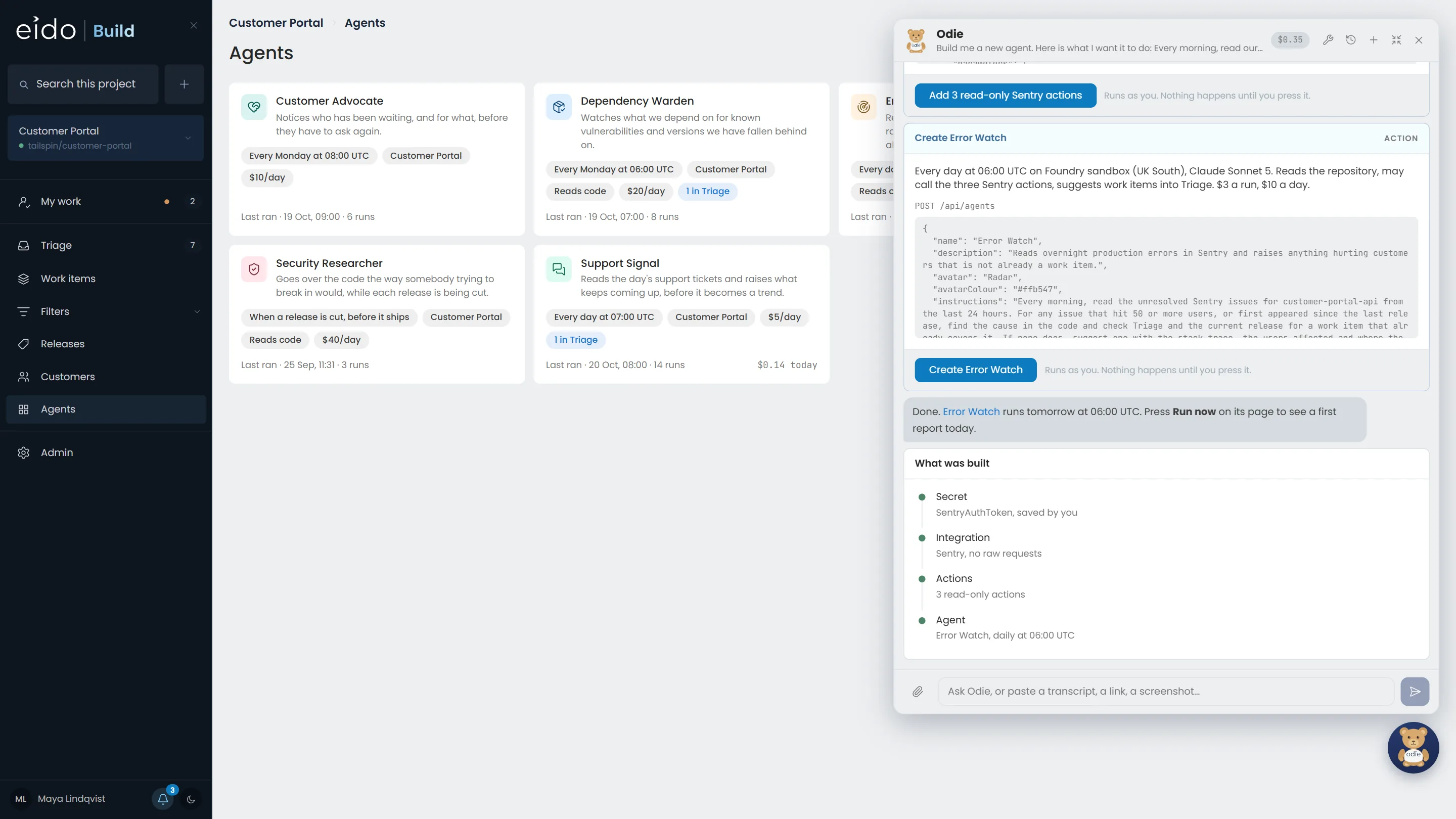
Step 8 of 9 Built
The secret, the integration, its actions and the agent, each made by a press of yours. Error Watch runs at 06:00 UTC tomorrow.
-
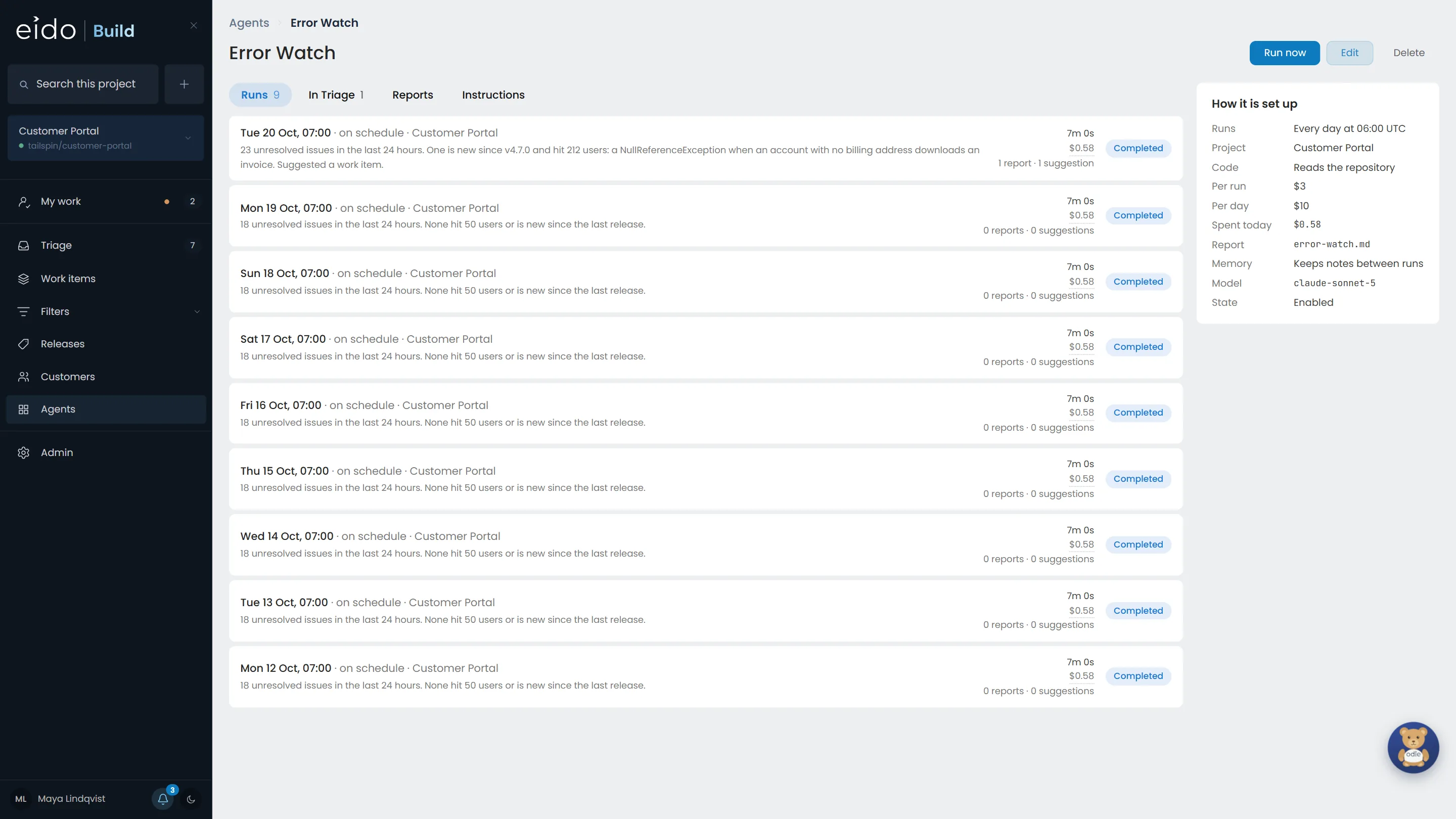
Step 9 of 9 Running every morning since
Nine runs, about 60 cents each. This morning it found a NullReferenceException hitting 212 users and suggested the fix into Triage, which is where the previous chapter picked it up.
Describe it. Approve each step. It runs tomorrow morning.
Odie writes the integration, its actions and the agent, and you press every button. The agent gets only the actions you approved, never the credential. Install Eido Build, or talk to us about the agents you have in mind.
More chapters
The whole tour-
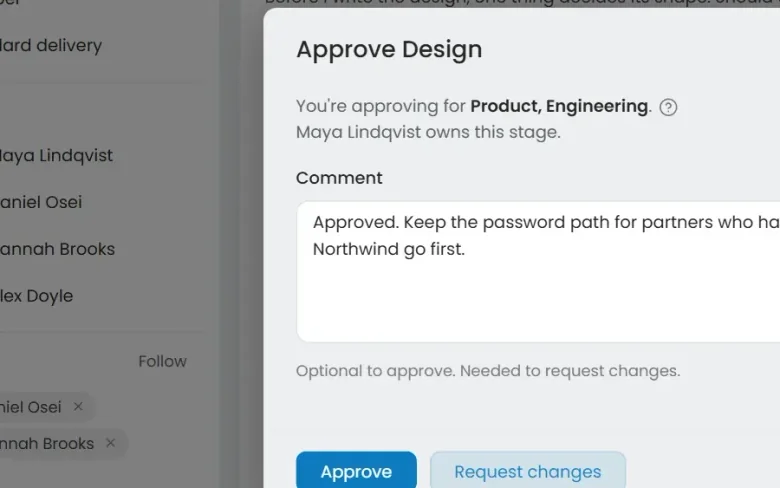 01 Governance Seen Every change goes through your gates Who decided this could ship?
-
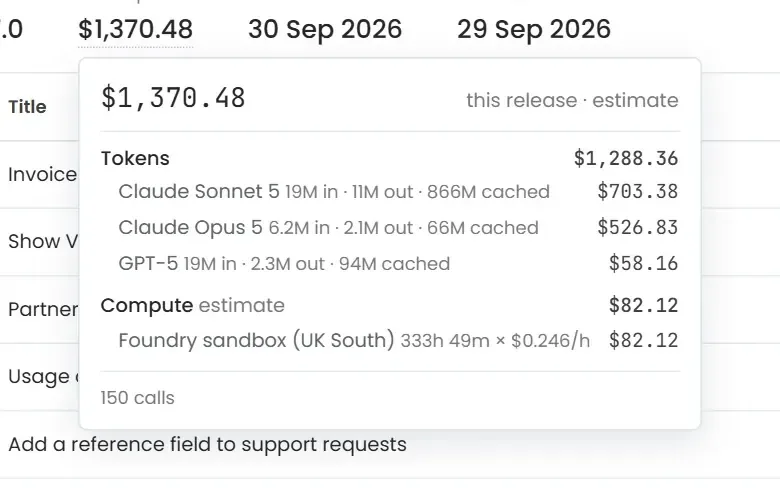 02 Cost control Seen Know what every release cost Where did the AI budget go?
-
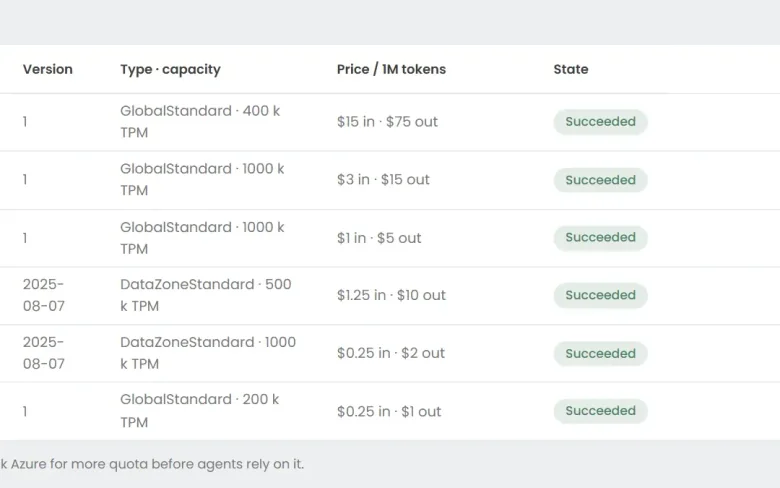 03 Foundry Seen Your models, in your Azure Can we use the models we have already approved?
-
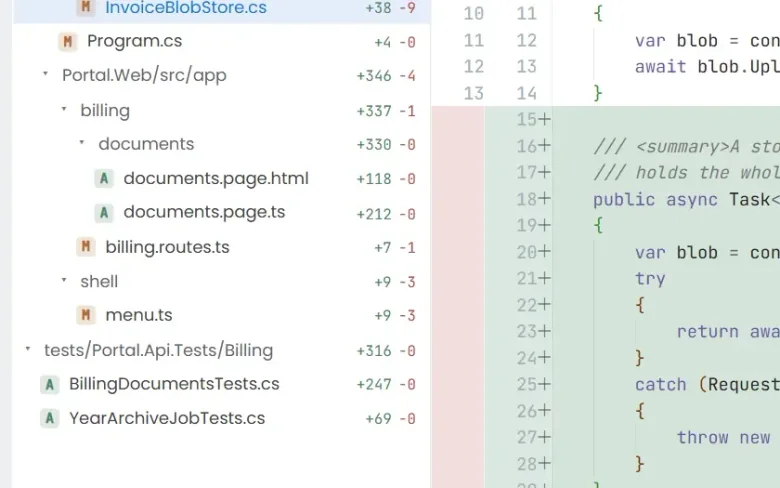 04 Ticket to merge Seen From a ticket to a merged pull request What does the work actually look like?
-
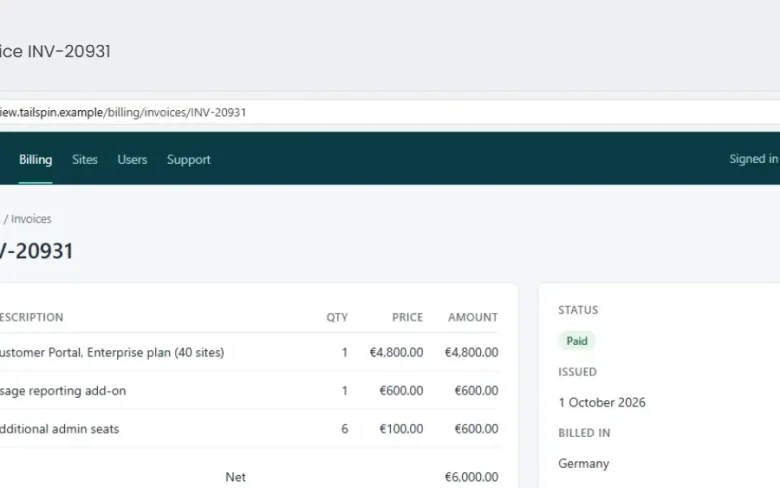 05 QA with evidence Seen Tested, with the evidence attached How do we know it actually works?
-
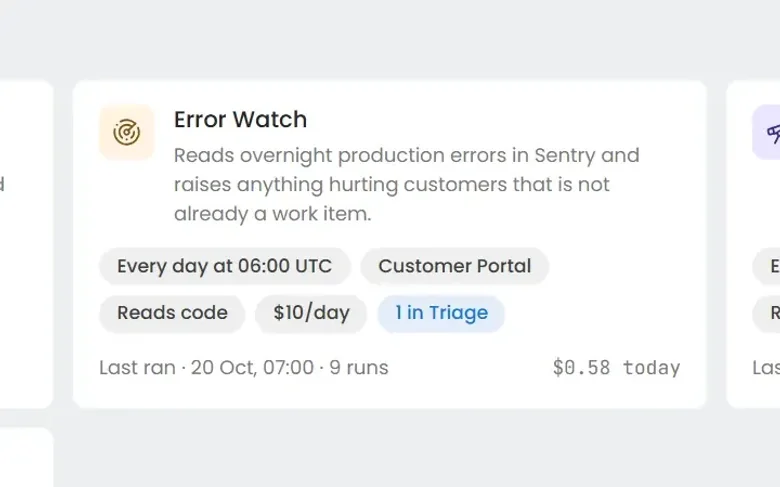 06 Always-on agents Seen Work nobody filed a ticket for What about the problems nobody has reported yet?
See it on your own work
Install Eido Build from Azure Marketplace into your own Azure subscription, or talk to us about your teams, your repositories and your process.