

 Eido wants to merge
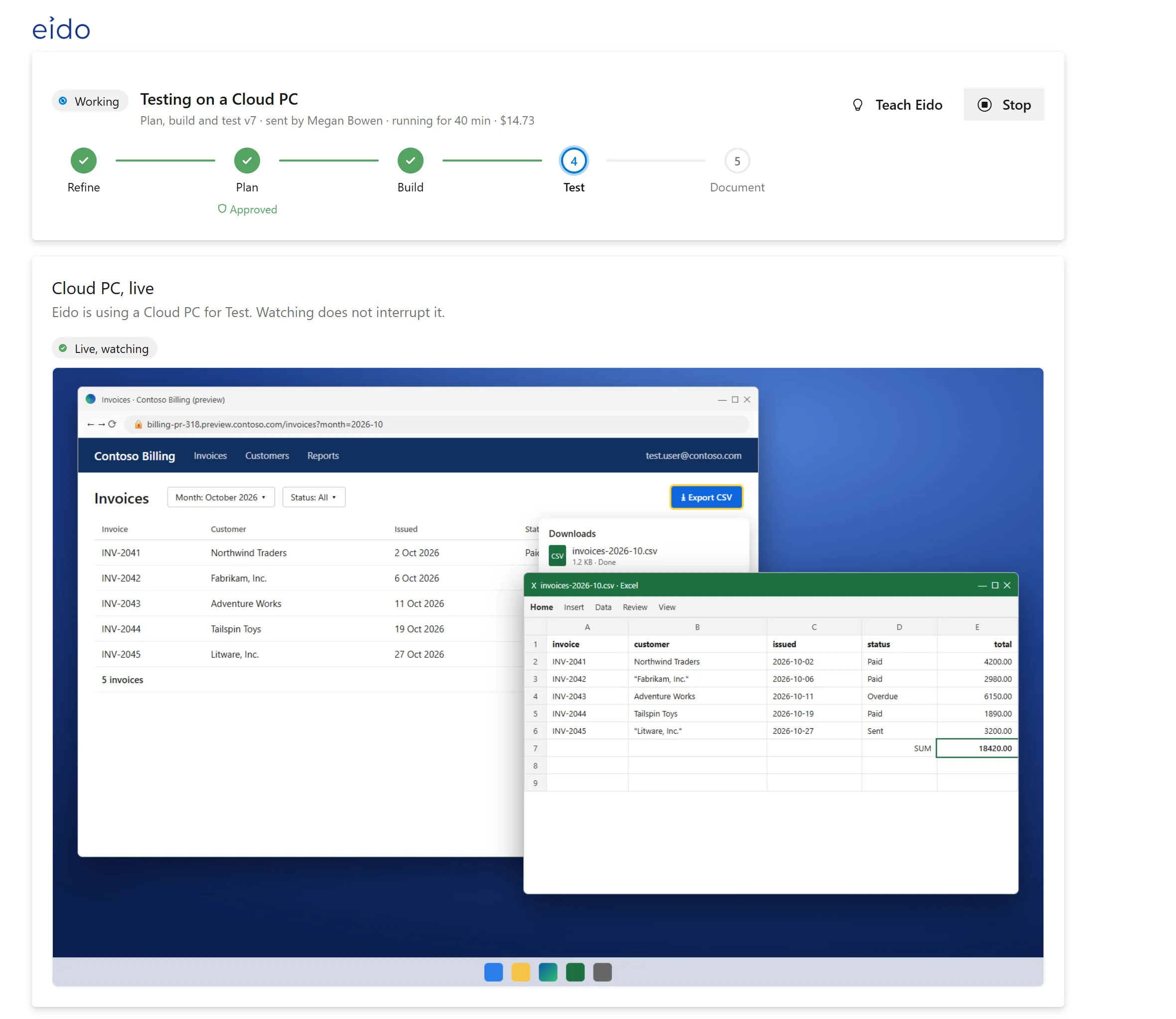
Tested on a Windows 365 Cloud PC
Clicks through the change in Edge or a desktop app, with screenshots on the work item.
From work item to pull request, within your budgets and approvals.
Work comes in from Azure Boards and goes back to Azure Repos. Nothing new to roll out.
Assign a work item to Eido, like anyone on the team, or press Send to Eido. Or put it on autopilot.
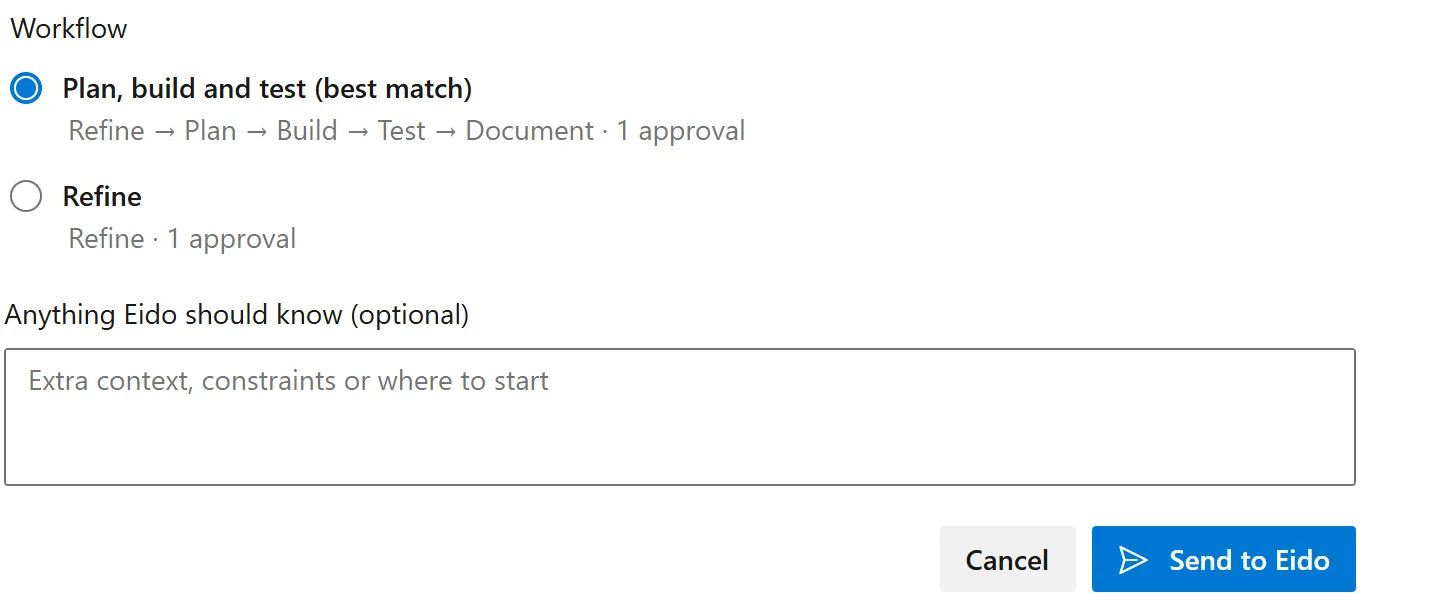
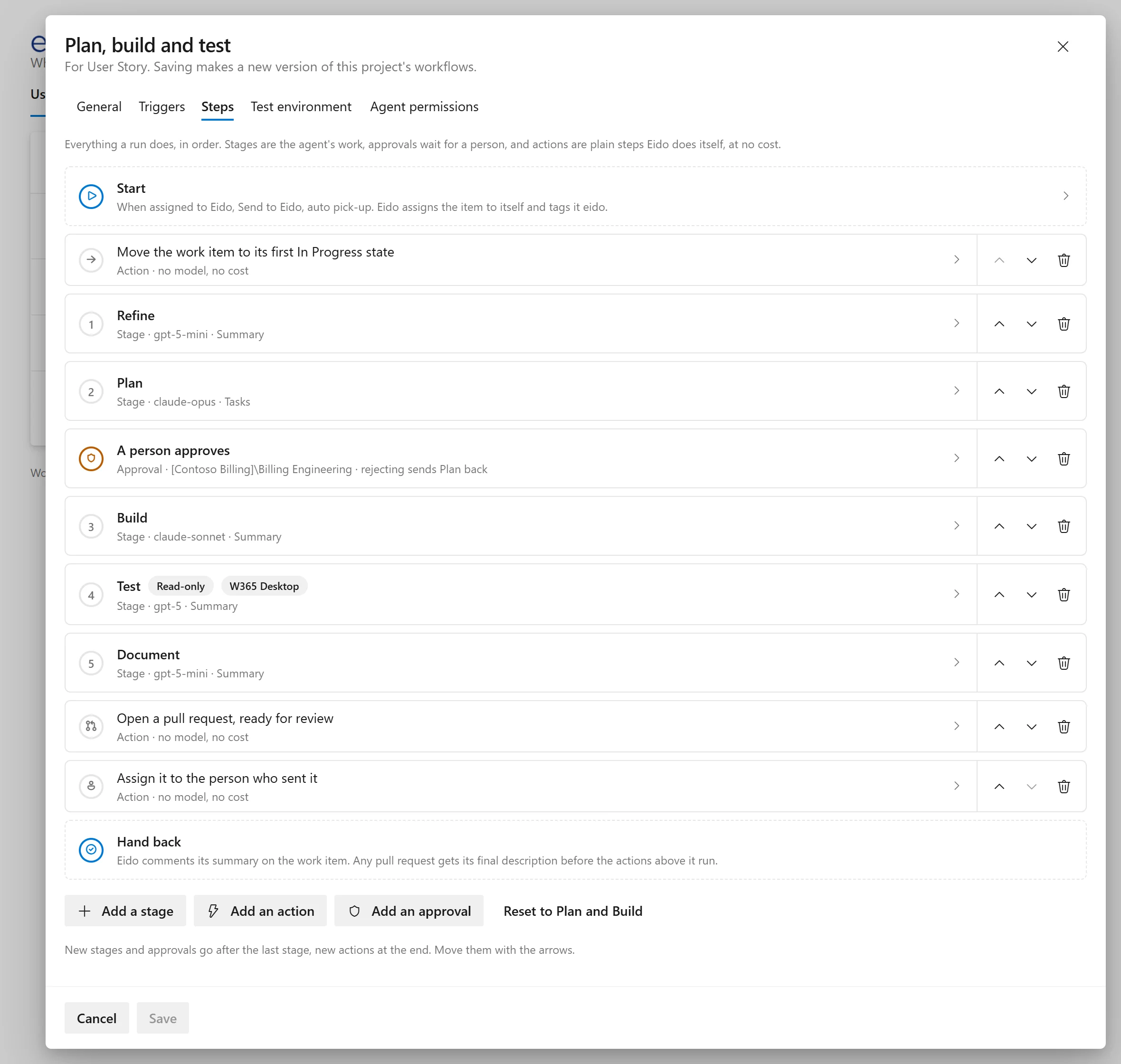
Your stages, the model and budget for each, and where a person approves.
Agents build on a branch, run your tests, and try the change on a Windows 365 Cloud PC. Watch it live.
Linked to the work item, with each stage’s summary. Your pipelines and branch policies decide what merges.
Review comments land on the line, with a fix you can apply.
Where Eido lives in Azure DevOps
Access follows your Azure DevOps permissions. No Eido roles to manage.
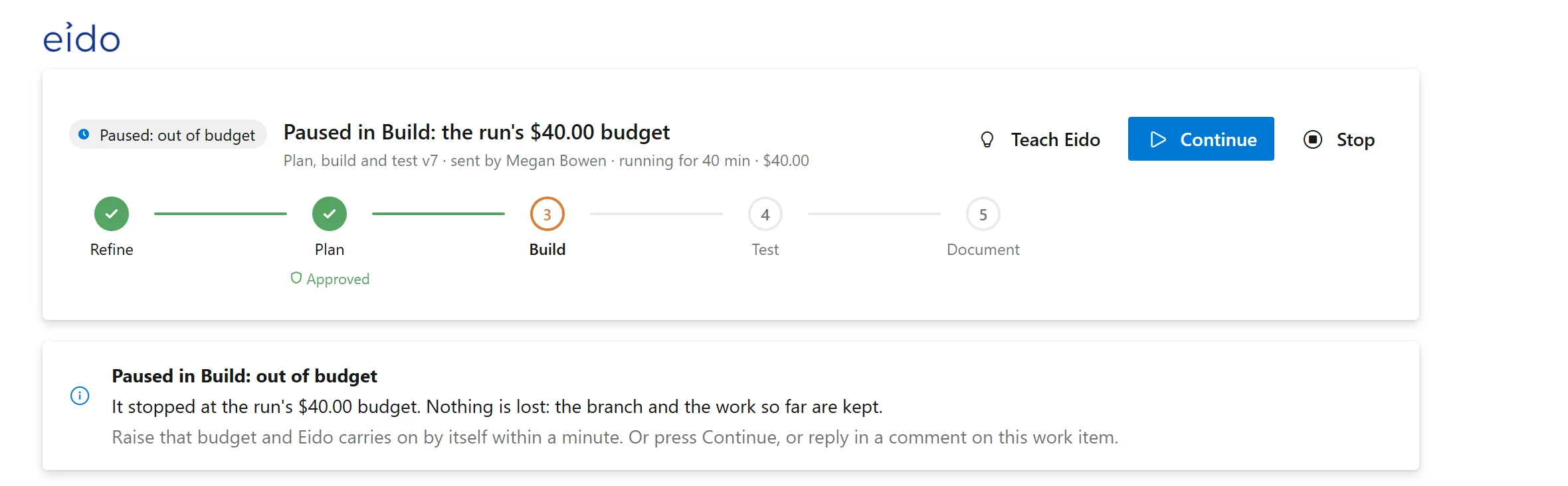
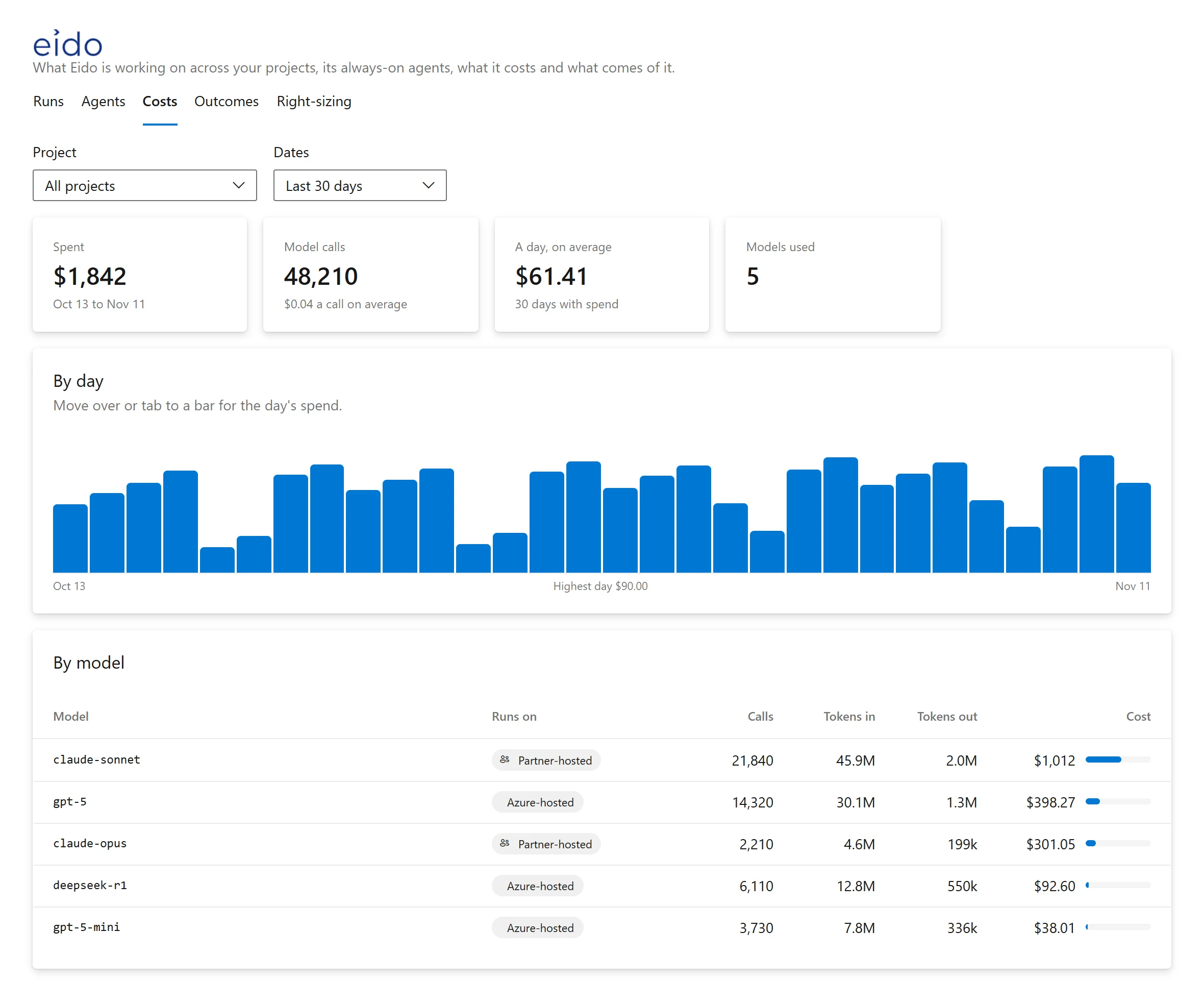
Every model call priced against its work item. No run can overspend.
Cap handed to the agent $12.90
Owners are alerted at 50%, 80% and 100%.
Every model call is checked against the cap before it is sent.
Raise the budget and it carries on where it stopped.
At an approval, the sandbox is handed back.
At Azure list prices, less your discount.
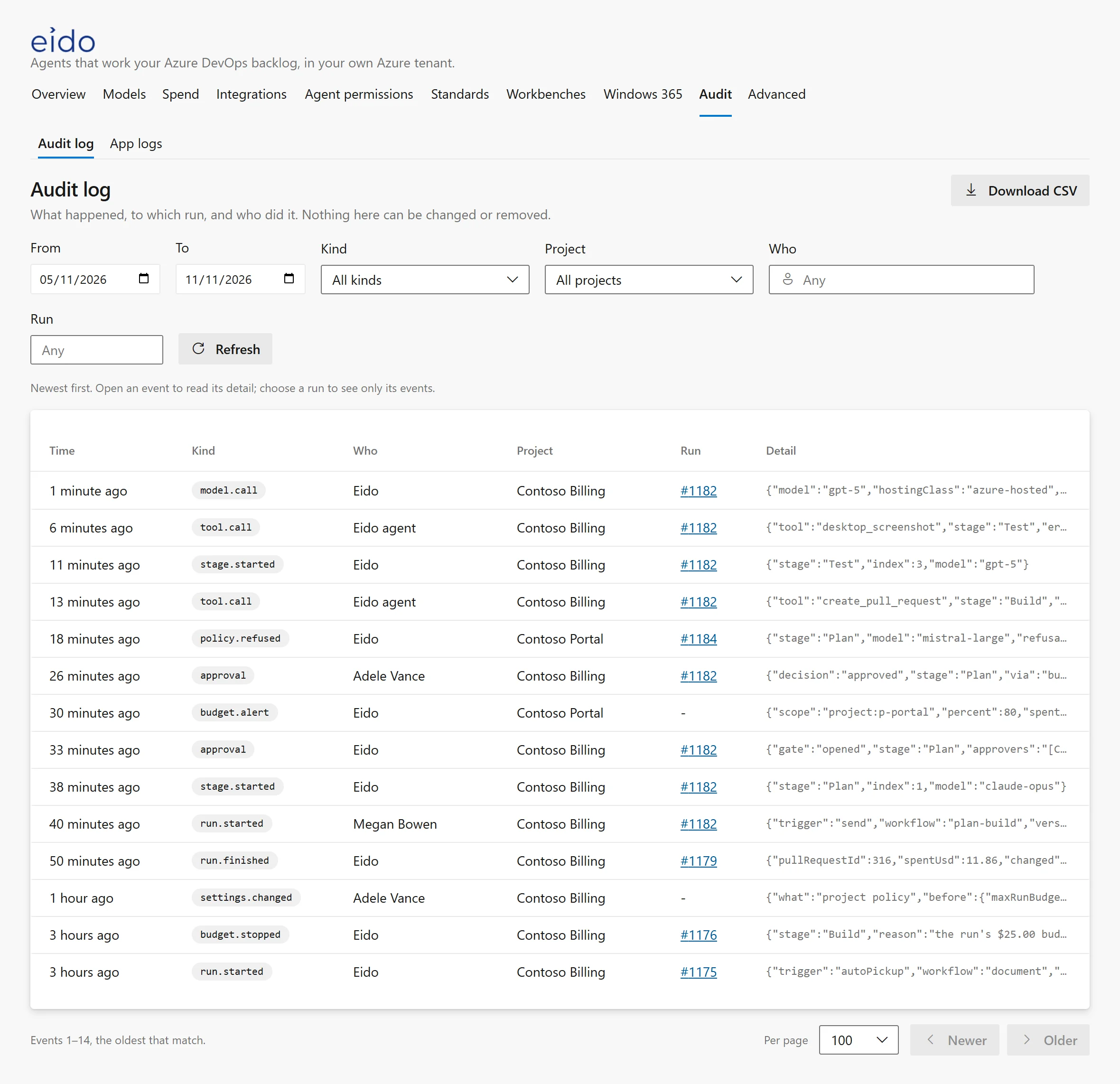
The same gates, models and limits for every team. All of it audited.
Your Azure DevOps groups approve. Eido never can.
An Azure DevOps group decides who can assign to Eido.
Allowed for the organisation, narrowed per project.
Tool and command limits. Pushes only to their own branch.
Credentials stay in Azure Key Vault.
Every call, approval and change. Export it to Sentinel.
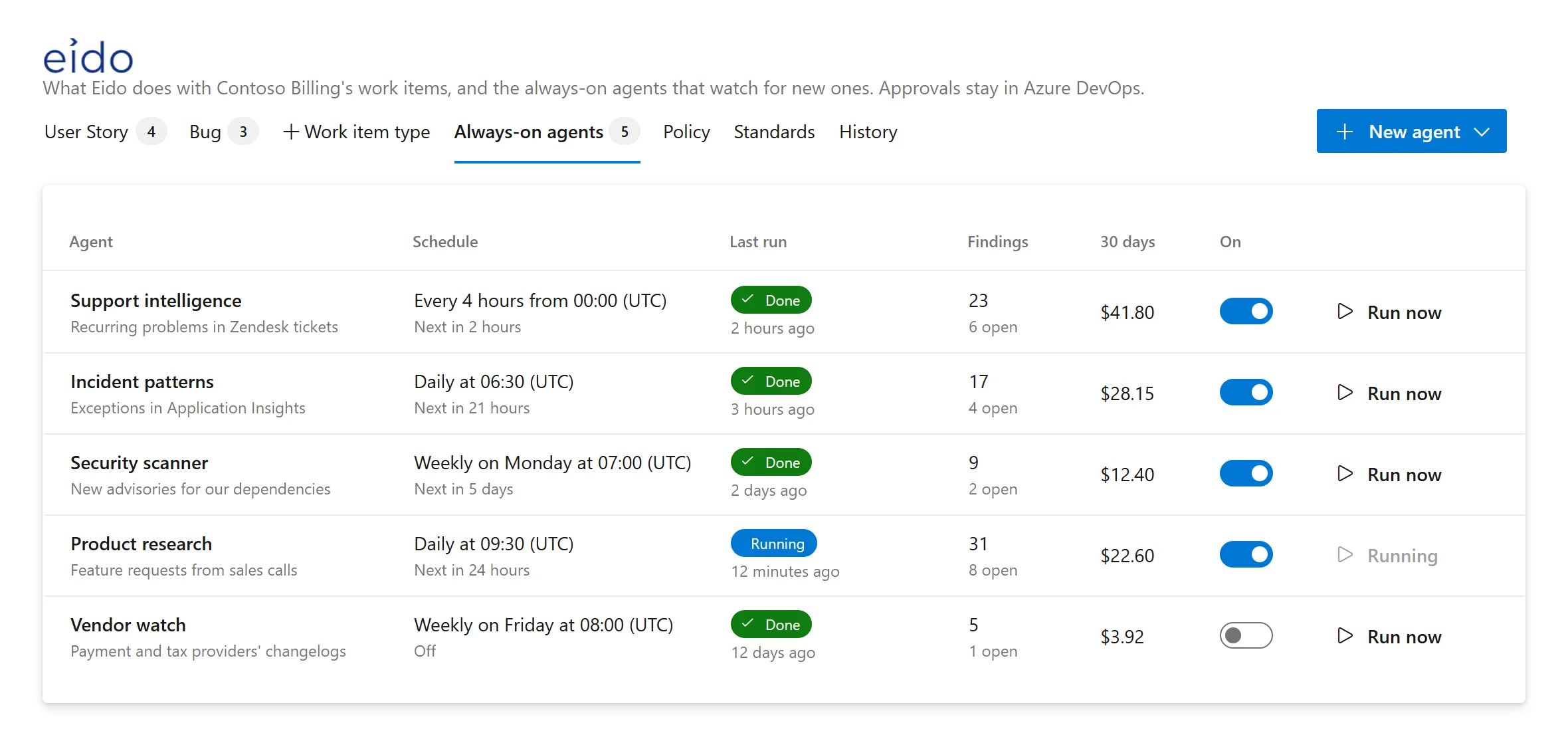
They read Zendesk, ServiceNow, Application Insights, Sentinel and more, and raise work items with the evidence attached. Your board is the inbox.
Read-only, each with its own model and budget.
Clicks through the change in Edge or a desktop app, with screenshots on the work item.
One comment per finding, on the line, with a fix you can apply.
Reply /lesson. Once your team approves it, every later run follows it.
It runs in your Azure subscription. Built for the Microsoft stack, not by Microsoft.
Its only interface, built from Azure DevOps’ own components.
Your own model deployments, chosen per stage.
A managed identity. No passwords or keys.
Cloud PCs for testing, watched live.
Every secret in your vault. Agents never see one.
An optional copy of the audit log, for your SIEM.
No. It is an Azure DevOps extension, and Azure DevOps is its only interface.
Today it works with Azure Boards, Azure Repos and Azure Pipelines. If you also have code on GitHub, talk to us.
In your own Azure subscription, with models from your own Microsoft Foundry. Each model call records where it was hosted.
Any your organisation deploys in Foundry and approves, such as OpenAI, Claude, DeepSeek, Mistral and Llama, chosen per stage.
No. Copilot helps in the editor; Eido takes work items to pull requests. It reads your copilot-instructions.md too.
From $30,000 a year, for a minimum of 50 users at $600 a user. A user is anyone who orchestrates tickets with Eido: developers, QA and product.
Your process, your approvals and your budget come with it.